Search
-
Re: 3ds Max 2018 Problem with preferences to display Normal map correct way!
 Have you got 'shade selected objects' enabled? This will shade the selected objects in a semi-transparent red. Max now has a 'per-view' dialogue. This is where the option is located. It's at the bottom of the Default Shading dropdown.
 -
Re: maya doesn't remember hotkey preferences
 Have you checked the write privileges for the location/file for the preferences? [username]/Maya/ by default. Also, in previous versions, certain hotkeys that had menu accelerators tended to work a little wonky. edit: welllll nevermind then.
 -
Re: [SOLVED] Zbrush Color Spray Introduces Wacky Red, Green, Blue colors
 Do you have a link to the tutorial? It might just be vastly outdated. AFAIK default Colorspray is designed to introduce additional hues into the result, which is what sets it apart from the normal Spray and gradient options.
 -
Re: ZBrush Hard Surface tutorials anywhere?
 use flatten, smooth and pinch. also Dam_standard is very useful which u can get on zbrush central. it just takes some experimenting and even making your own brushes or tweaking default brushes
 -
Re: how do specular maps work in unity?
 That shader is really old. Its from before the surface shader model was implemented. Unfortunately the surface shader stuff doesnt use colored spec by default so you have to specify a custom lighting model.
 -
Re: Environment in need of constructive critique
 Looking very good. My only critique is that the steps leading up to the main building look like they still have a default gray applied to them. Is this intentional? If they are supposed to be concrete it doesn't look convincing enough.
 -
Re: How to - Vertex Painting (Unsolved)
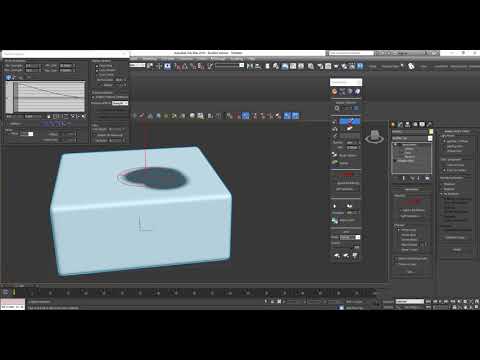 The issue was because of the brush options defaulting to 'Min strength 0.0' I've posted a video showing the solution below in case others hit this hurdle like i did. https://www.youtube.com/watch?v=YI76kMvKIKs
 -
Re: UE4 - Mayan Temple Environment
 Looks really nice. Huge improvement and great lighting. But that stone looks like Quixel's default material. I'd recommend making your own stone based on Quixel's template so it isn't so recognizable.
 -
Re: Hard Edges, UV Seams, Smoothing Groups, Cages & Baking Trouble.
I just knocked up a quick test to simulate your mesh. Exported from Max(.fbx) and baked in SP with default settings and no cage. This is using a synced tangent basis(which will be identical in UE4 automatically) -
Re: Modelling baroque/intricate geo - workflow
 Started doing shapes The first one is pretty simple even though my workflow was pretty convoluted. I had to use a couple of scripts to finish this but it's entirely doable with default toolset of every package. Going for this:
>10519 results