Search
-
Re: Tech Artist - What are you working on: FOREVER Edition!
 Hi, this question probably doesn't fit this thread too well, but I don't think it justifies a new thread. Does anyone know of a script that aligns an object to another based on their selected vertices? In the example above I know that the two selected vertices on the light grey object should be on the same positions as the…
 -
Re: [Technical Talk] - FAQ: Game art optimisation (do polygon counts really matter?)
![[PB]Snoelk](https://us.v-cdn.net/5021068/uploads/userpics/navatar29334_1.gif) i think the b cone would be best. cone a needs plenty of smoothing groups the look smoothed without over-smooth the cone end. something like face a smoothes with b, face b with c and a, c with d and b. uv space uses the same vertices as the normal mesh and 2 vertices more for the seam. in cone b you can smooth all group 1…
i think the b cone would be best. cone a needs plenty of smoothing groups the look smoothed without over-smooth the cone end. something like face a smoothes with b, face b with c and a, c with d and b. uv space uses the same vertices as the normal mesh and 2 vertices more for the seam. in cone b you can smooth all group 1… -
Re: Secret words only videogame developers use
 I suddenly came to like the term vertical slice much much more! Also what's core experience gotta do with vertical slice? I was under the impression a vertical slice is a milestone wrapping up the game at the current stage in a playable/presentable form.... kinda like where you slice vertically though all the tasks in your…
 -
Re: Normal artifacts mystery. Please help me solve it :/
 This is on the rear-edge of the left-side fin, right? Well, there is no nearby geometry that might be getting in the way. Probably there is a bad match. You can move vertices around, that won't break animations. Animations are stored in the rig. The vertices are binded to the rig. If you make big adjustments to the…
 -
Re: 3ds Max vertex re-ordering... script?
 Height includes the faces, because the vertices define the faces, there are no free-floating vertices. Order is whole object. There is another set of vertices which have a different material assignment with no transparency (tree trunk) but I could strip those out beforehand. Some of the vertices are duplicated in the same…
 -
Re: [Wip] Warhammer 40k Ork Huge Choppa
 I would suggest using Maya's Auto layout with horizontal or vertical orientation turned on, plus using the Straighten UVs (under Unfold). Straightened UVs with either vertical or horizontal orientation help with aliasing in baked maps. The sculpt looks cool :)
 -
Re: The Bi-Monthly Environment Art Challenge | November - December (99)

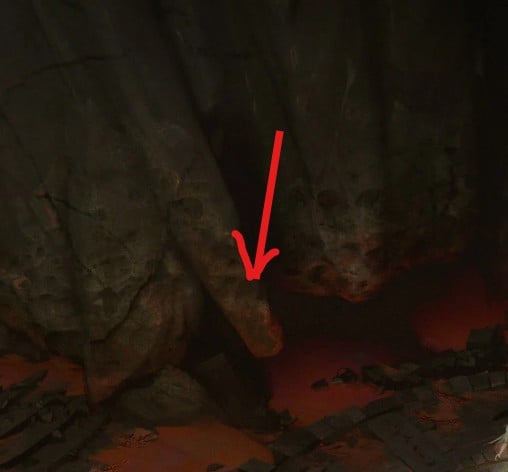 Great job @fairlyBread I love the result so far. I’d love to see you explore a couple of vertical elements—similar to the concept—to introduce contrast and give the walls stronger compositional direction but what you have looks great :)
 -
Re: Environment based Game Demo - By Ibasaweno

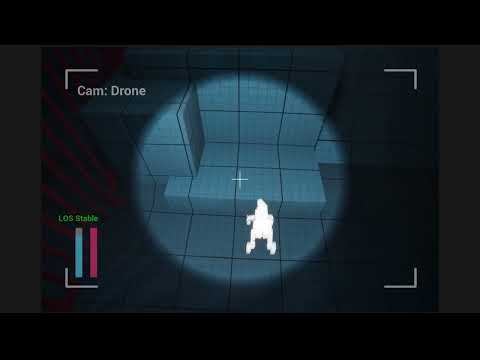 Vertical Slice Gameplay Demo + Fly Through https://youtu.be/-LhvRcgmMpw Problems = - Gameplay loop still feels lacking, need a more satisfying and rewarding gameplay loop somehow - There isn't a clear goal in terms of gameplay other than traversal - Sewer level feels too long, maybe remove some obstacles - need more…
 -
Re: Gina (critique welcome)
 I'm not a rigger nor animator for chars however fwiw I've limited experience with hard surface mechanical stuff so just a few options that may be helpful: 1 - Mesh bends or deforms in unexpected ways when you move the bone Check Bone Weights: ensure vertices are properly weighted to the bones that should control them Use…
 -
Re: how to remove very visible seams?
 So this might be completely wrong, but are you duplicating the normal from the other arm? If so have you moved the duplicated arm over 1 UV unit? *EDIT* Also to create a cage within maya just duplicate your LP mesh, then select all vertices, change the movement from object to normal then expand them out so they encompass…
>7637 results