Search
-
[Maya-Melscript] How would I set Values on an Array of attributes? (Using an array of values)
 Hi guys, Say, I have two Arrays. A name array A value array I'd like to change the values of the nameArray, by using the values from the valueArray. Essentially this... setAttr nameArray[0] valueArray[0]; setAttr nameArray[1] valueArray[1]; Unfortunately, I only know how to access or move through one array at a time. say…
 -
Re: [Blender] DECAL Machine : A quick way to create decals for Hard-Surface
 I gave it a try as well, even though I don't do any stuff rendered inside Blender recently. I really enjoy the workflow, creating panel lines and the convenience of the integrated asset manager. No idea how the parallax node group works, looked at it and got dizzy :D The effect is really good though. Excited to see what…
 -
Re: TB2 beta thread
Hi Guys New to Toolbag and the beta as I come from the other side of the rendering fence. Just took my first stab at Marmoset for OS X. Hoping I may be able to use it in my pipeline for testing before hopping into RenderMan. Here's some initial, random feedback. I'm testing this on an older 8-core Mac Pro, 32GB RAM, OS X… -
Re: Specular /highlight spot suppression texture channel?
Actually it's quite good in doing that . Suggests very well though solutions in many shaders design issues. Looks like quite well trained in the area . Makes very well working scripts and node constructs for Blender . -
How to render video in Stereo mode?
I see where there is a setting for Stereo > Dual / 3D Monitor. How do I render a video to use this setting? It shows correctly in the viewport, but when rendering to video it shows only a single image. Any help is appreciated. -
Re: Animating lowpoly grass clusters
 I apparently wasn't very clear-headed in my previous reply, sorry about that. @KeirKieran SouP has a TimeOffset node, but it connects to a shape node, which you're not going to be able to do with instancing. Gonna agree with musashidan that all the grass meshes will need to be unique anyway. So this TimeOffset node would…
 -
What modern texture software can paint/project across multiple materials ( not UDIMs) ?
While each of materials having its own UV and texel density ? While keeping same or synced node pr layering system across all those materials and automated export. -
Re: Sketchbook: Anthoshee

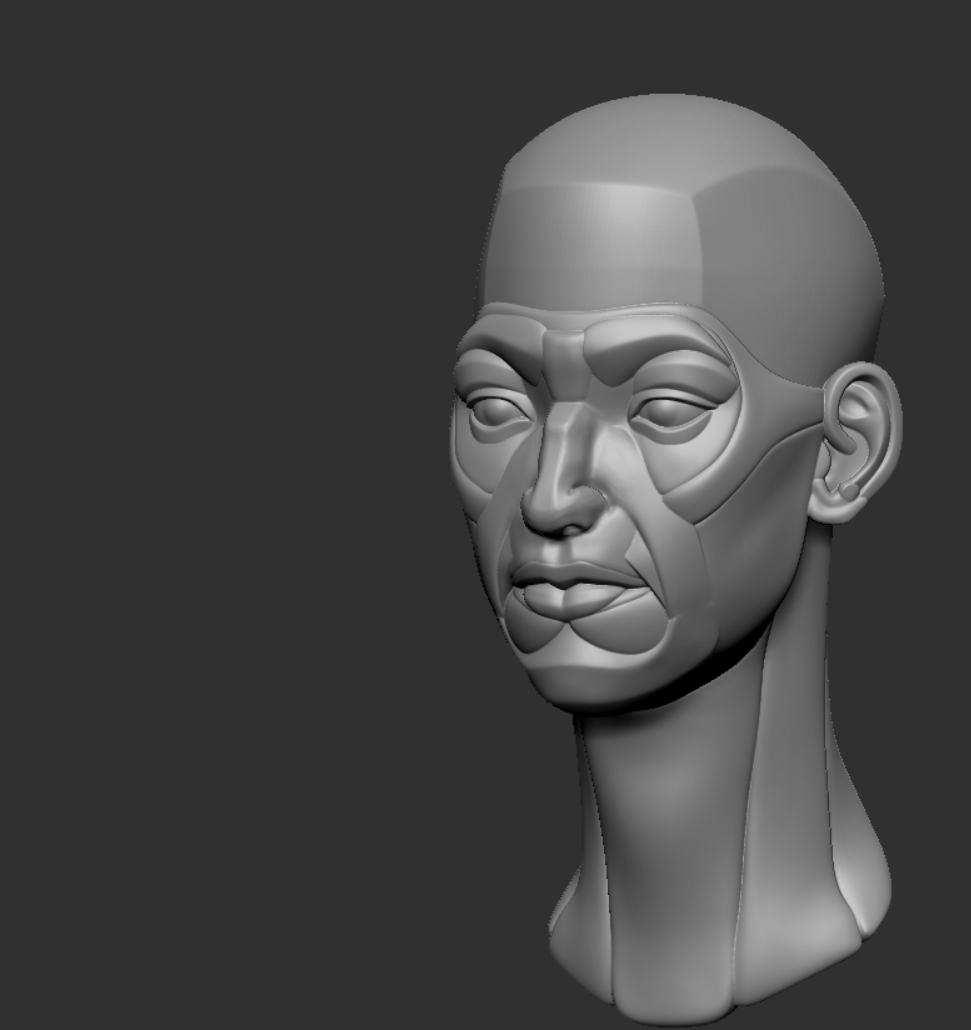 I started doing some facial anatomy studies. Here is my first sculpt of a nose. The rest of the head was provided to practice on.
 -
Python Maya Coding: Help!
 Hey everyone, Stupid easy, but I can't get it to work I'm trying to import maya.cmds as maya USING the userSetup.py file. I'm in the right file path {C:\Documents and Settings\<username>\My Documents\maya\2016\scripts}, but it won't load when maya opens up (tried maya.ls(sl = True)) Can anyone help?
 -
Re: how to edit a generated mask?
You can also paint in the layer mask itself and have your generator as a part of the mask stack with multiply blending mode for example. You can also paint a mask on some layer in the very bottom of the stack , set anchor there and then use fill in your target layer mask stack with a link to that anchor. Sometimes it…
>37262 results