Search
-
Re: Fender Telecaster - Model and Skyrim Mod
 My main critique would be the black parts look to be 100% black - which is something you should always avoid on models (even when the specularity is so high as it is here). I'd suggest knocking it down to 85% or 90% grey instead. In line with that, the wood looks a little too bright in-game. It looks fine in your renders…
 -
Re: [texture sketchbook] dunbar
the engine i'm using does not support decals in that manner. so it's all the old school way, without vertex blending or other tricks. i've been having trouble finding some decent hard surface texture examples other than the usual always-floating-around tutorials. texturing big areas is always a challenge, because most ot… -
Re: Newbie Character Modeling: Garnet
You picked a good starting point :) Yeah, having seperate meshes makes everything so much easier. It gives more freedom when modeling, makes it eaiser to navigate your scene and will help with rigging (dont bother with that right now). Basic rule of thumb is anything that could be seperate object in reality should be so in… -
Re: Sketchbook: Paul Miller
 I wish i had a visual update. But this post is going to be text for now, until I get to a point where i can show some rigging stuff that might be remotely interesting haha. In the tutorial so far, Its been mainly messing with Joints. Which is a good thing, because there was apparently a lot i didn't know going on with…
 -
Re: Blender as industry professional?
 In the age of cheap subscriptions, cut down indie versions & student licensing, I don't know why anyone wouldn't just go with the industry standard software if you are serious about getting a job. I remember starting out with the free Wings 3D modeling package and that was because 3DS Max cost $4,000 and youtube tutorials…
 -
Re: Made a High Poly Tire Tread, What Now?
 OK, that sums up the problem, you're new to this, so I can see why you're having problem, don't worry, it's not hard to get on it. Here are some tutorials on to get a hard surface modeling going on: Tire: http://eat3d.com/free/modeling-tire-3ds-max Support Loops:…
 -
Re: [Zbrush] Dynamesh is deleting part of my object

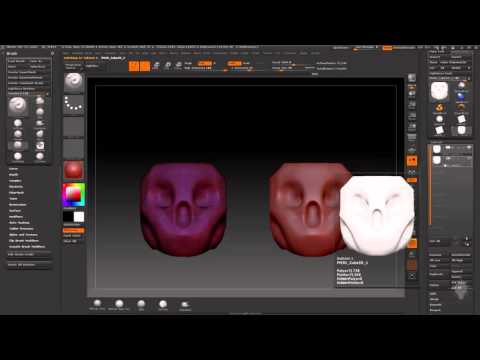 I know this is late reply, but if anybody else has the same problem: QUICK ANSWER: it's likely to be caused by the settings in: Preferences / Mem / MaxPolyPerMesh Just set that number higher and you're good to go. Little more info: That means you are trying to Dynamesh the model with very high resolution. In most cases,…
 -
Re: 3ds Max Rigs:: Wire Parameters offset and Constraint conflicts
 So the usual way I would fix this is to set the Orientation constraint's Transform Rule to Local > Local. However, this won't work for your model because there is an offset (the constrained bones have +X point to the next joint, and the FK and IK bones use -Z) so you are using "Keep Initial Offset". I was able to fix it by…
 -
Re: Is it cheating?
 Yeah from what I've seen from various artists i've worked with, they tend to have a base mesh and they usually take that and tweak it to whatever they need it to be, if they can save time by doing that. It doesn't matter how you do it (as long as it is legal of course), the results and the speed only matter. But If I may…
 -
Re: PBR BaseColor/Metallic to Vray (3.2) / Corona / Redshift / Arnold converter
God ... bless ... you. Three years later ... and after trying to figure this out for 2-3 weeks, yours is the closest, most accurate description of how to get the maps to work (vray for me). Don't know why this info is so hard to come by (followed a Lynda tutorial, the only other comprehensive attempt at a workflow to get…
>20135 results