Search
-
Re: Heavily Modified P90 "Savage Hunter"
 Thanks again EQ and Perna for your valuable input. As you pointed out in one of your draw overs you suggested combining the fire selection switch/safety and the main body of the gun. I attempted to do this a few days ago but it kept producing bake errors. I made the selection switch + body one object on the LP but they…
 -
Re: Compositing texture maps into one file?
 Okay, Managed to get fairly decent results with Designer, Its faster and more automated than the previous workflow so I think I'll stick with it for now. I'll outline the process in case anyone else is wondering. Exported LP with Materials assigned per-object so they could be split up and baked in painter. This is for…
 -
Re: Unable to make cuts in 3ds max 2010
 That answer came about because there was nothing a user could do other than complain, that is until 2012 rolled around and they finally worked on it. The history of the object plays a big roll in how the cut tool behaved. Resetting the transform and scale (hierarchy tab of the command panel) help quite a bit not just with…
 -
Re: Hagrid's Hut
 In my opinion you should start with a single object (for example the crate of the scene), model, texture and place it in UDK. This shouldn't take too long. So first of all you should get a better feeling for modelling and texturing, before starting a whole scene. On the one hand you can ask more specific question when…
 -
Re: Quick Texture sheet question
 What I think Kristof is saying is you should use a multi sub object. This map channel thing will get expensive quick. Not to mention you'll have to remember which map channel holds which UVs for the house. I'm currently doing that and it's a pain. One map channel for the main texture, one for the Light Map, and maybe a…
 -
Re: Does Maya have an equivalent to Softimage Prop Model Tool?
 Hey all, I registered to polycount just to ask this question ;) Im in the same situation as praxedes. I am a Maya user and just watched the exact same gnomon DVD (Character Design and Modeling for Next-Gen Games with Vitaly Bulgarov) and I am searching for a function in Maya that I saw demonstrated in XSI. As praxedes…
 -
Re: 3dsmax 9 - Material ID issues.
It really depends on the project, the engine and the object but in general if its going to have a few textures, create a multi-sub object (click standard and change it to multi-sub) and add new textures to the multi-sub assigning the ID's as you go. So you have one master material instead of a bunch of separate ones. This… -
Re: How would I efficiently unwrap these models without repeating myself over and over?
 well you model and unwrap one piece, collapse it, (this keeps the uvs you made in the object) and you just clone this object :) then you can merge the objects together and voil
 -
3DS Max mesh to ffd
Is there a way to turn a simple poly mesh into a FFD object to deform another or several other mesh objects? Box or cylindrical FFDs will not work well with the objects I want to deform. I am working with Max 2009 64 bit. -
Re: Hanging clothing in games

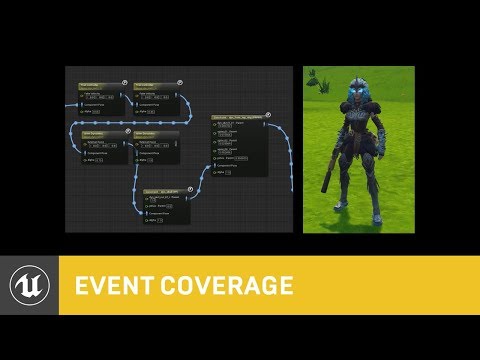 Well, if there's one rule for cloth in games, it is that "clothsim" isn't the obvious solution it may seem to be. Cloth in Fortnite is made with bones : https://youtu.be/Oe7fYS9qxmk?feature=shared&t=1276 More generally this kind of stuff is always more tricky to setup than what one would expect - so, never ever leave it…
>26398 results