Search
-
Jack Gathercole - Games Art Student - Work Thread

 Hey Guys! I'm working on a project for University, I have to create an environment (interior/exterior) in Unreal 4. Just starting off this discussion with my most recent asset, a Persian rug created with the use of parallax occlusion mapping. I'm fairly new to UE4 so my node tree might not be fully optimized for…
 -
Simple Hall

 The concept was simple hall with more focus on improving usage of material with added nodes for specular effect and also to build some atmosphere using more nodes on the world. By last, this scene was also imagined to have some chances to usage of clothes in blender. It does look a bit empty, but in one hand I wish to…
 -
Re: [Maya] Regular Expression
 Sorry code tags are hanging poly count again :poly127: below are some of my matching notes... ( Because I forget what works for me, all the time :whyme: ) basically, for selection: pCube1.f[27] //method 1 using ".[]" ".[]" are all illegal characters.. Therefore, they only need to be accounted for once in any match.…
 -
Re: Would you like to do a community chest?
 I'm absolutely all for this, as it's an idea that's been floating around for quite some time, but there was never a 'right' time to start it so it kept getting pushed back. However I do have one concern that I'd like to hear peoples thoughts on. A polycount set treasure is a great idea - a natural extension of the emerald…
 -
[WIP] Overwatch Widowmaker Fanart Skin

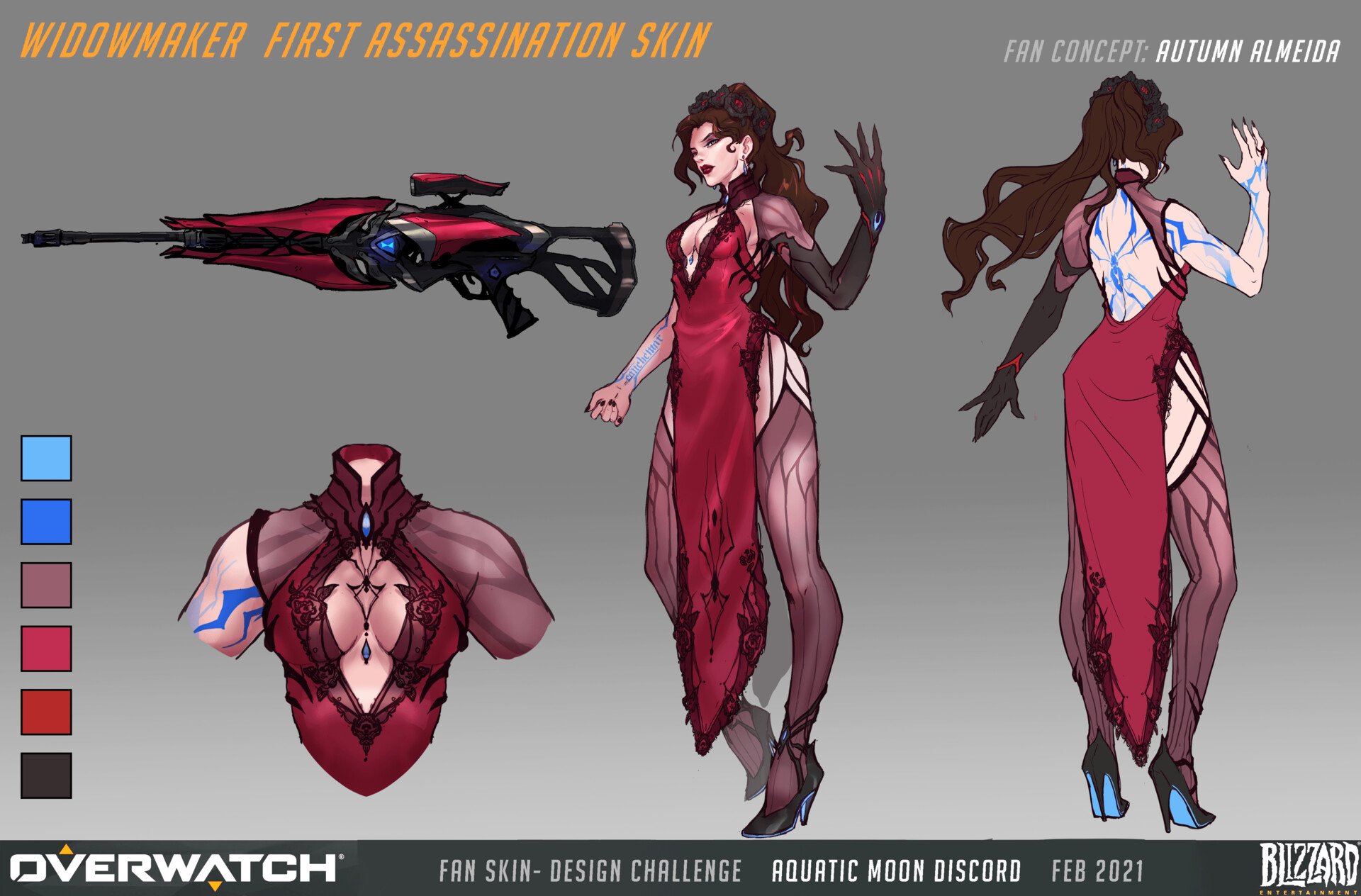 Hello to my fellow polycounters! I’ve been working on a character in the evenings after my day-job, in hopes of pushing my portfolio forwards. In the past I’ve either had a fairly generalist portfolio, or the chosen designs were not visually strong. I’ve reflected a lot lately, and decided to push forwards with a stylized…
 -
Re: Maya - transfer selection to ref editor
 Hmm actually that's something I've kinda wanted for a while too, maybe I'll see if I can write a script for it. Would be nice to just right-click a referenced node in the Outliner and have it pop up the related reference in the Reference Editor. Sounds pretty straightforward to do too, since you can just do "referenceQuery…
 -
Re: Modeling: Maya Vs. Max
 Autoback on crash is in temp directory of your system. Warning: If the file you were working on has a messed up node, you will need to hunt through the file in a text editor and remove the node by cutting the text. Something you can't do in 3DS Max, even with autoback. Change hotkeys is in Windows>Settings And Preferences>…
 -
Re: Sketchbook: Pereiraccoon

 Today's test, I decided to see if I could do 2D FX in blender, it worked through the use of nodes in blender cycles, loved it to be honest but I'll have to try something more ambitious later on to see if it really works on a more complex level. Here's the node setup I used for the Fire Ring (also used on the supposed blue…
 -
Re: SD Mask Generator Troubles
 I have a half hour drive to work and that popped into my head on my way this morning. Ha ha! Haven't had a chance to play with it yet but I at least know how to use the FX Map node. Ha ha! I could probably add a Blur and Levels node combination to blur out some of the smaller bits and pieces, or meld them together.
 -
Re: Substance Designer Height map details missing in Material view
 Right click your "Height" output node and click "View in 3d" and then select the "height" channel. I believe by default its not enabled so even with a value plugged into the node you wont see anything until you do that. Also make sure you go to "Materials" and then "Edit" on the top toolbar and set your "Scale" to 0.5 to…
>37262 results