Search
-
Re: MayaLT 2016: Thicken a mesh without extrudeing
 you can push the mesh out along its normals by selecting the faces and doing edit mesh > transform component, and then dragging your Z (blue) handle out. the more you do it the blobbier your mesh will get though, but its good if you only need to make smaller adjustments.
 -
Re: [3DSMAX] Link an object to the surface of a mesh with a Morph modifier.
 I forgot to mention that it's not rigging for animation, only posing purposes. So tweaking every object that I need to attach takes too long for my purpose. I am using a morph for the proxy mesh and thought there might be an easy method to link objects that do not need deformation and only transformation.
 -
Re: UE4 - The Last of Us
 haha i did and there wasn't much. sorry for no picture updates part time work is using my time but im on the baking stage so i will show an update soon I promise. P.S. Listening to transformers soundtrack is just giving me goosebumps and making me work faster lol
 -
Re: Workshop # 4 - Reefer
 hey reefer, i think you have done an initial fail...you should align and transform you reference picture before modeling ... in fact of that you have modeled not bad so far... i think if you adjust the ref picture you can clean up your model...
 -
Re: Solved: Suite 2 NDO can't edit normal map
 ok. that got me the new normal shape. with some fiddling I found out I could transform it. Was the video author using keystrokes in addition to the visible mouse actions? I don't know much about shortcut keys in Photoshop. Anyway, I can progress from here. Thanks!
 -
Re: My ZBrush must be different from the others...
 Ah, cheers then. I would recommend spending some time getting used to working with local transforms on. You may not find a need for it when viewing the whole model, but if you're zoomed in on something like a foot and you only want to rotate the view around the foot, that's when it really comes in handy.
 -
Re: Rectangular UV Map?
 Here's some Maya tips - There's an option to use your textures aspect ratio. - You can use relative numeric transforms (move, rotate, scale depending on what tool you have active) Just click the cryptic icon highlighted in this image and type in the value in the boxes next to it and hit enter.
 -
Re: Maya UV shells breaking appart
 Sorry, I'm new at this and I have ran into the same problem, but reversing normals on the target doesn't solve it for me. Any suggestions? I have a group of identical meshes (eg: screws, low poly) in different position and rotations. I deleted them all except one to create the UV. I brought back two of those many screws,…
 -
We're looking for an Unreal artist experienced with pathtracing.
 Hi, we're working on 'Blood&clay' https://bloodandclay.com/bnc.php and we're looking into transfering the rendering from Arnold to Unreal. If you are an UE pro and skilled in the render features: We want to test UE with this shot( scroll down to 'first shot'). What I want to know first: will it work?- we have scanned…
 -
Re: Trimsheet normals inverted when rotating UV islands

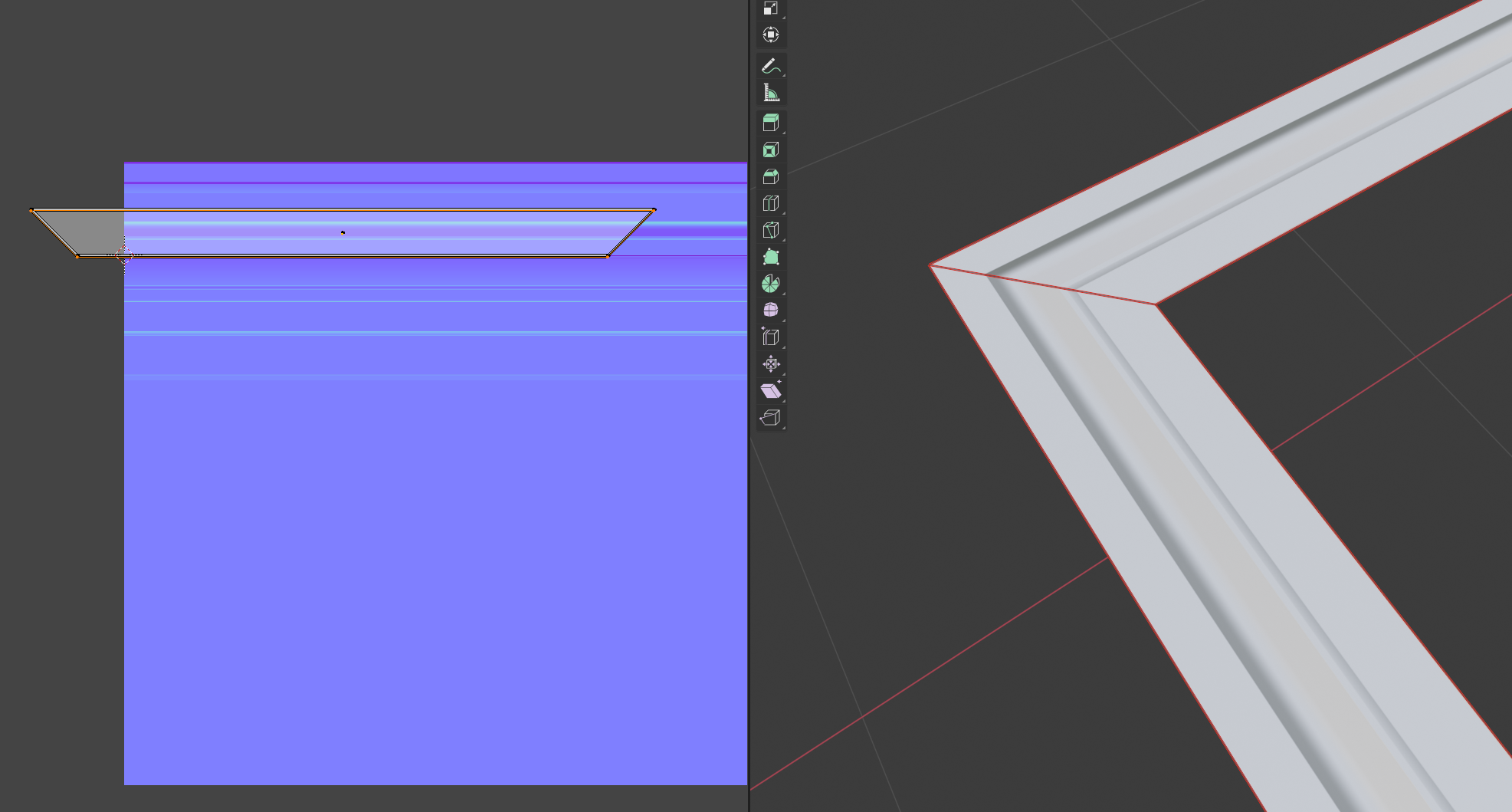 I agree, it doesn't make sense. I cannot recreate this either, it's working as expected for me. Did you rotate in edit mode or object mode and applied transformations? Which version of Blender are you using? I guess there are no modifiers on the object?! Would be best if you could share an example file.
>9307 results