Search
-
Re: Max Rendering Help - Fit mesh to view
![TorQue[MoD]](https://us.v-cdn.net/5021068/uploads/userpics/978/n9Y8GE4KMHMJB.jpg) lol You rock man. 100 Points for most helpful forum member I've ever met. I actually managed to get it to work though by simply creating a target camera moving the camera and target to absolute 0 (along with the scene) and then simply sliding the camera back to whatever looked like it was pretty close and then adjusting…
lol You rock man. 100 Points for most helpful forum member I've ever met. I actually managed to get it to work though by simply creating a target camera moving the camera and target to absolute 0 (along with the scene) and then simply sliding the camera back to whatever looked like it was pretty close and then adjusting… -
Need numerous modelers for a TF2 project
 I'm part of a project that aims to change the default silly hat wearing, bullet shooting big men of Team Fortress 2 to the silly hat wearing, bullet shooting little girls of Touhou. We already have models done, but the models are of horrible quality and we're looking to redo them so that they both look nice and match up to…
 -
Re: Pivoting into VFX and UI
 Do they? I'm not sure AAA actually use UE4 all that much - from what i've seen unbranded UE3 is still very popular I guess cos studios are set up, it works and don't break what don't need fixing. It's mostly popular with indie artists in particular cos its easy to pick up for that. That said though, knowing UE4 is a must…
 -
Re: Modiying an editable poly under a skin modifier in Max
 Careful with that... I'm not so sure its all accurate. 1st) Max evaluates everything from the bottom of the stack up. So the edit poly would be fine above skin but would mess everything up if you moved it below. If the edits are small enough and only throw a few verts out of whack you might be ok and just have to do a…
 -
Re: What made you feel good today?

 I went for a walk about in a place called highgate cemetery in London, I know its a bit morbid but its a very interesting place, I saw some feral parakeets which are growing in number, they definitely give London wild life a touch of colour, lol! :)
 -
Re: Quixel SUITE | Suggestions
This is very minor but I would like to have the ability to edit numerical values such as scale, texture intensity, opacity, and so forth by clicking in the number field and adjusting the value by using the up/down arrow keys like photoshop has. in order to type it into the field your cursor has to be hovering over the ddo… -
Re: Duplicate and slide edge tool (As seen in Modo) in Maya?
 if i understand you correctly you can do that with the 'offset edge loop tool'. http://download.autodesk.com/global/docs/maya2014/en_us/index.html?url=files/Edit_Mesh__Offset_Edge_Loop_Tool.htm,topicNumber=d30e177986 you can also set the number of divisions when you insert an edge loop, slide, numerical input values etc.…
 -
Re: Is there a limit to UDIMS?
While Unreal Engine does not have a hard-coded "max amount" of UDIMs; the actual limit is determined by your system hardware's available memory. Remember to enable virtual textures in Unreal and so long as the textures end with the numbers.1001 and .1002 and so on you only need to import the first texture and Unreal will… -
Re: Sketchbook: Tim Smith

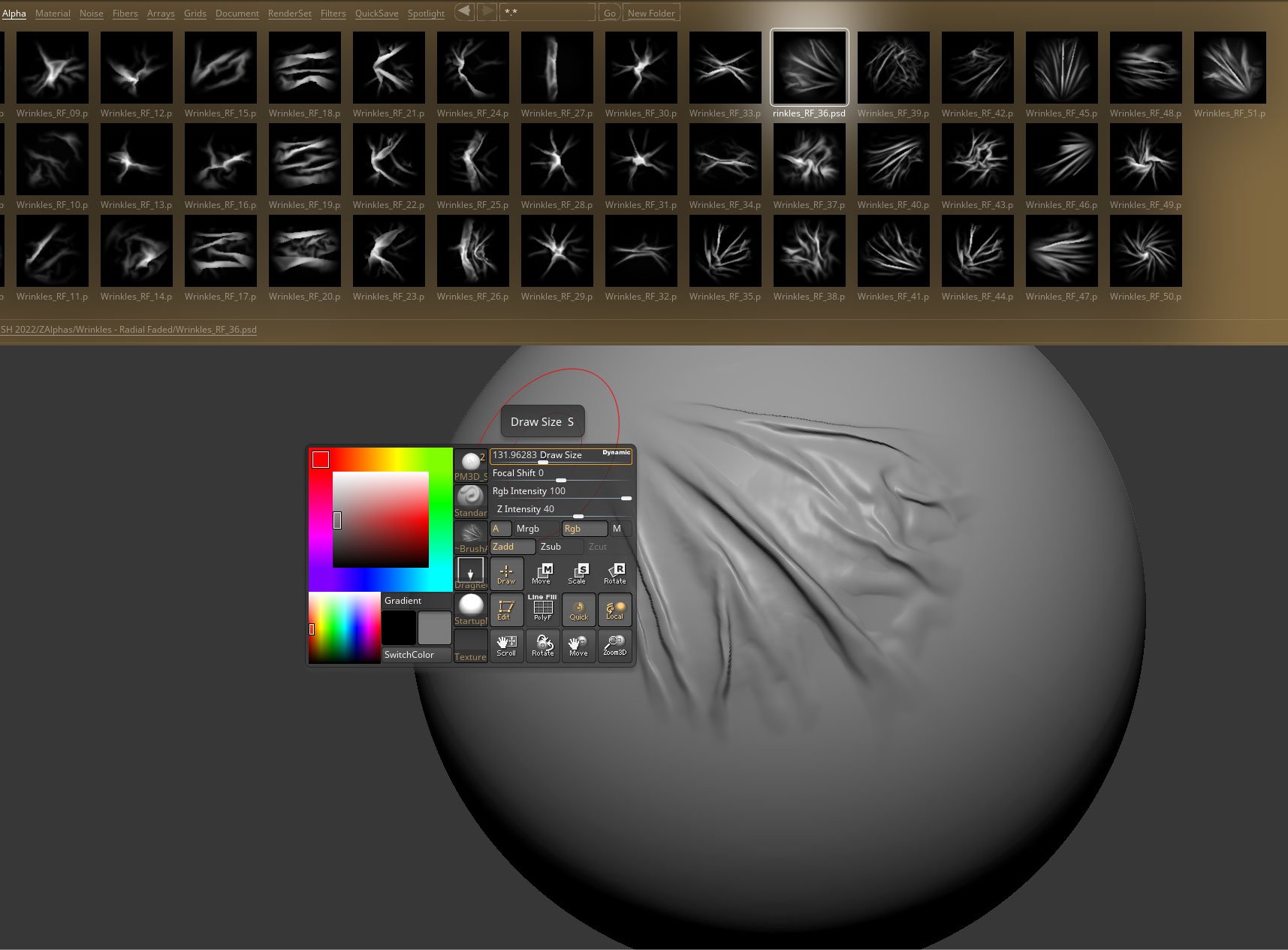 Yep. Everything was done in Marvelous Designer to begin with. :) I'm now just trying to refine and clean up some of the simulation noise. I have been trying to use some alphas as a base, though when trying to match the above reference, I've found that a number of the alphas aren't right for the job. So I've tried to…
 -
Re: Modular roads with unique normal
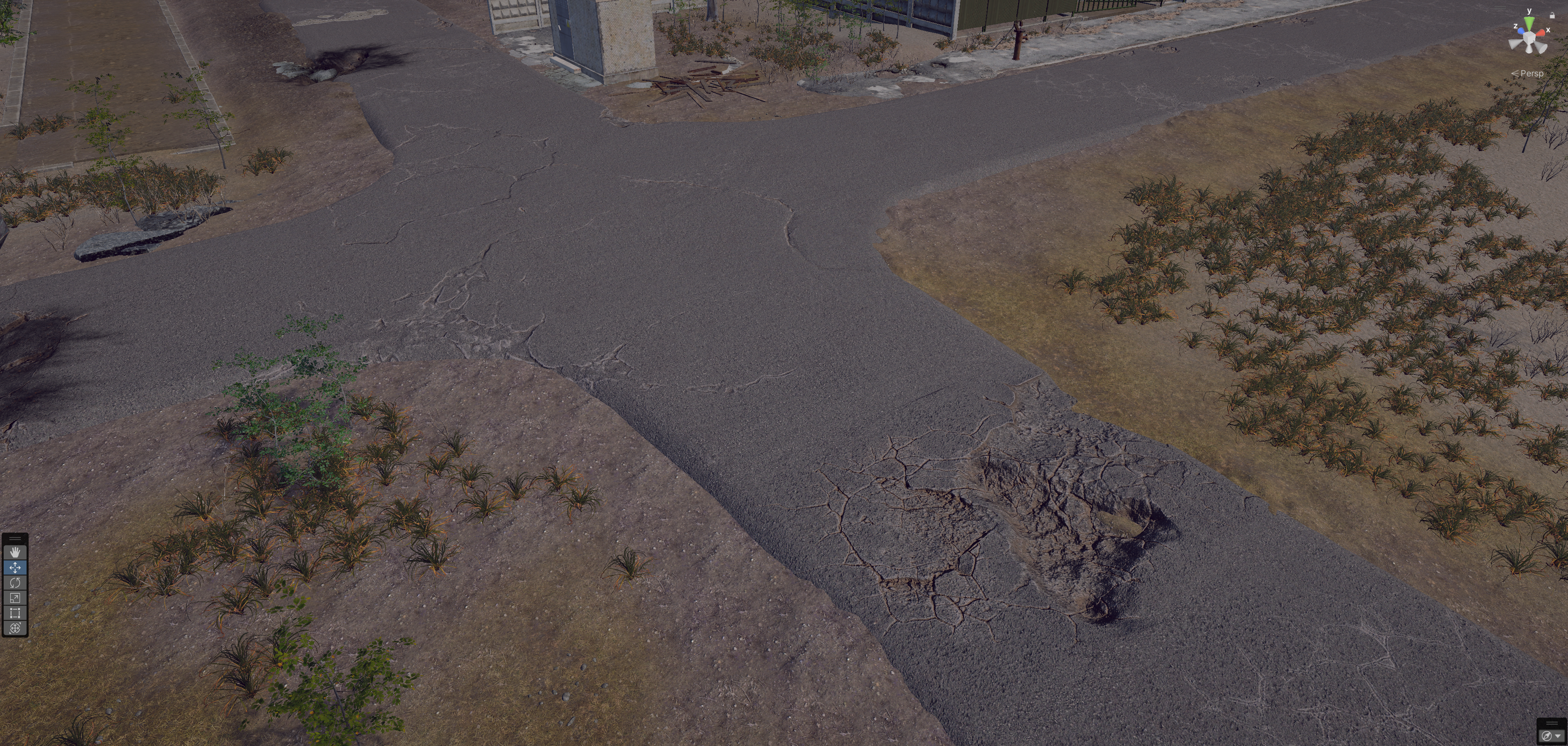 Thank you guys, it turned out somehow like this. I'll take a closer look at everything you've offered me (unfortunately, I've been working on it for the last few days) and explore the possibilities of optimized texturing. At the moment, each such 'module' contains a separate unique material plus decals. The result,…
>13752 results