Search
-
Re: [Unity] Environment: "Road to Mount Ardrak"
 @Yokogeri Sure, I kind of anticipated it would be far too much for mobile platforms, even at reduced output res, but wow you're pushing those pixels even harder than I thought if it runs at a similar framerate to the Witcher 3, especially as it's just a static environment ;) For the record I really like the orange heavy…
 -
Re: Photoshop CS6 crashes while saving
 ok, for preferences i would try moving the entire folder 'Adobe Photoshop CS6' out of AppData/Roaming/Adobe. if that solves the issue then you can move your menu, action, hotkey customizaitons back in step by step. and before you choose that nuclear option, check if toggling off <preferences>file handling -> save in…
 -
Re: Help: Stick Figure Modeling
 Toomas, I hate to be a total pain.. (and I thought I wasn't too bad on the modeling).. run me through the steps... and define what are edge loops? 1. Make four-sided cylinder 2. Rotate,center and scale the thing. 3. Make into Poly or Mesh? 4. Select Poly and extrude? This is where i get lost... that step.. to extrude.. or…
 -
Re: Base Head Sculpt
I had planned on tweaking it in Max. It seems like I'm taking one step forward, and two steps back. I've been working on learning proper anatomy, but it's a long process, and comments like that are certainly a testament to it. I think maybe I'll do as you suggested, and just scrap the head and keep working on understanding… -
Re: max and zbrush prob....
i'm using the quads setting. i tried it again and got a result that is a tad bit different. man...what the hell. and like i said...the same thing happened to one of my other models. here's a little step by step of my frustration...hahahaha. exporting from zbrush on subD 1 max make adjustments to legs max update tool in… -
Re: [Riot Creative Contest 2017] Thanksgiving Jinx (WIP)

 Reply by MadameDaFunk · · Home› Contests & Challenges Archives› Riot Creative Contest 2017› Riot Creative Contest 2017 - IllustrationSo it's been a while but i had a little break from this piece here !!! i'm continuing fixing and pushing the B e W composition step by step ! now it just matter of patience and let things come up with theme selves . i also never push so much in term of details and smoothness so it's kind of new for me too !!! next post i…
 -
Re: Is Gnomon Workshop full year subscription worth it?
 You should keep in mind that Pluralsight (DigitalTutors) tutorials are wildly low-quality, and only useful for learning the very basics of software. I cannot recall a tutorial series on there in which I was not screaming "What are you doing!" every couple minutes. Stuff like taking 10 steps to hack their way around…
 -
Re: Young Artist first model ( Critique me ! )
 Psst, ProTip: There's no point in taking credit for or asking for critiques on something you created from following a tutorial that breaks down the entire process step-by-step. Since you're young I'm just giving you the advance notice on that now. Here's my "first model" as well: Now go create something original first…
 -
Re: THRONE ROOM - Nuclear Throne - Nheerph
 I havent updated for a while due to other University projects and deadlines but this will be finished! Here are some models I have done today. Wall asset - Still a w.i.p Throne - Finished, next step is the high poly Bridge - Finished, next step is the high poly Slime texture - Created in photoshop, yet to make the glow map…
 -
Re: [Maya] Maxivz's free smart and context sensitive scripts for modeling
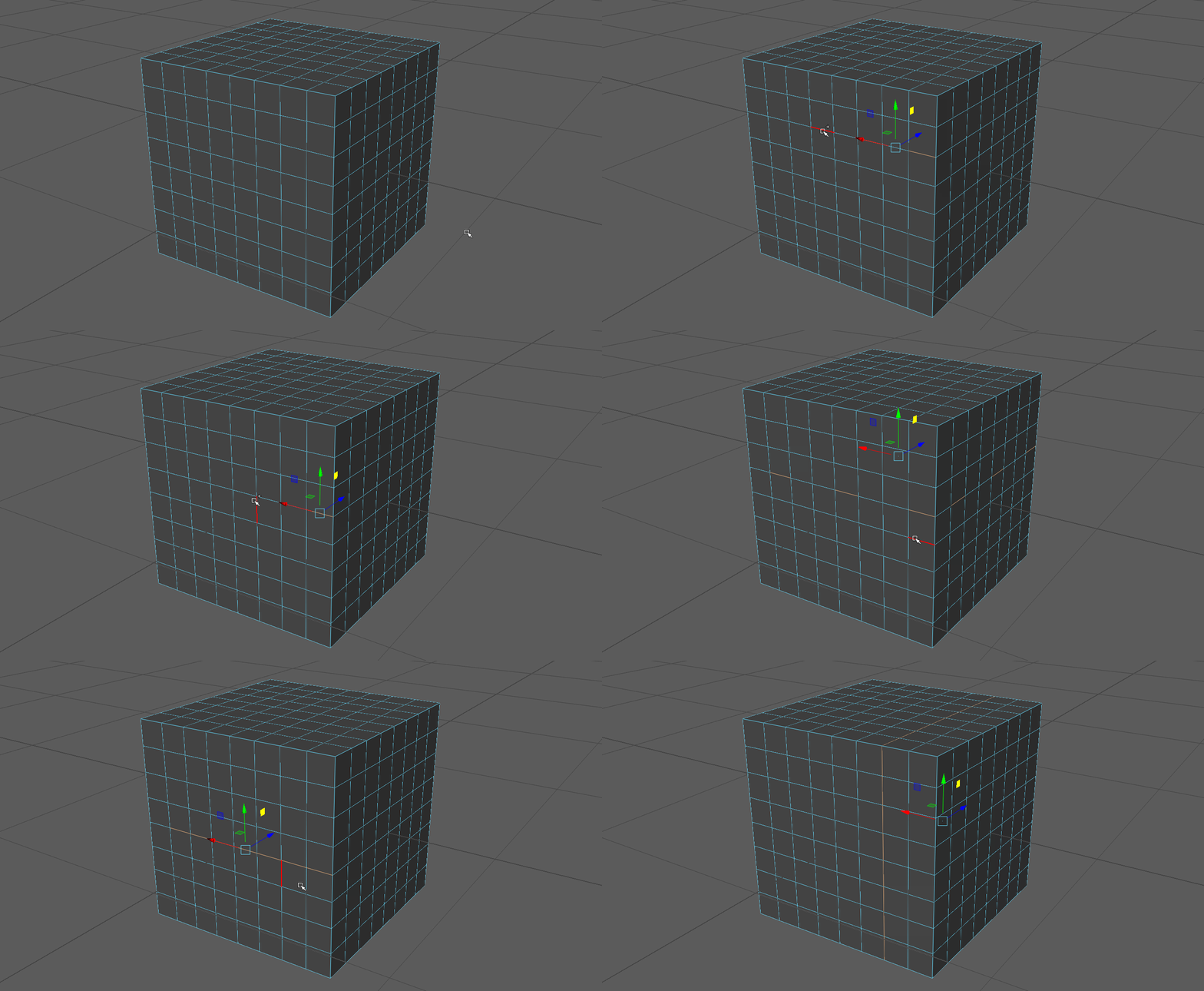
 Made two quick more for the pack Smart Edge Loop:If you make a loop step selection of at least 3 edges it will extend it. Otherwise it will perform the standard edge loop operation Also works with multiple loop selections at the same time: Smart Edge Ring: If you make a ring step selection of at least 3 edges it will…
>25544 results