Search
-
Re: 3ds max make vertices going round
 Spherify modifier just select the verts in your edit/editable poly apply that modifer and collaspe it down if you want to edit those verts again.
 -
Re: Portrait Render
 add an edit mesh modifier ontop of the edit poly then colapse and convert to edit poly again , should fix it in the case of merging the verts dont work
 -
Re: Issue with lowpoly mesh (smoothing groups?)
Hey, I would try Edit Triangulation in the Edit Poly modifier. If that doesn't improve things you could have a play around with the Edit Normals modifier. -
Re: Why Triangulate model for in game end result?
Try converting to an editable mesh, or even adding an edit mesh modifier. Triangulated edges will be hashed out, and you can always go back to editable poly. -
Re: 3DS Max: Importing and using custom SVG / PNG icons for a new toolbar.

 just create a bmp file like.... and name it vertex_colour_tools_16i.bmp (note the alpha) and stick it in C:\Users\*******\AppData\Local\Autodesk\3dsMax\YEAR - 64bit\ENU\usericons\ folder and reboot max then right click the button and pick "Edit Button Appearance..." where the above icons should be available. if you use…
 -
Re: Sketchbook: Celosia

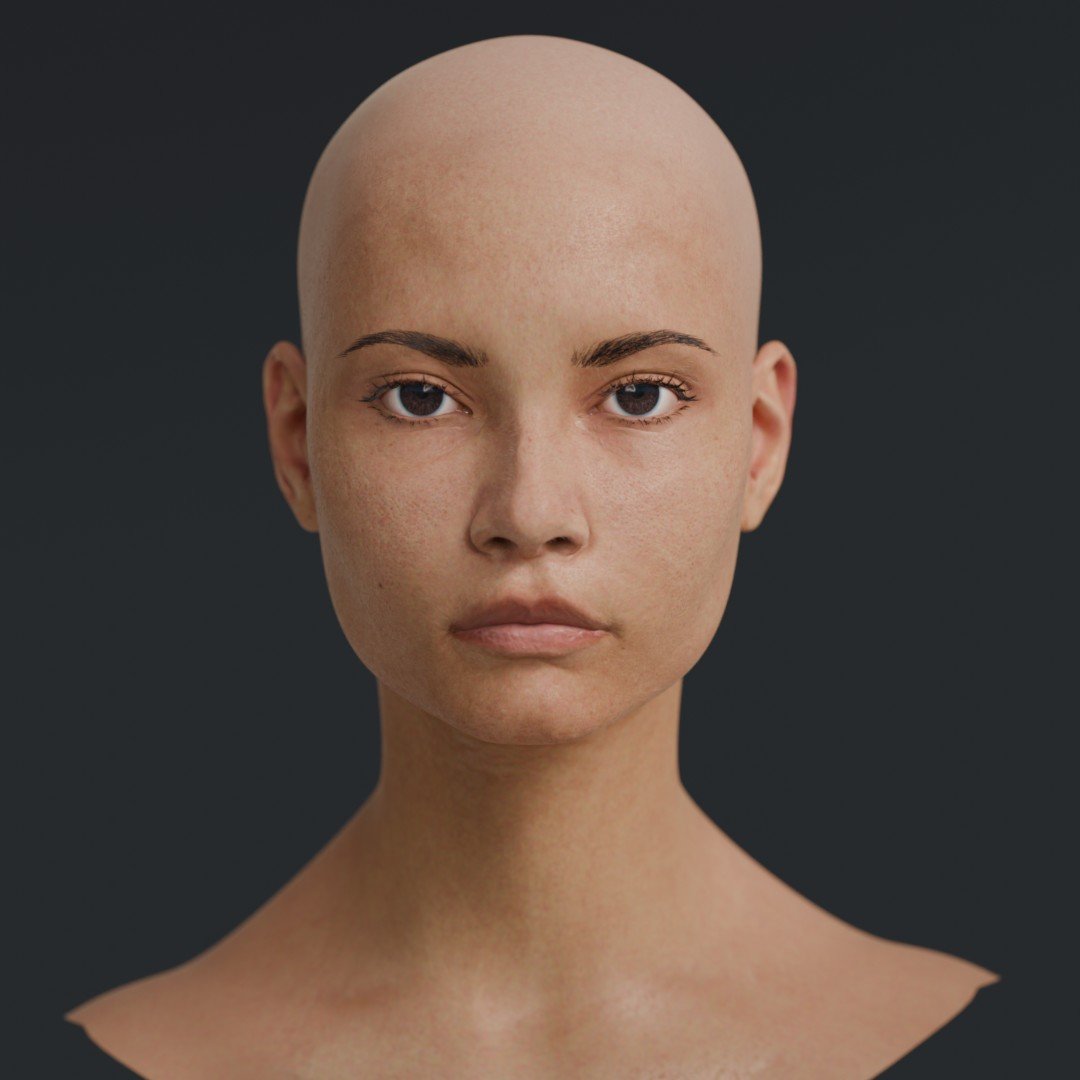 I decided to use the opportunity to use a full skin scan for the first time. I'm used to rely on just a mix of procedural and sculpted details added to hand painted colors. I tried out Wrap for projecting and it's nice, works on Wine with nearly no hiccups, and I think I even got Marmoset working on Wine too, which I might…
 -
Re: The Beast - Questions and Answers
I am getting a message, that editing posts needs to be approved - so I am unable to see the edit of my first post, as well as the last post (because I edited this as well) -
Re: rapidTools toolset - fastPanelizer, quadCap, conformTool and many others...
I download v1.14 but it don't work with edit poly, it just work with editable poly. I have RegularizeEdgeLoop and it just work with editable poly too. can you help me guys? -
Re: where and how should i plug my gloss map?
 LinearInterpolate :D EDIT: Also 'L + LMB Click' should work IIRC EDIT 2: Awww you edited out your question so now I look like the dumbass!
 -
Re: 3ds to CE3 : export issues
I have a few models this is starting to happen to me. Once the error message appears, I go to click to find the faces, and max crashes - every single time. The weld idea isnt working on my model. I receive a prompt from max that no vertices were within range. Is there another way to identify the face? This one has me…
>35102 results