Search
-
Re: Exporting Pivots from Maya to UDK
 A very good idea! Would that still work for objects moved from the origin and had 'Freeze Transformations' applied? Or does it work on World-space values rather than object-space?
 -
Re: Size problem from 3ds max - Wards
 I had a similar problem with scaling. It ended up being that i had imported in the wrong units (inches not centimeters). Try scaling it up by 2.54, reseting the transforms and re-importing.
 -
Re: Maya extrude/animation snapshot paths Question
(I'm no expert but) have you concidered this being a gimbal lock related problem? Does your object (not curve) have any rotate values on it to start? might try freezing transformations...? -
Re: Insectoid
 yeah, this is almost exactly the same as a bug transformer I had as a kid. (like 95% close) really nice work on the abs, would like to see the same crispness on the rest of the sculpt
 -
Skycubes
 Hi all Was wondering how to make a skycube or skybox whatever you wish to call em' from photos. Like, if i take a panoramic 360 photo can i transform that into a skycube? If so, how can i do that? Thanks
 -
How to get object back on the Grid. Softimage XSI.
http://imageshack.us/photo/my-images/594/capture1gridhelp.jpg/ Everytime I snape to grid to transform, move the object. It snaps over a unit but relative to its current position. How to get on the grid? -
Ue4 - Terrain Mesh Normal Blending with Virtual Textures Guide!

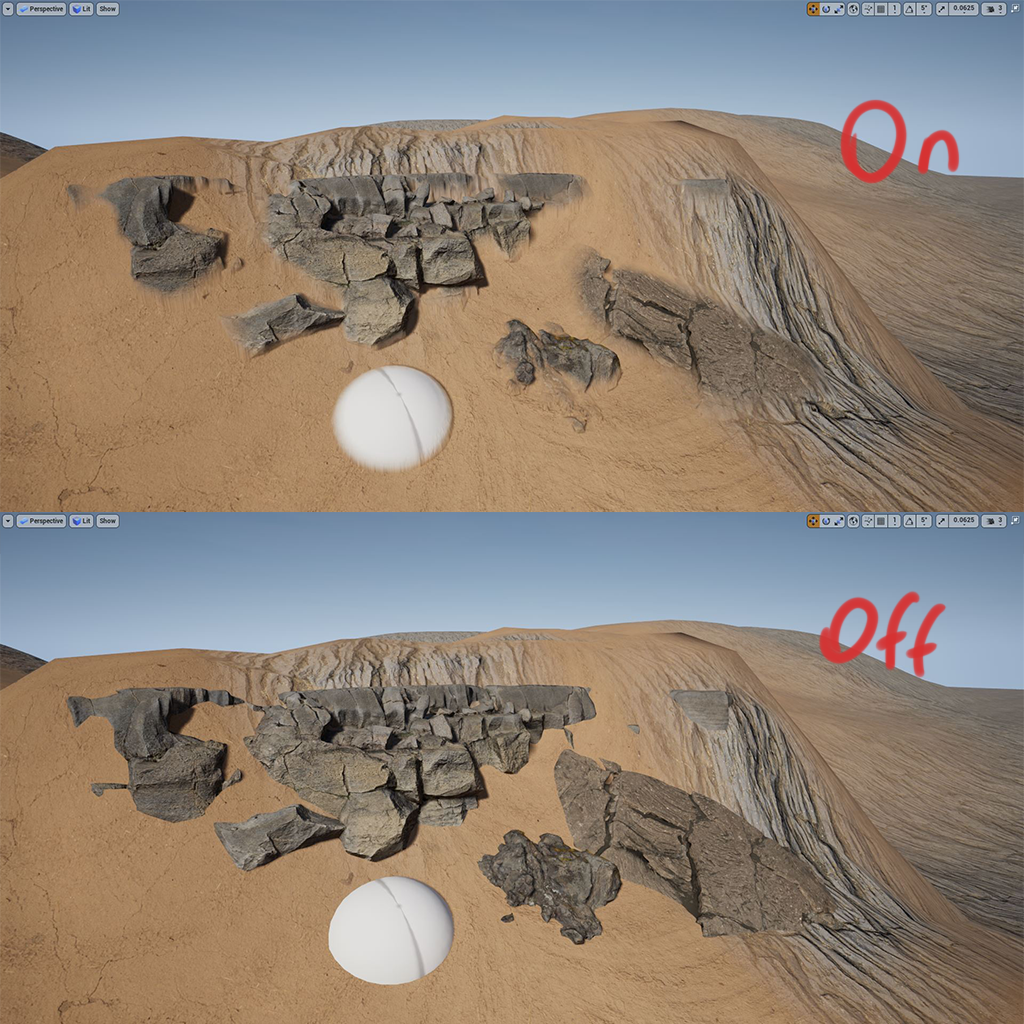 Hey its my first post here. Hope this guide will help yall ! Couple of months ago when i started playing with Ue4 i was obsessed with terrain mesh blending. So i started searching but couldnt find any tutorial on how to do it. After some search time and experimenting i finally found a solution. It was already there but i…
 -
Re: [Photoshop and Zbrush] How do I match document size for a tileable texture
 I should note that scaling the BPR does not work in this case -- I've tried simply scaling out the smaller image with the transformer tool but it's almost like it's at a different scaling ratio than the bakes.
 -
Re: Unity 3D Island Scale
 if you are using maya you can group everything then scale the group, that should get rid of double transformations caused by parenting. another option is to change the scale in the fbx importer inside of unity
 -
Re: 3DS Max 2013 Grid Align
 1) Select verts 2) transformation gizmo "on" 3) if its a Z up world, enter "0" in Z input ie: (x,y,z) (the grid should be a zero in most cases).
>9306 results