Search
-
Re: task management / graphing software?
 Pivotal tracker is great, its pretty visual allows for points and for velocity scheduling and is very similar to treelo that anyone can just kinda jump into it. The team I work with at beachfront games uses this system exclusively
 -
Re: Maya [python] mirror script help
 cmds.polyMirrorFace( faceSel, worldSpace=1, direction=0, mergeMode=0 ) Ok so i found that the direction = to the axis (0-5) but still cant figure out how to mirror from the objects pivot point.
 -
Re: Cartoony Eyes - MAX?
 If you apply the ffd to eye and lids at the same time it should work. You also could try a ffd-spacewarp. If you just copy a ffd it will adapt it's positition and rotation according to the new objects pivot.
 -
Re: "Intersecta" by 11th Dan [2.5D Indie Game - Art Showcase]

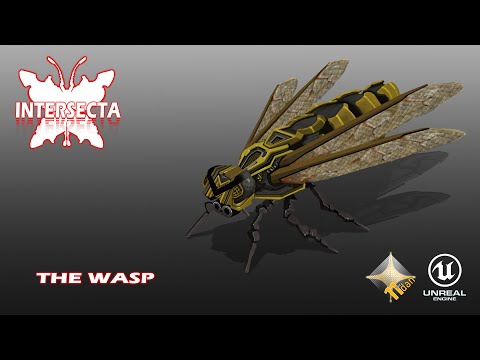 https://www.youtube.com/watch?v=W5ug_CsgxqQ THE WASP This is a technical demo of the wasp. They move in squadrons and always behave differently. Wasps don’t have lasers yet they plot dive attacks so the player has to be ready to evade this as they can be deadly. THE TRAINING ZONE The training zone is a simple feature where…
 -
marvelous designer 4 is out, has quadrangulate!
 awwwwwwwwwwwwwwww yeeeeeeeeeeeeeeeeeeeee http://www.marvelousdesigner.com/learn/md4 Quadrangulate Symmetric Design/Editing FBX Import 1:N Sewing Normal Flipping Basting (Tack, Tack on Avatar) Layer Cloning Wrapping arrangement Scale Rotation Pivot
 -
Re: hypershade move node with children...
 i have another problem with arnold in maya... i want to instance a light but when i apply duplicate special to light nothing happen...only it creat a pivot without any object linked to it...
 -
Re: How do i pose my model without skewing my meshes in max
 Don't use the reset xform utility, that will fubar the objects local pivot orientation by aligning it to the world. Make sure you go to the Hierarchy tab and use set transform/scale before relinking everything.
 -
Re: 3ds Max 2013 shipping!
That was hardly rude, both answers are not stated in any of the release notes so they are either omitted or they never fixed the issues, which would be unacceptable. Anyone know what they mean by improved pivot point support?. -
Re: help with geometry appearing broken in UDK
 What is the scale of your model in Maya? If it's too small on the grid, this will happen. Just try scaling your entire model up in maya, feeze transformations, center the pivot on the origin or whatever, and try again.
 -
Re: Weird artifact when chamfering
 with your object selected to go the heirarchy tab (on the right) enable affect pivot only, and enable snaps toggle (make sure to check that vertex are enabled by right clicking on the icon) and your good to go.
>4227 results