Search
-
3ds max UI settings disappeared
 I use 3ds Max 2014 and ive been getting weird glitches in my scene (vertices exploding off screen when I apply a turbosmooth modifier, and crashes when I use some edit poly functions) I just restarted for like the 5th time, and suddenly all my UI settings are gone. Keybinds, modifier sets, Utilities menu all reset to…
 -
Re: BRAWL2 [Character] R&M, iam717
 edit:// okay fixed the "issues" and can write out the description. Watched all my "fav" or interesting parts of the show and comics and picked which elements i thought to include into the design that i felt would add some "flavor", to it all. Redesigned the "Portal Gun", a little bit, it wasn't 100% afaik some angles had…
 -
I made this node based tool

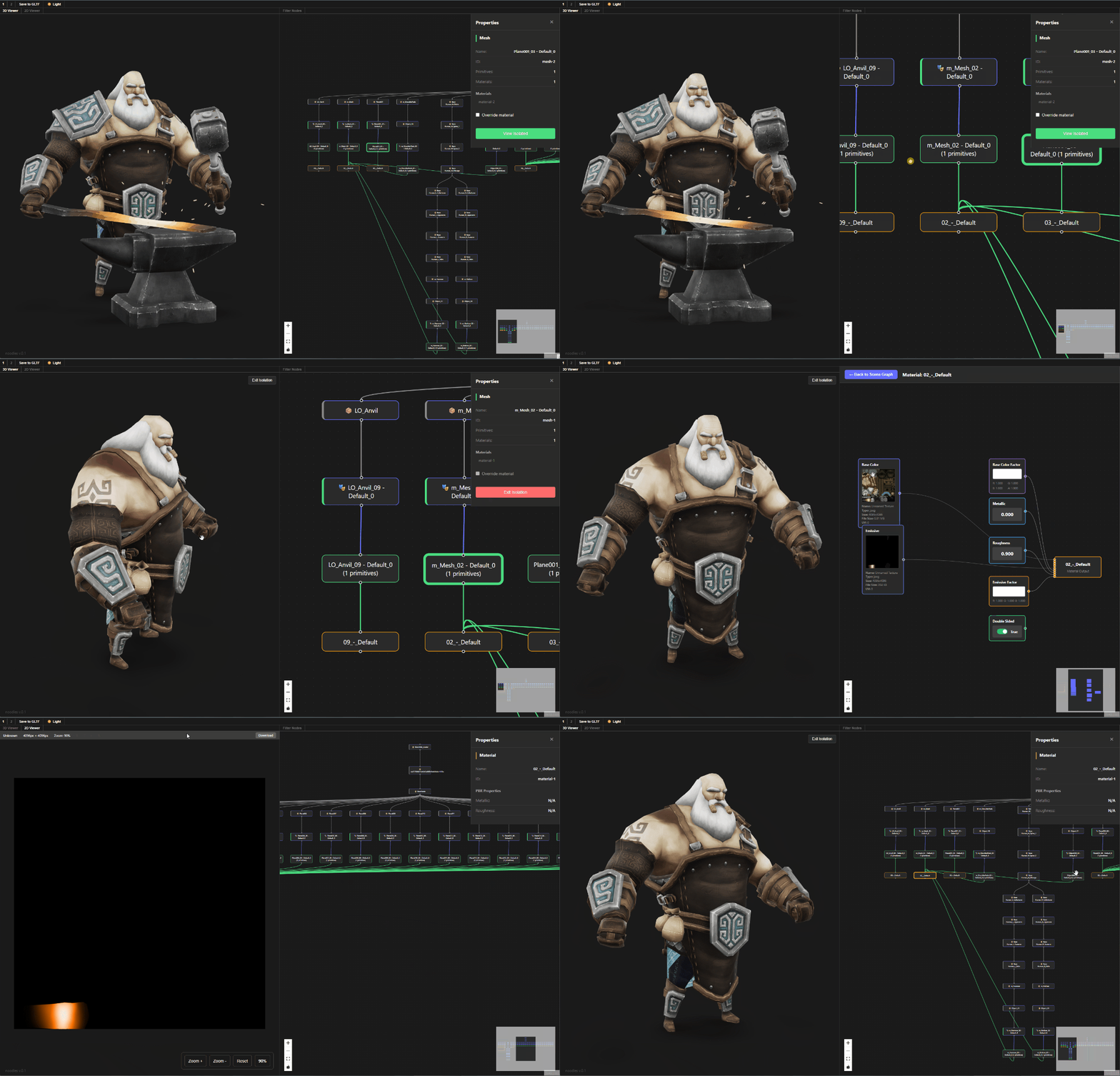 Hi all, I've been working on this node based gltf viewer because nodes are cool af, you can check it on the link here or you can go to this demo link. Its still work in progress so its in read only mode, you can inspect the scene but cant do any edits.
 -
Re: [ZBrush] OVERHANGS WITH SMOOTH GROUP BRUSH/POLISH GROUPS
 Now a client or lead comes and asks for changes and you do that again. A chamfer modifier (or shader) would remove the need for this process entirely, keep it a ton more lightweight and easy to edit
 -
2D or 3D Visuals / Animation / Rigging / Unreal Engine Assets & More / Designer Searching For Work

 If you are looking for a designer / assistant for your project or business, please message me or leave a comment and I will reply as soon as possible. I have 5-star client testimonials and experience relating to the following:• 2D and 3D asset creation and editing• Animations• Video rendering and editing • Unreal Engine…
 -
Re: 3ds max >> motion capture and freeform animation
 While in mixer mode (little egg beater in biped menu) there are no curves or keys to edit, at least none that relate to what you see in the motion mixer. You'll have to create a mixdown and apply that to the biped, then exit mixer mode before you can edit the keys and curves on mixer animation. There could be keys already…
 -
Re: Animation & Rigging
 Your link has an extra bracket at the end, might want to edit that. I see a bunch of commercials, and some cinematic/narrative pieces, just playing in the default sort order. So I'd suggest if you're targeting game animation work, you create a web page for it, and only show game work. All the rest is distracting from the…
 -
The Elite | Desert Eagle
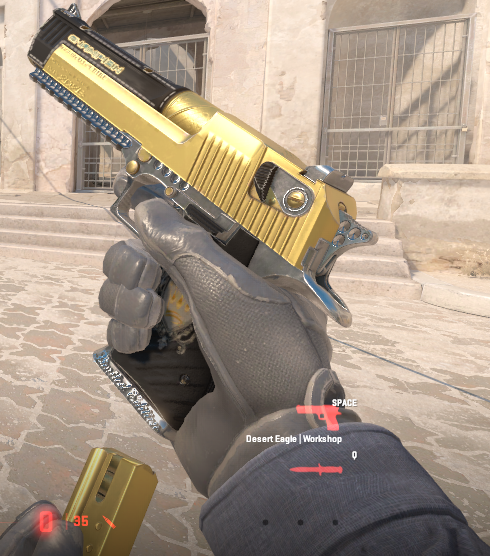 https://steamcommunity.com/sharedfiles/filedetails/?id=3484845989
 -
Re: Geo-loop
I was running the script in 2010 on a cylinder as the base object with Edit Poly on top, so my mistake. I didn't know the base object needed to be editable poly. I didn't feel like opening the customize UI menu so I was evaluating the script with the header commented out, something most people probably won't be doing ha =P… -
Re: attaching two different rigged objects?
You're not exiting the modifier properly. you need to deselect all sub-objects (vert, edge, poly ect) then click on the modifier label "edit poly" then click on the skin modifier label. Sub-object selection is passed up the stack, if you have one vert selected and then improperly exit the modifier only that one vert will…
>35085 results