Search
-
Re: Making mesh adjustments after unwrap in 3ds Max
 You can remove edges with CTRL-BackSpace and the uvs should be fine. Welding can be a problem but if the verts are pretty close then it should be fine. if they cause distorion you can just edit it in the unwrap uvw modifier. a 1 vert tweak isnt too much of a headache :) Try working with 'preserve UV's' on its just under…
 -
Re: MudWalker for Mudbox 2010
 its not one-click. At least in mudbox, max and uvLayout its at least 2 clicks if not more. Its kind of a wrong advertisement claiming its just a one click solution which it simply is not. what really would be awesome would be some independent tool that automates that stupid clicks that it needs to merge, import or update a…
 -
Re: UV mapping techniques
 I use UVlayout at work and it's new auto unwrapping is fairly brilliant. If you do it piece by piece it keeps the UV islands sensibly placed together -- instead of all over the place like the other autounwrap/packs I've used. http://www.headus.com/au/doc/uvlayout-expert/videos/UVLayout-Segment.mov
 -
Re: Sniper

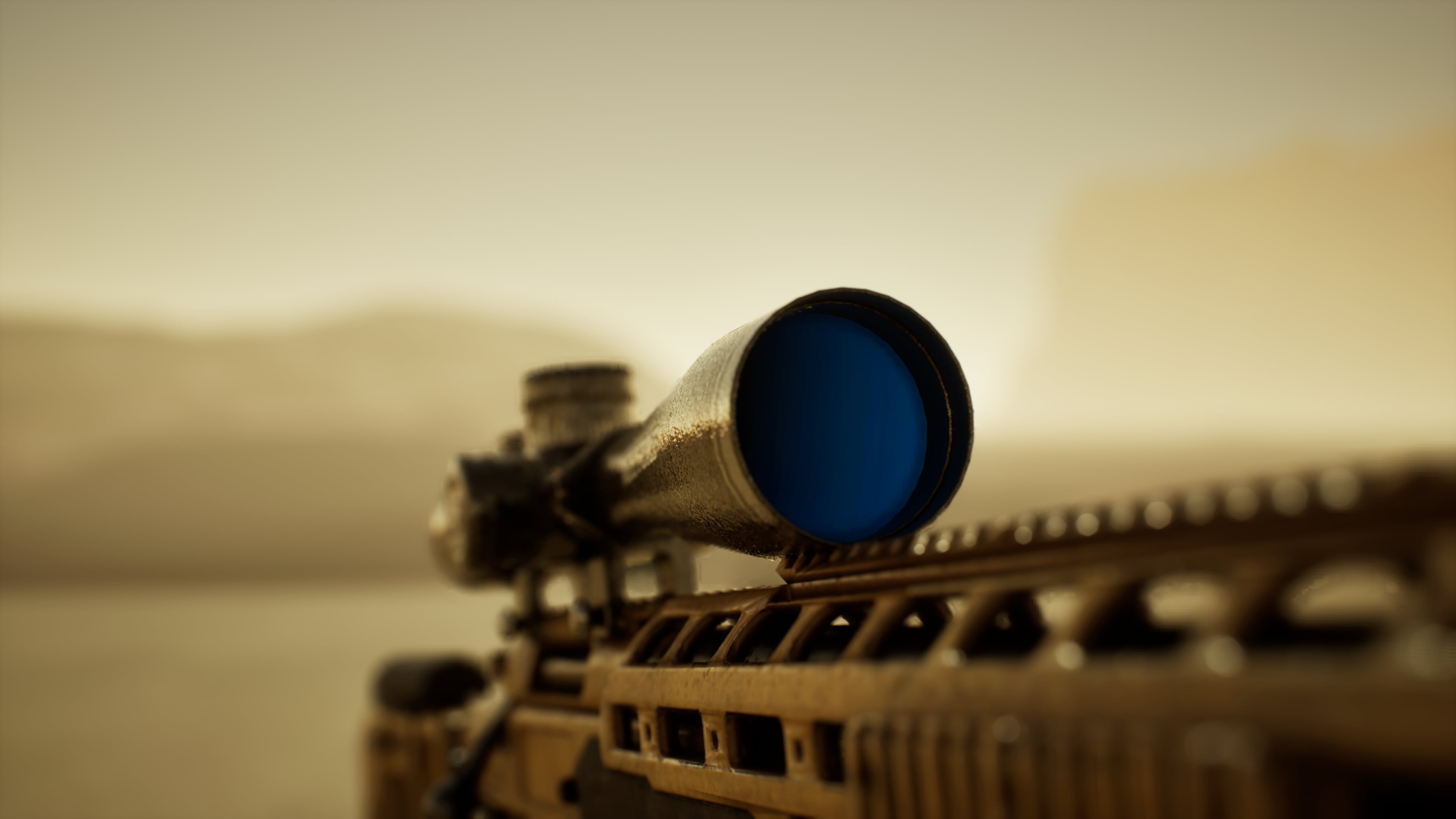 This week I finished setting up the sniper rifle inside Unreal Engine along with a small environment to showcase it. I produced multiple renders as well as several cinematic videos to present the weapon in context. I also created two different texture variations for the rifle while keeping the same base model. This allowed…
 -
Re: [Finished] Numenor Inspired Environment UE5
 This is a great start so far. As Peter suggested, I highly recommend you to revisit the blockout stage mainly when it comes to scale. It's the first thing I noticed when looking at your images. The characters feel a bit big for the alley or it feels cramped. Feel free to change the layout a bit of course as you don't have…
 -
Re: First game character model - feedback appreciated
 I'll not rig that one, this is solely for purpose of trying to retopo for the first time and bake maps correctly. So, I went on, retopolized the clothing, done uv layout and created normal maps and of course I run into some errors that I have no clue how to fix and why they're there in the first place :D The overall look…
 -
Remove Extra space between layouts #MEL

 Hi can anyone tell me how can I remove the extra space between these two layouts ( Check screenshot) if ( `window -exists "nameWindowss"` ) { deleteUI "nameWindowss"; windowPref -remove "nameWindowss"; } window -title "3DG NUT" -s 0 -widthHeight 200 145 "nameWindowss"; frameLayout -cll 0 -li 170 -labelVisible 0 -bgc 0.25…
 -
Re: Uv questions
so its goodbye? - not a nice attitude the way I do such things is merging all objects to 1 unique Object together and unwrap that one (or if you have max2008/2009 you can edit multiple objects at once- but usually i use external tools such as UvLayout that eat only 1 *.OBJ file). Once you unwrapped and layouted split it… -
Re: Monthly Environment Art Challenge - July & August 2017 (49)
There are so much that needs to be done, from modelling to UVlayout , baking to texturing and finally representing. I like how you modelled the inside and make it looks like it could function and animated. Talking about the UV, I have not yet laid out anything as right now I am looking into buying the right software to do… -
Re: Normal & AO maps problem

 So, aparently, i can´t make obj works with the match by mesh name in both substance and marmoset, maybe is a limitation of the obj. So you could use fbx for bake, and have an obj to export to the engine I kinda reworked everything. 1. Those vertex floating/overlaping on your uv layout are just parts of the mesh that you…
>8521 results