Search
-
How draw a half-turn?
 Hello people. Me have question. How draw "cartoon/toon/animation..." character and creature in Photoshop - with a half-turn? Or where find tutorial(step-by-step) or video tutorial(non speedtutorial). This is example: https://www.pinterest.com/pin/437271445048312487/ https://www.pinterest.com/pin/437271445048398881/…
 -
Looking for an Artist
Hello everyone, We're a passionate indie team that has been developing an RPG Fantasy game for about a year now, and we're on the lookout for a talented artist to join our journey. This is a passion project with plans to launch on Steam, and like the rest of us, you'll be earning a share of the revenue—making it a RevShare… -
[WIP] Overwatch Widowmaker Fanart Skin
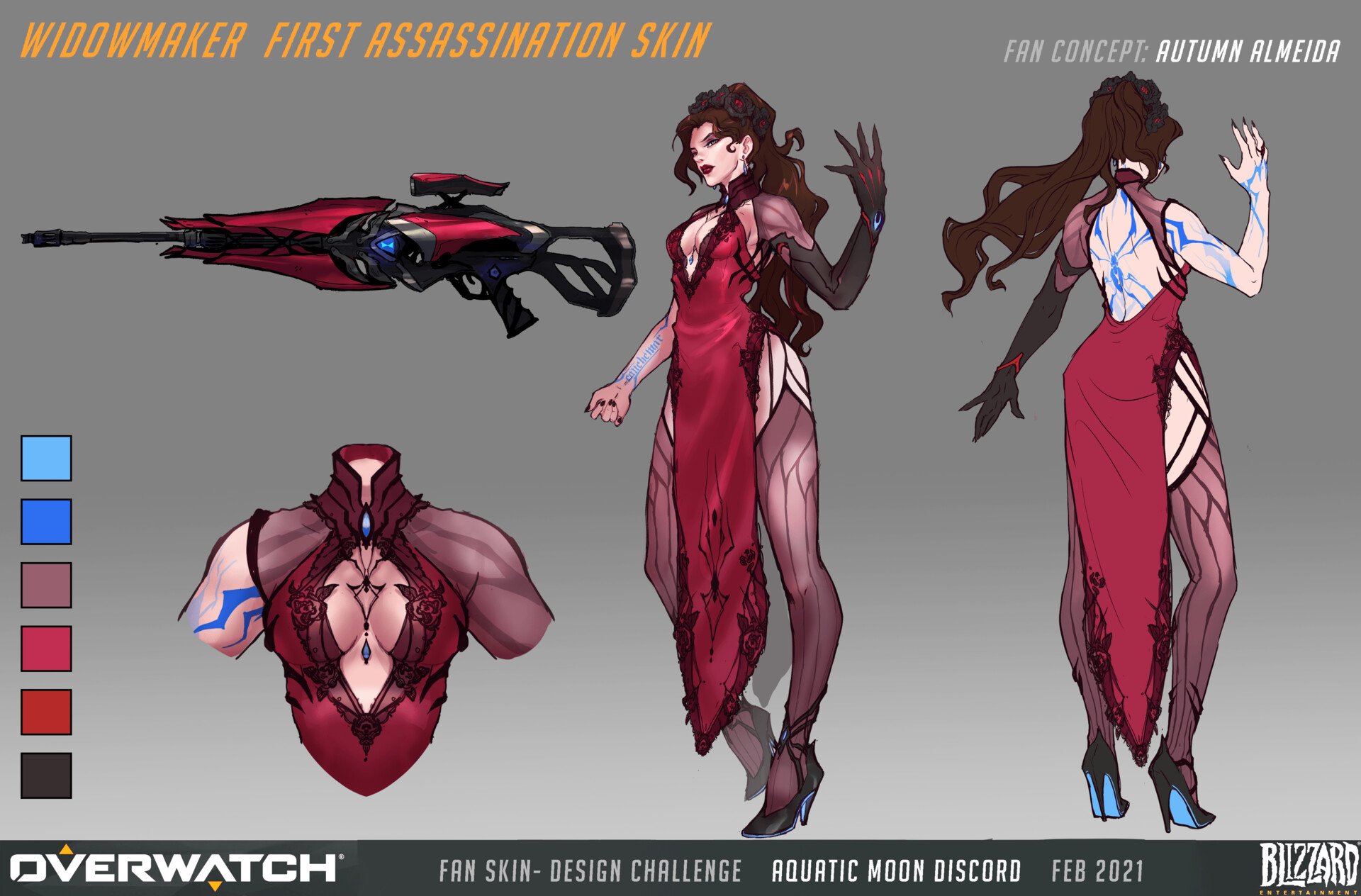 Hello to my fellow polycounters! I’ve been working on a character in the evenings after my day-job, in hopes of pushing my portfolio forwards. In the past I’ve either had a fairly generalist portfolio, or the chosen designs were not visually strong. I’ve reflected a lot lately, and decided to push forwards with a stylized…
 -
Re: Art Fundamentals - Courses for 3D Artists ?
 Oh, environment art. Why didn't you say so! :) I thought you meant general art skills. Env art at it's most fundamental is level design http://wiki.polycount.com/wiki/Level_Design Also here's another step by step
 -
Re: Skull
 Thanks for your feedback, I'll be taking care of it step by step... First off, I want the channels in the right way. So, here's a comparision in their current state, inverting green (iG) or red (iR) or both (iGR): Who's the win then?
 -
Re: UVlowpoly to UVhighpoly
 You are looking for the Render to Texture tool. This is located under Rendering > Render to Texture (or just use the shortcut "0"). I'm not going to detail the whole process, but a quick google search will probably get you a good step-by-step process.
 -
Re: A good place to start out,
 3dsMax help has tons of stuff that guide you step by step. Later on, some tutorials from Gnomon, Eat3D, Digital Tutors or 3dMotive always help. As soon as you feel comfortable, create a thread on polytcount and start posting.
 -
Re: Portfolio Piece - Sci Fi Flamer Thrower Girl
 Hey, looks great. Try to create some draft parts for the hard surface in Max or Maya. Just start with some boxes and go make it more complicated step by step. You know, from the simple to the complex. Keep on going with that!!!
 -
Re: Environment concepts, painting over 3D block ins?
 Scroll down for the 3d block in step by step. http://www.conceptart.org/forums/showthread.php?t=57060 Also, in the first Mass Effect art book they have what looks like sketchup layouts of levels. They didn't even bother to paintover it.
 -
Re: Polycount Tower Q&A
 A basic OBJ template can be nice to start. All those scales on 3D softwares are complete mess and importing OBJ in 1:1 will resolve doubts. A. There is! It's the first step to creating your floor for Polycount Tower. The rest of the steps are here.
>25541 results