Search
-
Re: Watch tower in the forest (UE5.4)

 @MBauer17 Sorry I couldn't resist doing a little paintover: Mostly it's 1. Raising the landscape in the back to add a background 2. Adding complimentary color flowers for a foreground 3. Moving sun into the frame for more dramatic lighting. Just add a some foreground leaf/insect particles to create a bit of motion and…
 -
Re: Unreal 5.8 Substrate Retroreflector Mat

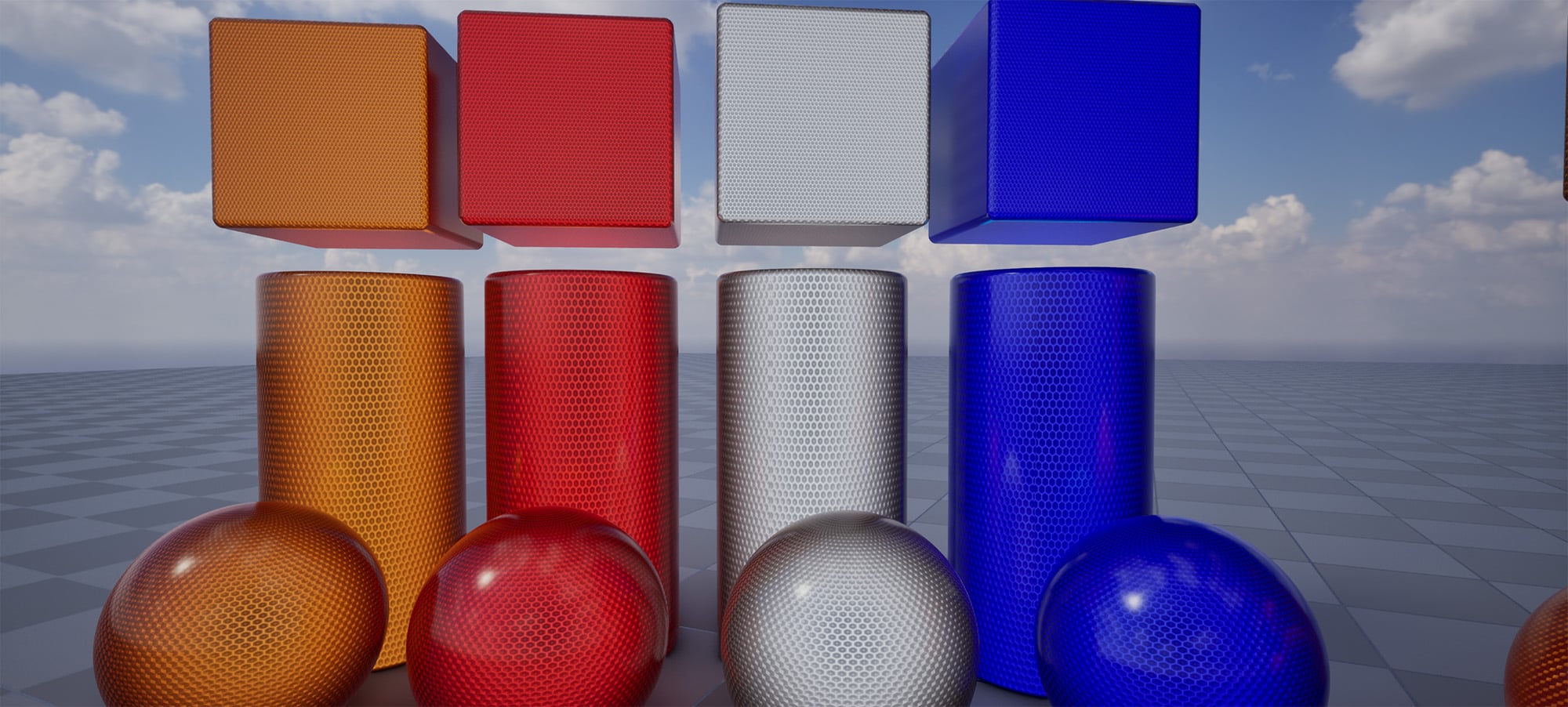 I will absolutely look into doing clear-coat when I try to optimize this down. Thanks for the replies! I am back with an update. I spent most of yesterday refactoring my previous result, with a refocus on pushing PBR and trusting it over curating a certain look. I also dug an old reflector out of the garage and studied it,…
 -
Re: [3ds max] flow map creator script - problems
 I did a bunch of experimentation with this stuff. A few things I tried: 1) Wrote a tool for max that would push verts on a grid plane and move them away from colliding verts. That gives you a base "flow" around geo (like rocks in a pond) 2) Wrote an external tool that takes a mask image, and generates a 2d flow offset map…
 -
Re: Need Help on Normal map issues!
 Use this script to smooth by UV Islands in Max: http://www.polycount.com/forum/showpost.php?p=1105439&postcount=7 in Maya: http://www.polycount.com/forum/showthread.php?t=52722&page=2 If you have a smoothing group split, you have to split uvs. 1 smoothing group on your mesh is situational and you should use it knowing what…
 -
Re: Monthly Noob Challenge 9
 Thanks for the responses guys. I just heard with other engines like Unity you can instance around your Maya objects and send the entire scene as an fbx file and it will sync 1:1 with their engine. Never used Unity so I dunno if it's true, but it sounds awesome. Started blocking in UDK. Uglier than Maya atm. Another…
 -
Re: Portfolio feedback needed (for MIGS Career Fair)
 These are my opinions :) First off, take out the Work In Progress. A portfolio is your showcase. Only the best of your best should be on it. A bunch of WIPs shows that sometimes you can't just finish a proj. Everything in the Gallery section should have more than just 1 shot. Each project in there should include a few of…
 -
Re: Workshop# 3 - malcolm
 This goes over the explode baking stuff: http://www.polycount.com/forum/showpost.php?p=817681&postcount=91 Basically, all you do is this: 1. Separate your lowpoly into unique objects/chunks for each part you wish to explode. 2. Set keyframes for all objects in frame 0/1 or 0/10 or 1/10, however you want to do it, just…
 -
Re: Q: Editing mesh on a character that already rigged
 These may not work in Maya 8, I use 8.5 Solution#1 - do all the edits you need - after you are done "delete non-deformer history" In 8.5 this is found under edit>delete by type>non-deformer history Back in 6.0 it was under the skin>edit smooth skin> delete non skin history (or something like that) This can get kinda buggy…
 -
Re: Mari +Zbrush
 1) Agreed, Opacity is always nice. 2)A goZ style feature would be quite nice. 3)You don't have to use the multi patch feature, just import multiple obj's into your mari scene and you're all set, each with their own individual 0 to 1 space.
 -
Re: Easy peasy
1-How do I know you're not Control? 2-If I were Control, you'd already be dead. 1-If you were Control, you'd already be dead. 2 -well neither of us is dead, so I am obviously not from Control. 3-That actually makes sense.
>19194 results