Search
-
Re: Zdepth - maya - why have you forsaken me?
 What I'm referring to is the Maya specific bugs and overall it's integration in Maya. mental ray is a good renderer but it is just not plugged into Maya very well and has never been. Just things like custom Buffers. When adding in custom passes in Maya, render times have massive overhead which would double and sometimes…
 -
Re: hello
 how would one calculate the angles of the servos without ik/fk anyway? (assuming you only input the position of the wrist of the robotic arm to the function moving the arm) id find it interesting if you could do your mocab device with only the use of acelerometers and gyros attached to teh limbs, with some sort of…
 -
Re: How to learn Materials?
 Open some of Epic's material shaders and break them down, it may look complicated (wires/ nodes everywhere) and un-commented but break them down (disconnect nodes, preview the nodes (right click on a node > Start Previewing), change the properties of the nodes...etc) There's also this video on how to create/ setup a master…
 -
Re: How to pack more details into my terrain?
 I would suggest generating erosion on the terrain using a dedicated tool like WorldMachine or Terragen or the like. This will make a splat map for you, which you can use in a Composite node as your layer masks. To isolate the RGB color channels you can use Color Correction nodes, or even easier just use a single OSL Uber…
 -
Re: Skylight bug in matinee, any workaround?
 yeah, it looks like there is no way to modify those values without making some custom kismet nodes or hard coding. you might be able to paste the matinee into a text editor, modify and re-paste back into UDK if you are super resourceful :D
 -
Re: Why does my texture look so bad in 3DS max?
 Go into the material itself in the material editor, using the old compact view (non-node based) Go into the settings for the diffuse map, then set the Blur value to 0,1 and change the filtering method to summed area or none. Should improve the results hopefully :3
 -
Re: Distorting Procedural Textures in Blender
 Ohh i didn't looked too deep into the nodes.. after seeing the missing coordinates.. and additionally to what @Michael Knubben said.. using a value and/or a vector and then mix using any color modification node (linear ligth, color ramp) might be a not so clever idea.. better use any Math node or Converter -> Float…
 -
Re: [Blender] DECALmachine: surface detailing using mesh decals

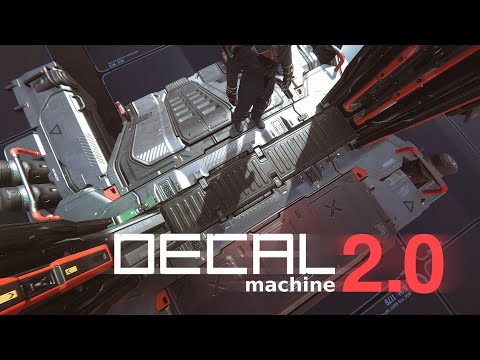 v2.0.0 is out! | Gumroad| Blender Market https://www.youtube.com/watch?v=FjeJl5aS5xM See what’s new. Changelog * add Create/Import Atlas tools * add Use Atlas tool * add Join Atlased Decals and Split Atlased Decals tools * add Export tool * add Init/Import/Duplicate Trim Sheet tools * add InitTrimSheetMaterial tool * add…
 -
Re: Unity particle systems: Particle fade/ distance to camera
Couldn't get this to work, and I don't have time to learn code. Are there nodes in Shader Forge that are equivalent to Unreal's Camera World Position and Object World Position? I already built a mockup in UDK, I just need to transfer the results into Unity. -
Re: The Bi-Weekly Substance Challenge (Challenge 7, 8, 9, 10, 11 & 12)
 I really don't get the material blend mode at all, I skipped through all 4 official tutorials and felt like I didn't understand why I would use it over just the normal blend nodes. Just me?
>37266 results