Search
-
Re: Scorpion Z-0 Robotic Turret
 Mhm, okay, but I always had horrible edges on the bake whenever I didn't have the same smoothing group covering both sides of the edge. I mean, my method is usually to use a Smooth by UV script that puts a smoothing group for each uv isle. I also usually always unwrap so I can avoid direct seams where I want a nice clean…
 -
Re: First post, first serious model, anime girl
 a wire would be usefull to give a crit cause right now not sure where your polys are going, seems like some anatomy issues pop up right away. by smoothed once you mean you used mesh smooth? if so this probably only added to the polycount, you can get e better result/control by using smoothing groups on the faces. cant say…
 -
Re: Sketchbook: Rick Stirling
 one thing I found out with zbrush that may help you since I noticed you didn't manage to maintain your lowpoly shapes while smoothing: just before the first smooth, go down the panel and in morph target click storeMT, then smooth as much as you want, then go back to the first level and switch morph targets, and your shape…
 -
Re: Baking (good) normal maps in Max?
 I believe you should be using smoothing groups on your low poly model. It will have a big impact on how the normal maps turn out. Generally speaking you should separate your UV shells whenever there is a smoothing group change. In other words, split the UV shells where there is a hard edge on your model. See this thread…
 -
Re: Frostmourne_WIP
 split smoothing groups and UVs. only splitting the UVs or only splitting the SGs will most likely introduce artifacts. http://www.svartberg.com/tutorials/article_normalmaps/normalmaps.html the part about unsmoothed tangents. http://wiki.polycount.net/Normal_Map if you need more in depth information about it under 'Hard…
 -
Re: Maya 2009 polycount wishlist
 Oh, it would be an AWESOME wishlist item if they can make the highquality display (sub-d approximation) actually work the same way as using Mesh -> Smooth... since then you could actually export or render meshes with just the sub-d approximation enabled, without having to actually go in and add Smooth to them, render, then…
 -
Edge smothness
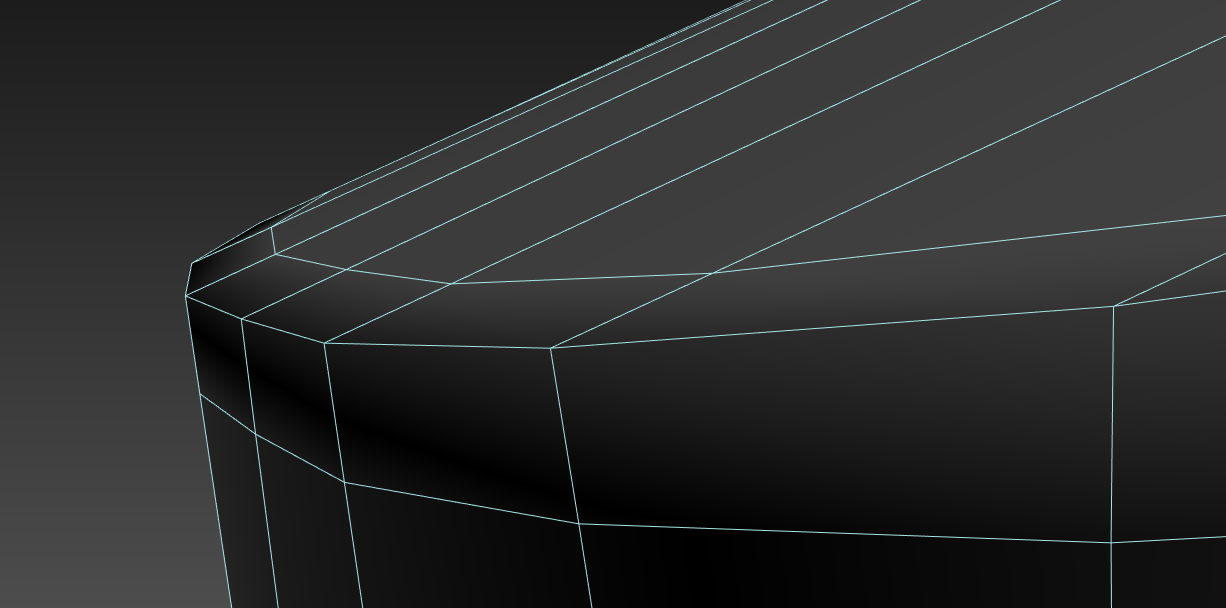 Hello everyone, Recently I came across something that I had never seen and it's driving me insane to figure it out. I am used to do, and to see all around people using 2 support edges around a corner to get a smooth result. Example: That's very common. Problem is, I was checking a model from a game ( no other reason than…
 -
Re: Taurus PT1911
First of all could you post some wireframes of your highpoly gun mesh? Secondly you seem to have some pinching near the hammer of your gun. You can fix this in your highpoly by rerouting some edges. This link will problably give you enough info to solve that problem: http://www.per128.com/pages_tutorials/index.html Third,… -
Re: How to Fix 3D Scan "Blobiness" in postprocess?
 Hi Jonathan85! You've probably moved on from this since you posted it lasted, but I'll add some quick notes just in case it helps. That blobiness you're seeing could be coming from the photos (maybe) - sometimes if a photo has any noise in it, Photoscan will accidentally track that noise as an actual point in space. You…
 -
Re: Zbrush: Creasing
 Okay, I had to just bite the bullet and invest a few hours today studying up on sculpting topology. I threw a few triangles in there, cleaned up my quads, and then brought the mesh into max out of topogun. I then used the autosmooth option in edit poly to automatically smooth my edges by an angle I specified. This got me…
>15012 results