Search
-
Maya deformer
 Hey all back with another maya question... Is there a better way/tool than the lattice to deform objects in maya? For example: Say I model a brick wall, but then I want to take that flat wall and make it curve around, maybe even in a full circle like a pillar, what would be the best way to do this? Thanks in advance :) , -…
 -
Re: [UE4] [Finished] Hades Fan Art Environment - Orpheus Lyre
 That is definitely getting fixed soon, My plan for the couch is to sculpt it a bit in zbrush, the ends you circled will have some small lion heads and that bird shape in the middle of the couch will also get sculpted to look more like a bird. I'll probably add some ornaments and stuff like that too.
 -
Re: 3dsMax 2020 Chamfer Modifier
 Is there any way to avoid this corner caving issue in scenarios similar to this one? In this case there's a chamfer along each edge, but whenever I move the selected vert as demonstrated, the circled corner collapses. Theses are the specific settings in this case, but it's the same with other mitering options. Flow loop…
 -
Re: SP MT-1 4-8-2

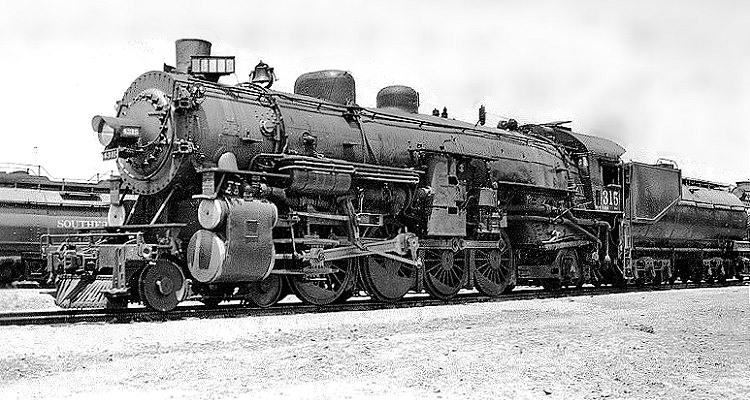 Nice work!!! Which references are you using? Looking at the following picture there seems to be some missing pieces and others (red circles) don´t look the same size as the ones you have in the picture above. I understand that you are still working on it. Try to gather the much references as you can to understand the…
 -
Re: Gamorrean Guard *oink*
 Looking better! Especially on making it more like fur and less like feathers. Don't forget to add in the little metal bits around the circle on his chest, which should help break up the middle a bit. I'd also try and make the little metal bumps on the rest of the armor pop a bit more.
 -
Re: Issues with rendering a dirt map.
Yeah, I just exported it into a different scene completely different dirt map now. But i wouldn't mind seeing what you got to see if its render correctly.. I almost curious about the missing circle is that suppose to be like that.. or what? Polycount why do you keep logging me out? -
Re: Weird problem when baking AO
The cage wraps everything up nicely. No red spots. When I baked the normal map it turned out fine. By the way. This happens with Mental Ray as well. P.S. I circled those two areas because they are the ones you see in the flat shot. This actually happens wherever the HP pops through the LP. -
Re: Giving UV Faces of Beveled edges breathing room, how?
 I think the problem is that you try to unwrap a very high res mesh with a lot of really tight edges. You should relax those edges or unwrap it differently, for example you can cut it in parts and unwrap as strings rather than circles. Unwrap itself works as it should, it's your mesh is at fault here.
 -
Re: adjoustinf straight lines after retopology
 Mmmm no constrains dont help to fix much and the graphite modeling I dont know if there is any usefll tool for that ... it woudl be some kind of normalization of the angle between and edge and the other in order to reduce the up and down and so flattening the circles but without altering the whole loop inclination ..... if…
 -
Re: GUNS Project
 I see what you're saying heheand that peace you circled is actually one solid shape, it just looks like two different plates from that pic, if you look at other refs of that same piece, you'lll notice it is one solid piece, and I'm still trying to get it less boxy and softer >.<
>4044 results