Search
-
Re: Need some more help with animating - 3dsMax
 Just add Skin Wrap to the object. When it hits the object its linked to it just deforms around it. Not sure if the flex or spring would be effect by this but it is one way I know of.
 -
Maya: File Referencing for a Character Animation Pipeline
 Hey guys, I'm trying to wrap my head around the setup explained in this article. I think I've got it, I'll leave this stuff as a resource encase anyone else here is looking for similar information. Thanks
 -
Re: Rawk - Post any rocks you make here!

 Just wrapped up this rock set I've been at for quite some time now =D More shots including sculpts can be found here https://www.artstation.com/artwork/g2YyDE
 -
Re: How to fix Tangents when using modular geometry
 @Farfarer that does not work, as i wrap textures around different types of meshes. never used udk, but if you tile a floor or use a tiling rockwall, don't you get the same seams there...
 -
Re: 3Daily - Eric Thomas Studios

 I did more work with the Unity portfolio part of my grimoire, today. There's still one more thing I want to let users do with it, but it's pretty much wrapped up now.
 -
Re: What are you working on? 2014 Edition
-
Re: Dota 2 Monthly Community Competition #21 - NOVEMBER
 @Mathew O - I love the shape of that ward, can't wait to see the textures come along. Some in-game shots from me, going to do another pass on the diffuse and wrap this up.
 -
Re: 3D Dwarf Hammer help

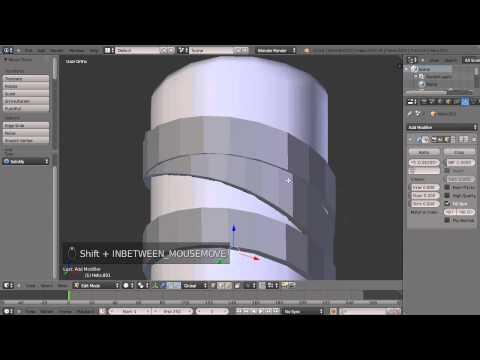 there are many ways to go about it here a couple of ways http://www.zbrushcentral.com/showthread.php?178522-Mummy-Wraps-Bandages-Technique-with-SliceCurve-amp-Panel-Loops / https://www.youtube.com/watch?v=hMGAmFjJGGs
 -
Re: [CE3] Unfragment
 Blockmesh in Sandbox now, lighting is completely temp and awfully spotty, will be fixed when I start to wrap my head around interior lighting in CE3. Also, a quick highpoly render for fun :)
 -
Re: How to animate/link eyelashes to the eyelids in blinking animation?
 You could use the skin wrap modifier or you could setup morphs for the eyelids and wire them to the blink morphs or simply do as doggy suggested and add them to the skin mod of the character.

>5416 results