Search
-
Re: Answered: Decal/Text placement? Quixel Suite 2.0
 Hey Sir Apple! To add decals in the current workflow: Paste in the decal you'd like to use inside of Photoshop, positioned in the layer stack so that it's under/over the grunge or any other parts. When you select the layer (or any layer, really) in Photoshop, it will be selected in dDo as well. From dDo, click on the…
 -
Re: how do you make dds
 Its an error that happens before the export ever happens. the plugin fails to launch if it finds 5 or more channels. And as deja mentioned it has to do with having a document with just layers, and no layer at the bottom of the stack called background and locked (like is a default photoshop doc) However in that case if you…
 -
First 3D Model After a Long Break – Feedback Welcome!

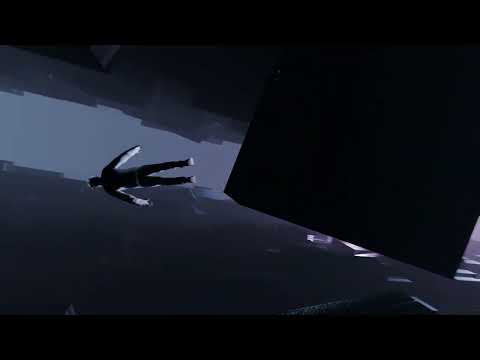 Hi! A year ago I decided to start learning 3D art because I found this world really beautiful. Unfortunately, I had to stop just a month later. Now, with my new PC, I decided to give it another try — and this is my first piece since coming back. I know it’s not very complex, but I’m happy to be making progress again. I’d…
 -
Re: Brutal Knights - Game Project/Learning Experience
 While I was implementing the new animations into my animation controller I had to resolve the undesired effect of my melee attack animations playing in the direction the hips were facing. Since my Forward-Left, Forward-Right, etc... animations were just the run Forward animation rotated 45-degrees in either direction I…
 -
Re: Packing greyscale textures in color maps
We used this on the last game I worked on. Had a photoshop doc with layers that looked like this:~mask - gloss <pure red layer set to multiply> [layers composing gloss map] - reflection <pure blue layer set to multiply> [layers composing reflection map] - dirt <pure green layer set to multiply> [layers composing dirt… -
Re: Survey: (Max and Mays) user opinions on Maya's outliner
 The Outliner is pretty awesome. I use it all the time, and I'm an old-school Max user. Someone already wrote an Outliner maxscript for Max 2008, which is cool, because while the new Scene Explorer is quite handy, it's also fairly slow and not integrated very well (such as not being able to single-click select anything…
 -
Re: Paint my wood!
 Heres a method I use for this kind of thing. Be aware this was just a 2 minute example done on my lunch break today; normally I would put a bit more time in it. Make an overlay layer above your wood base and pick a color then with you paint brush set to all layers and about an 80 tolerance click somewhere on the image…
 -
Re: Normal Faceting in Modo
 First off, are you using Modo 801? If you aren't, then ignore anything about morph maps. Previous versions of Modo didn't have cage baking. If you ARE using 801, you need to follow these steps:* Read this help page about the baking workflow in Modo 801 * Read this thread about normal maps and hard edges * Set your…
 -
Re: Needing to make a Photoshop task a little more efficient.
 I would suggest trying a high contrast background that's easy to color pick and serves as a quick mask. The white you have in this photo seems like it'll cause you problems, instead use a bright magenta or something similar. Check your local arts and craft store for large sheets of paper to serve as a nice backdrop.…
 -
Re: [Photoshop Extension] Lazy Save
In a word I want to set only layer comps as final channels and no groups in the layer stack at all (theoretically). Or rather having my layers grouped and linked by certain subjects in a way completely unrelated to output "channels". For example having layer groups something like '' base dirt" ,"stones" , "puddles" etc.…
>27679 results