Search
-
Re: How can I optimize materials with tillable material mask

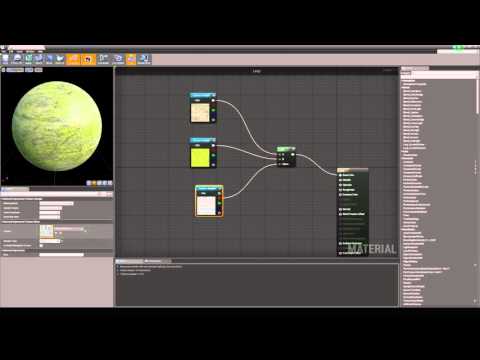 Material blending on that scale is generally done through shaders in engine. https://www.youtube.com/watch?v=-fLW2tLaVFE but for material blending in designer is done like this https://www.youtube.com/watch?v=s7sr1w3kXOs algorithmic has a ton of intro tutorials on their youtube channel.
 -
Re: Baking out Diffuse maps (for quick selecting in Photoshop)
 There is not AA on my exported texture, so no bleeding on this side. The only bleeding I have is from the vertex colors. The script is not available in stand-alone, but you can find it in my froTools. Here a little example :
 -
Re: A little confusion with BlendShapes/Morph Targets workflow for Unreal

 Okay, in the end, the Morph Targets plan for that project didn't happen. However, I've been working on them and facial expressions separately. So far, I've managed to figure out how to import/export the Blend Shapes into UE5. I also keyframed an animation that cycles through them all in Maya. That animation works no…
 -
Re: Help - Mesh is causing flipped normals across axes in substance (non overlapping UVs), nothing works
 Hello, you're welcome ! What an interesting series of tests. At the very least the cause is identified now, and it is definitely true that there is a wide range of setups from "best possible" to "worst possible" with these things. That said it seems to me that some pipelines should be able to display some of these bad test…
 -
Re: Medium prop texturing help
 But I want /need it to be in modular pieces not as one asset? Im not sure what you by the shading, those are hard 90 degree edges? But it's like the trimsheet normals are bleeding into each other or something. When I snap the UV's to the UV grid lines, same settings as I used on the viewport grid when making the trim…
 -
Re: Blood Elf Paladin Bust (replica) - hand painted
 Skin and hair are coming across as tinted monocromatic textures, are you perhaps directly blending a B&W AO with them? If so you may want to try changing the AO color to something more resembling / complementary to the underlying material before blending.
 -
Re: [UE4} Medieval Interior
 Hey bro! Like I said in the WAYWO thread, this is amazing! The first picture, the arch in the upper right, it looks like the flat wall texture is blending in beautifully with the corner of the arch. Was that some painful UVing and texturing, or is the shader procedurally blending those together?
 -
Re: Tokoyas Hand Painted Stuff
 It still blends in, I meant either make it really dark, like chocolate (and then you would make the writing in white or whatever), or make the map much lighter like an off-white. If you squint your eyes the map still blends into the table!
 -
Re: Practise animation, Feedback welcome :)
 Look at Animation Phonemes. http://animation.about.com/od/flashanimationtutorials/a/animationphonem.htm generally I create blend shapes of each phoneme mouth shape and you can blend between the mouth shapes to sync with sound. It depends on your workflow and type of rigging of course.
 -
Re: The Bi-Weekly Substance Challenge (Challenge 7, 8, 9, 10, 11 & 12)
 I really don't get the material blend mode at all, I skipped through all 4 official tutorials and felt like I didn't understand why I would use it over just the normal blend nodes. Just me?
>11460 results