Search
-
Re: Super Battlelands
 @klamp Thank you so much for the paint overs :D For the lighting on the units, I am constrained by 128x128 texture resolutions, however I believe I can get something similar to the effect in the paint over you provided. Got a lot of tweaking to do now :) Also, I love the change you suggested to the environment textures. It…
 -
Re: Maya Graph Editor and Game Animation
 I dont use the pre and post infinity curves for cycling animations. You can set your range slider to the length of your looping animation with the first and last frame identical. If the character moves in space, I parent (or parent constrain) the camera to the root, so that it seems to walk in place, for adjusting the…
 -
Re: alt asa's concept art sketches
 @Eok - yes I know, I'm sorry I forgot, I mean the thumbs were already done when I received the scale advice and I forgot to make those changes but I will definitively do that from now on @dii - thank you very much man @TeriyakiStyle - thank you yes, unfortunately my approach to everything I do is to find forms in the…
 -
Re: Unreal 3 lighting/shadow issues
 Gonzo is correct. Unreal will load textures based on their screen size. So if you have a small object it won't load the entire texture even if it's a huge texture. Texture size is also constrained by what LODgroup it is in. This is determined by settings in the defaultEngine.ini file. I've also noticed that If your object…
 -
Re: Autodesk Games Engine - Stingray
 The best they can do is copy Epic. At this point coming up with a better way for non programmers to program would be like finding a better way for English speakers to speak English. The methods are constrained by the subject matter. As long as you are programming, this is the best way because of logic/language limitations.…
 -
Re: Texturing levels..
 you can still do it the old way you were mentioning. for example....i am currently workin in unity on some iphone games. i ususally create a couple of verticle textures on one half of a texture that will tile vertically. then i'll use the rest of the two quadrients of the map for more specific items. this is of course…
 -
Re: Face Topology [Breakdown Guide]
 Oh, forgot to add that of course you can also work with other approaches, not just corrective blendshapes. FaceRobot is a nice hybrid of skinning, muscle simulation and corrective shapes for example. you can probably replicate most of the blendshape stuff with bones, I heard about stuff like putting NURBS surfaces inside…
 -
Re: Z-Brush and Environmental Art
 The trick is to know that Z isn't a 3D app. The workspace is a canvas. YOu can't rotate it any more than you can spin a canvas in photoshop. And yes, the interface is still odd, but you will come to grips with it eventually Once you've loaded your model as a tool, enter "Edit" mode and spin it by dragging on the empty…
 -
Re: straight lines in zbrush

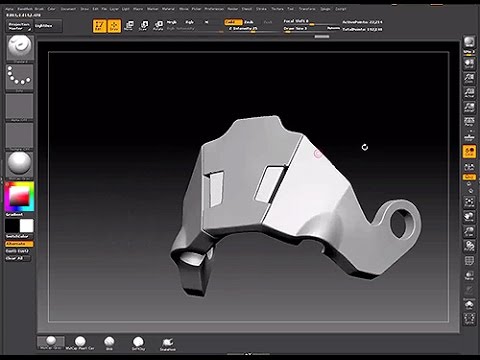 Yep 1. Click to start your sculpt and then hold down shift. This will constrain it to drawing horizontal or vertical lines, depending on what direction you're sculpting. If you have say, a diagonal line to draw then you will need to use the transpose line to orientate your model to a vertical or horizontal. Michael…
 -
Re: 3ds max - bone fallow geometry
 Yep, you constrain something (anything really normally a point helper) to the surface of the cloth, then snap and key your bones to the point on the cloth. I wrote a step by step tutorial for newbies which is normally way more info than the normal person needs. But if you need it, its there.…
>8072 results