Search
-
Re: PicLens
 For some reason I can only see the play button, and do not have the option to have it be a plane with all the images to choose from. Anyone else having this, as I seem to be missing a button, ohh and yeah it would be nice to have a option of saving from window. Great find man, and thanks for sharing. Spark
 -
Re: win7 question
 When in doubt, C4 On a more serious note though.. Startmenu > RMB on Computer > Properties > Advanced System Settings > Advanced > Performance (settings button) > Uncheck 'enable aero peek' I think that's it anyway, I left everything on as I very much fancy shiny transparent buttons myself :)
 -
Re: 3ds max animation import into Unity problem
 Probably not configured correctly. Under the Rig tab you've set it to humanoid, which is correct. You should also have set the avatar definition. Below avatar definition, you will see a tiny button named Configure. Click that button and make sure all of your bones are in the correct positions.
 -
Re: D'AWWWHHHHHHHHH (microsoft kinect)
 i loved the bit in the pitch for kinect about having to remember those tricky remote control buttons.....I was like, yeah Damn play buttons are confusing, what I need is a £200 way to shout at my T.V. kinect not for me at the moment but its very clever I'm sure.
 -
Layer Manager not showing in max 2008
 Hi I have a problem with Layer Manager not showing in max 2008. It was working fine and appearing and disappearing when i clicked on the button as normal. But now when i click it it only highlights the button and the layer manager doesn't appear at all. Can anyone help me find out what I have done and how to make it appear…
 -
3dsMax [Biped Spine Rotation] Reverse Curve??
Once upon a time, when I knew what the hell I was doing in 3dsmax, I thought there was a button in the biped rollout menu that would allow the biped spine to rotate in a reverse curve manner. - As shown with biped #2, in the picture #1 is the normal way the biped spine rotations look. #2 wasn't there a button that would… -
Re: Sketchbook: fly_soup
The way the Soft Selection rollout in the command panel breaks the layout was bothering me, so I wrote my first MaxScript. The part where it determines the falloff based on the size of the object was blatantly ripped from a script written by someone else, who I'd credit if I could remember who it was or find the script.… -
Re: Pimping and Preview forum
 Thanks for the update, Adam. It sounds like there are a lot of great things in the works. I understand that you don't want to take money from any of us to help with it all, but you said it yourself. You want Polycount to be our home for game art. But here's the thing. Polycount already IS home for a lot of us. Many of us…
 -
Re: Please Help! 3ds max 2010 laggy interface problem
 I should be more clear, the typical lag is anywhere from < 1sec up to 2-5sec when switching between modes in edit poly (vert, edge, poly ect) which is still mildly irritating, especially when I switch modes using a shortcut and my mouse is hovering over the button waiting for it to appear. Others who navigate with the…
 -
Re: It is possible to have a model gameready without texture and uvmap?
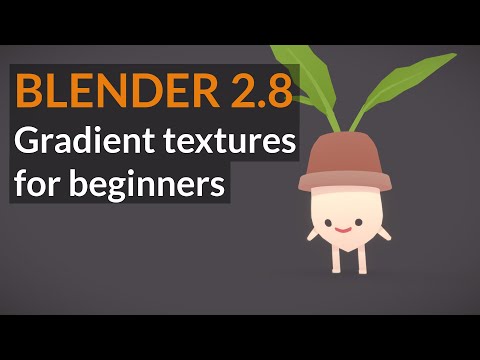 depending on the art style, you can get away with basically pressing 1 button to UV. Your success will mostly be in cool design of the art, something like this might give some clues how you can make effective art with basic texture and hitting a couple UV buttons. https://www.youtube.com/watch?v=9_zY3iv1PIw
>10222 results