Search
-
Re: Sketchbook: Zaki Saati

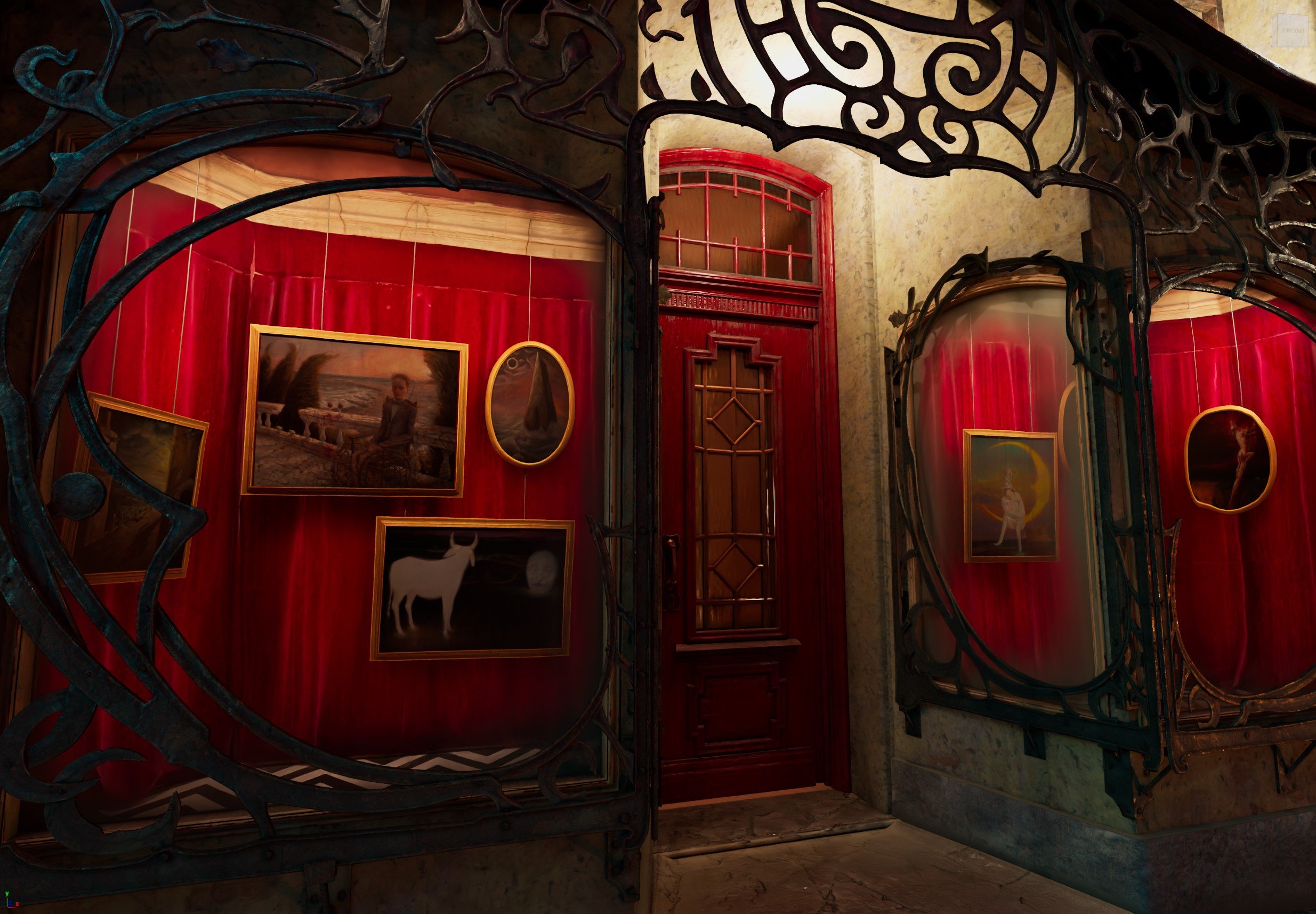 + Fixed the curtain clipping through the painting. + Straightened out the curtain folds a little bit, to give a better feeling weight. + Created a two-sided fabric shader with a simple camera based falloffs on the diffuse, to get that velvety look. One falloff darkens the tones, the other lightens. - Reduce the glass…
 -
[PAID] Looking for 3d Generalist / Technical Artist in Unity for VR Project
 Hi there, Looking for a contract 3D Generalist/Tech Artist experienced with Unity to help design and create the look and feel for a mobile VR project. The game has a working prototype already and the role involves uplifting the current art assets to enhance the visual appeal in all areas. This is a remote position for a…
 -
[Rev-share] Team looking for 3d artists for props/environment
 Unreal engine 4. A coop online first-person puzzle game. Players need to collaborate in these situations to overcome the puzzles! Really exciting project with great capacity. We have a good scope and we are not one of those teams who have big goals and never finish because if unreasonable scope!! We are a very dedicated…
 -
Re: Material Instance crashes Unreal 5
 "Pixel Normal WS node" <--- THIS That's the problem. More precisely, you're trying to change the Normal Map through this PixelNormal node, thereby causing an infinite loop. The normal map needs to have different logic.
 -
Re: Folds topology advice
Looks mostly fine to me, but others will have more experience with this. You could shift some of the "loops" of the upper arm towards the shoulder (but still retain enough to allow for internal/external rotation of the humerus). The topology on the inside of the elbow could follow the folds even more so they can be skinned… -
3D Artist looking for job opportunities
 Looking for job opportunities in game dev. I would like to offer my services as a 3D hard surface artist. I am mainly interested in weapons, but I'm sure I can manage most of hard surface game assets. Take a look at my latest project. Also feel free to check out my portfolio: https://madfox097.artstation.com/ model
 -
Re: Beginner Model: Looking for critiques and advice
 Teeth are too small. You have 2x as many teeth in the mouth as the concept. Needs more polygon loops in certain areas like the ankle cuff in the pants to get a nice thin crease. I suggest going into sculpt mode and adding wrinkles to the pants.
 -
Blender Weighted Normals
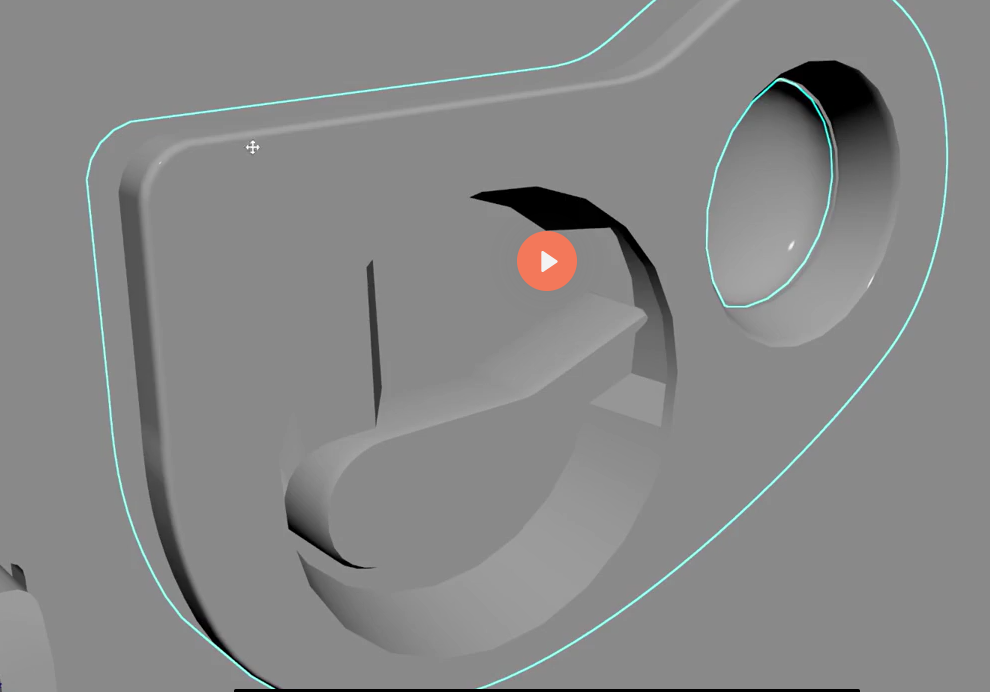 Hi, any ideas on how to smooth the bevel using weighted normals to get the same look as the tutorial ? no matter what I do, the bevel looks sharp. https://drive.google.com/drive/folders/10a8zcuozRHiK_E82KO6FSh3eOQdw9ttf?usp=sharing - Blender Scene is here
 -
Re: Spartans of Sport [looking for critique]
I'm still getting into the optimization of Normal maps, I might be stretching them too much, in design and/or in sculpting. Let me know what you think. I may post the Maya renders over the weekend. -my mesh separated on all of the edge-loops when last imported, so if you have EVER seen that before, let me know. Here are… -
Re: why does my uwv looks like that?
 I can see the edge loops on my end, barley though. Have you tried changing the colour of the background and/or the edges colour in Options> Preferences?
>108900 results