Search
-
Re: animate .cgfx shader
 this is what we suspected. we really wanted all maya nodes to be animateable and viewable in realtime. as you decribed, the only way to get this is by coding everything in the cgfx shader. plus we need to add this feature to our game engine exporter. bad luck for now, but thanks for your input.
 -
Re: UDK blocky terrain painting
 I'm wondering if you may be experiencing the side effects of using multiple LB_HeightBlend nodes without having one layer set to LB_AlphaBlend. That will happen when all layers have alpha of 0. (UDN Article: http://udn.epicgames.com/Three/LandscapeMaterials.html goto "Note about multiple LB_HeightBlend layers")
 -
Super Adventure Box tribute - Unity/Substance

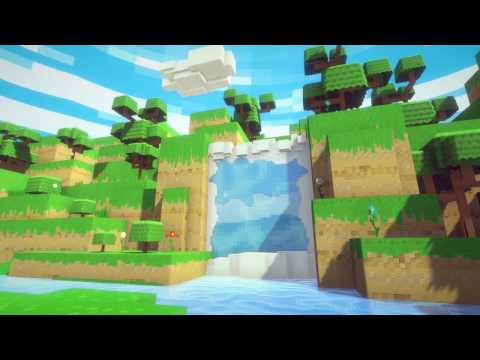 https://www.youtube.com/watch?v=nev5ip6-Dx0 Last weekend I took some time out to practise some asset production. I often find myself creating or learning something useful along the way when I do. What started out as a curiosity about using Substance Designer to create pixel art, ended up as a homage to Guild Wars 2's April…
 -
Re: Physically based rendering in games
 @almighty_gir if your using the cubemap blur technequne that was posted in post #154 did you change the custom code to point to lod instead of bias? in the custom node changereturn texCUBEbias(PixelTextureCube_0,float4(BiasInput, rough)); toreturn texCUBElod(PixelTextureCube_0,float4(BiasInput, rough)); that seemed to have…
 -
Re: Autodesk Stingray game engine
http://help.autodesk.com/view/Stingray/ENU/ You might be able to dig up a couple of things from the help files. There are references for the Lua API and for the flow nodes. IDK if you can get a C++ engine plugin working without source code access, but it might be worth the old college try. -
Re: Maya 2016 and ShaderFX issues
 GlowingPotato> Glad that helped you :) Ignore my previous question... Forgot that the Texture Map node was a group as any. If you enable advanced mode and look for yourself you can see that the "ConvertToLinearSpace" = x^2.2. At least in Maya 2015 which I have at home. I've got 2016 at work.
 -
Re: UV based Eye Rig - UDK
Sos for the late answer, glad you made it. Custom Nodes are for you to plug your custom HLSL code into, but I see no reason for you to do it for texture offsetting. What I meant with a "float2" is a vector of 2. You can create one by holding down the "2" button and leftclicking into the editor. -
Re: [WIP][UE4] House generation with Houdini
 @pming Thanks! She is doing some very cool work and I have seen it before. I actually have the first volume. It is good but it is more code then what I expected. Can definitely recommend it. But for this project I will try to do as much as I can with nodes. And it is quite interesting :smile:
 -
Re: The 2D guy learning 3D

-
Re: maya construction history question.
Is there any reason you would want to keep the "polySplit" history node after disconnecting it? Because deleting the Connection and deleting the whole Node produces different results. For instance. Create a polygon cube, add some splits with Split Polygon Tool. This produces a polySplit history node. Now, with whatever…
>37266 results