Search
-
Re: Desmond Man - ArtStation Challenge - Ancient Civilizations: Lost & Found - Game Environment
 @BucketOfNuggets Hey John, No worries at all man... I'm all about helping and sharing :) Now to answer your question, the floating decal technique I used in my scene was mainly applied to building corners and the flat surface sections that needed breaking up... essentially almost every corner of my buildings have a decal…
 -
Re: freelancing with blender?
 I'm late to this but in Blender you can assign faces as flat or smooth without splitting geometry, the default box for example doesn't have splits; you can export as an obj and import and it still won't have splits. For a game asset the engine will split hard edges in the end, if it's for film you probably don't want to do…
 -
Re: [UE4] Creating a Laboratory
 You may want to try and work with some post processing in UE4 to help with your lighting. Also, you may want to revisit your wood material. It is feeling very flat at the moment. The lighting isn't helping that either. Did you bake the lighting yet at all? All of the objects look like they're floating on the floor because…
 -
Re: [WIP][UE4] Primitive Lab
 Not familiar with unreal, but if it's anything like other editors, your main directional light should be set to "cast shadows" and your objects either cast shadows by default or have a setting to "cast shadow" or the objects themselves need to be added to some sort of lightmap queue/static. Hit up the technical board here…
 -
Re: [WIP] Sci-fi Interior
 If this is Toolbag 2, the link Flaw pointed to is kinda outdated. See: http://www.marmoset.co/toolbag/learn/pbr-theory http://www.marmoset.co/toolbag/learn/pbr-practice For your metal-heavy scene, it may just be better to go the metalness map route. Is it metal? Y = white, N = black. Takes care of your spec so you can just…
 -
Re: Environment scene Docks
 A-Train, in UnrealEngine3 polygons with any type of alpha can have normals, specs etc along with shadows. Make sure u have the shader set to Translucent (if u want to have smooth alpha) and that your alpha channel (or image mask) is plugged into opacity slot. Also if u will ever do projected decals and will have issues…
 -
Re: I encountered issues while using the ZBrush + Blender workflow to create hard surface models

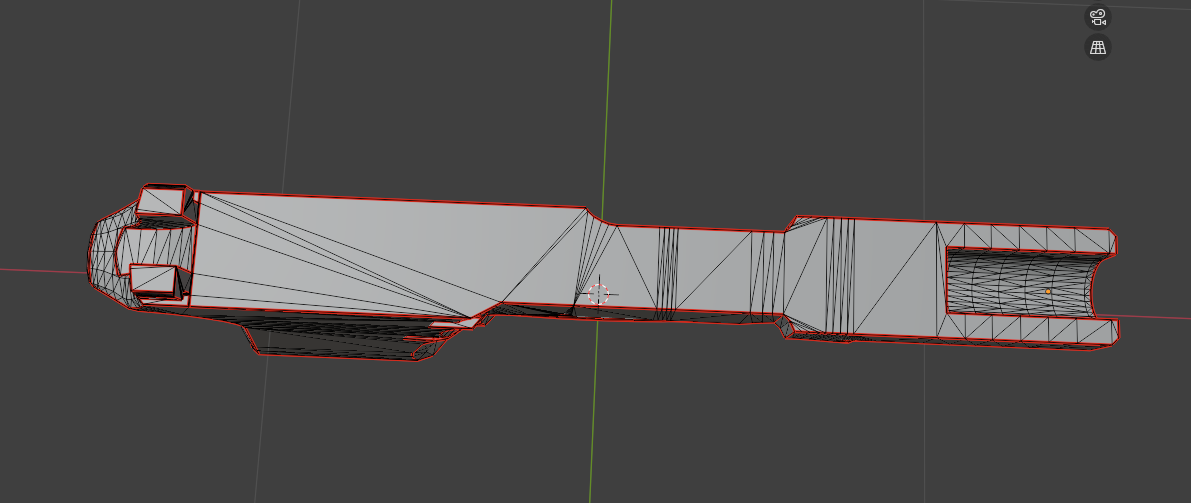 That is just how this works, you can store a morph target after dynameshing it and use morph brush to bring back flat area and manually smoth the surronding area. Another way is to make primary shapes using boolean in blender then small details using live boolean feature, making a low and high poly version out of that.
 -
Re: misc. maxscript UV scripts/tools
 You can drag .mzps into viewport, it can notify you that it installed the script (for example with http://www.scriptspot.com/3ds-max/outliner, its a mzp that you can drag and see for yourself :) Or it can just install exactly like a .ms file would for example this one: http://www.scriptspot.com/3ds-max/pen-auto-material…
 -
Re: [P&P] - What Are You Working On? 2009 Edition!
 hmmm the handle seems like it may be very awkward to hold... its really square and fat ;o and my other issue is with the wood.. it is very flat and you have some pretty intense wear and tear on the metal but hardly anything on the wood, just seems a little unfinished ;o but sayin that.. its still nice.. i like the concept…
 -
Re: Asian Bridge Fortress/Village (UDK)
 Big changes and additions. I had to unwrap everything and start texturing. you will notice that the metal poles are missing from the side of the new mountain bridge, they will be replaced with some wooden poles to hold flags. there will also be grass added to the top of the mountain bridge, as well as some variation in the…
>25687 results