Search
-
Re: [WIP] Stalker 2 Fan Art - Unreal 5 Realistic Environment & Story Telling

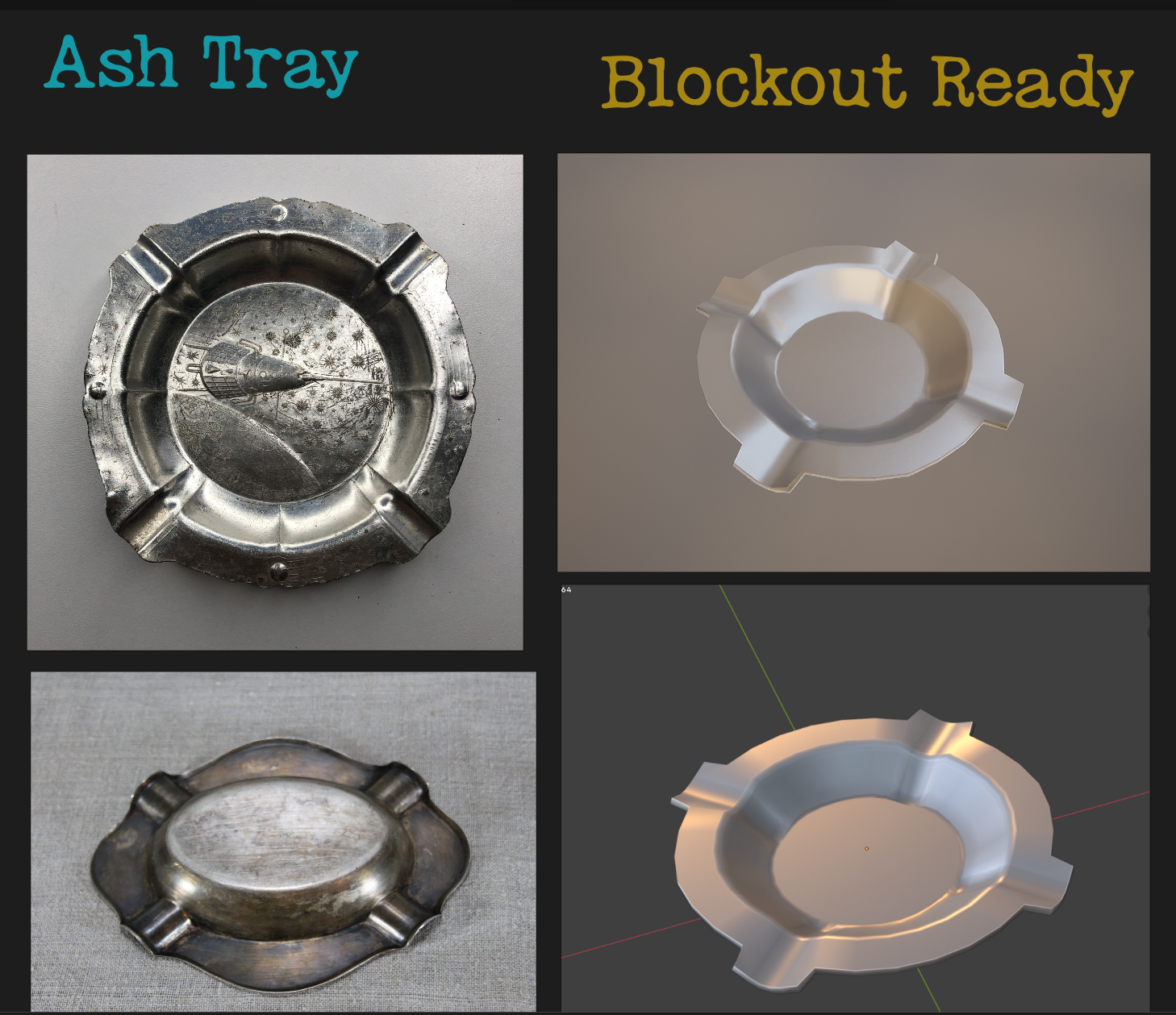 Sharing an update on my custom prop modeling — first blockout versions of carefully selected, thematic objects.
 -
Re: Low poly baking issues (NEW)

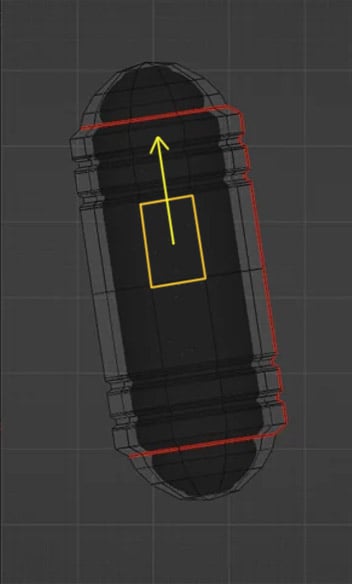 In Blender you can move edges, edge loops and vertexes along any edge direction ( with auto UV correction). So world or local coordinates , axis being tilted it's all irrelevant . You just hit G double time + Alt and hover over an edge you want as a sliding direction and get yellow track lines appearing representing…
 -
Re: [Technical Talk] - Tutorials Sticky Thread
ok just wrote this up for someone on cgtalk... thought it might be helpfull for someone, feel free to piont out any mistakes and ill correct them UNWRAPING WITH SIM CLOTH! PART1 1 Make a box bellow your model 2 WHILE THE BOX IS STILL HIGHLIGHTED! click "create rigid body collection" in the reactor dock (should be on the… -
Re: Modular Pieces Not Lining Up
 Hi! I think best read up on snapping in Unity. In this case vertex snapping might be of help. You can also set the position of all selected objects on an axis and align that way. When working with modules, I would switch the tool handle position from 'center' to 'pivot'.
 -
Re: Election Recounts and voter apathy
[ QUOTE ] I think most people realize that there isn't a chance in hell that Kerry is going to become President at this point; so why is everyone questioning our motives for wanting to investigate this? We want to know the truth. I for one want confirmation that my "democracy" isn't at the mercy of a couple private… -
Re: UnrealED Noob question...
Are you trying to select in the perspective view or ortho views? If you try to select a brush in perspective view, and you're not in wireframe mode, you'll just select the face of the BSP. Switch to wireframe to select the actual brush. The texture select thing is a common problem, I think. Can you never select the texture… -
UV Mapping discussion
 Evening folks. Just a wee heads up on a UV mapping proposal I've posted on the Silo forums. I'm not posting this to get people to jump in and support me, but to point out any flaws or anything that I missed. There is no need to join there if you are not a member, just post any response here if you do feel inclined. I'll…
 -
Re: Maya 2014 finally gets a huge update to its modeling tools!
I think Bellsy is misunderstanding what we mean by integrating the Modeling Toolkit (MTK) into Maya. At least what I think a lot of Maya users mean is we don't even want a MTK. Two of Maya's strongest points for modeling are marking menus and more functionality smartly compacted into less tools, and both of those are being… -
Re: Needing to make a Photoshop task a little more efficient.
 Not if its only underneath the pottery. But that is assuming most of the potter is flat, or in chunks like the sample image. That would be my advice as well. Use a neon blue/green/pink back drop, Use the quick selection tool/magic wand/Select by color range for a base selection, The use 'refine edge' to drive it home. The…
 -
Re: [3DSMAX] Something similar to Blender Mesh-machine Offset Cut?
i usually use surface tools on splines generated from the selection - but yes, not a one click solution
>15393 results