Search
-
Re: great presentation on the present and future of gaming
 He reminded me of George from Greys anatomy. :P The speech was very interesting though and it does give alot of food for thought. The points system in schools, I remember reading that somewhere and it sounded so awesome. There should be global points, If X country give X amount of aid to a developing country, then 100…
 -
Re: nDo2 BETA
 Ndo 2 is on the good path to success but here are my first feedbacks : 1. If we change the objects order directly inside photoshop or hide an object the 3D preview is not updated --> maybe a force refresh 3dpreview button will be nice. I found a turn arround by changing the blending mode. (But the refresh should work when…
 -
Does an Architecture degree count as a related field for a game designer work visa?
 Hi everyone! I’m from Korea and currently studying game design on my own to break into the industry. I actually graduated with a bachelor's degree in korea Architecture, but I decided to transition into games because I find this field much more exciting and fulfilling. I have a quick question for those based in Europe or…
 -
3Ds Max shortcut Issue
 Hey 3Ds Max user, I have a question for you, I looked a video from Arimus on youtube about shortcut and he is assigning Shift+x Shift+y Shift+z to Align xyz Shift+y and Shift+z are working but Shift+x still changing the edge constraints even if it's not assigned to edge constraints. Shift+V is assign to edge constraint I…
 -
Re: Different types of normal maps?

 In this case I don't think even that's needed, it's just assumed the blue channel is white (set the blue channel to white in the top image and you get much the same output as the second image) with tangent space normal maps there's never really a lot of detail in the blue channel. All the normal perturbation is in the red…
 -
Re: Maya translate gets wonky after scaling object

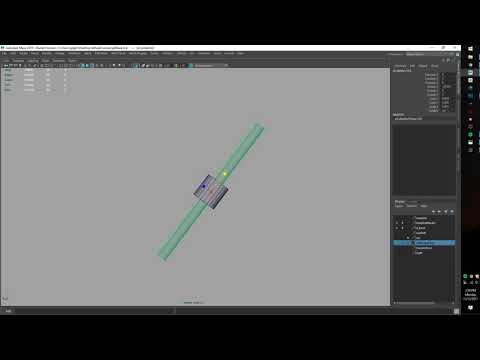 Looks like you're in some custom axis on the move tool. I can see the scale only affecting Y, but your move is going across X and Y despite the handle you grabbed (and even before your scaling). I'd go into the move tool options and reset them. In the future, you'll want to use the object space to move like you expect.…
 -
Re: WebGL normal map issue
 As far as setting up a normal map goes, there isn't anything special you need to do for WebGL that you wouldn't do for any other engine or renderer. By that I mean make sure you're using the correct type (tangent vs object space), the correct handedness (y+ vs y- or the orientation of the green channel), and make sure…
 -
Re: a lot like "Weld" function, but without the actual welding?
 macroScript NotWeld category:"Scripts" buttonText:"NotWeld" toolTip:"NotWeld"( $.EditablePoly.MakePlanarIn #X $.EditablePoly.MakePlanarIn #Y $.EditablePoly.MakePlanarIn #Z) Throw it into notepad, save out as a .mcr, drag and drop it into Max... and then assign it a quad menu or hot-key. (Via the "Scripts" categeory).…
 -
Re: Making Zbrush 4 more...Mudboxish.
 Grab a model like the dog. You should notice a big difference in camera behavior between having y-only, and z-only. Once you notice that, it should be easier to see the difference between having xyz and y-only. Otherwise use the right-mouse button for camera controls and have perspective turned on, and it should feel like…
 -
Re: [CE3] Fort Highness & Valley
 Hey there! Looks effing amazing. I have a question though- how do you load your normal maps into cryEngine, because I have a model, and they either don't display, or they do so terribly.... What sort of normal map does Cry Engine use, Y- or Y+? It's given me so much trouble, and I can't find an answer or figure it out on…
>147303 results