Search
-
Re: UDK - Blown out lighting when I add an extra light.
 Try clearing the lightmass swarm cache. It solves oddities like this sometimes. Either by clearing the contenst of the swarmcache folder in your UDK/bin folder or inside the swarm coordinator utility that pops up when building lighting.
 -
Re: maya xgen Failed to import collection?
 that does not look like a maya project... have you created one..? File --> set Project File --> Project window --> Accept this should create in that location a lot of folders... your maya file should be in the scenes folder...
 -
Re: GEARS OF WAR - PC ...With Unreal Ed :D
 Ephesians 2:8-9 : Yeah you can open the levels check out this folder: C:.Prog\Gears of War\WarGame\CookedPC\Maps this folder contains all of the SP and MP maps. AdamBrome: offcourse?
 -
Re: Zbrush Plugins - Trigon Toolbox

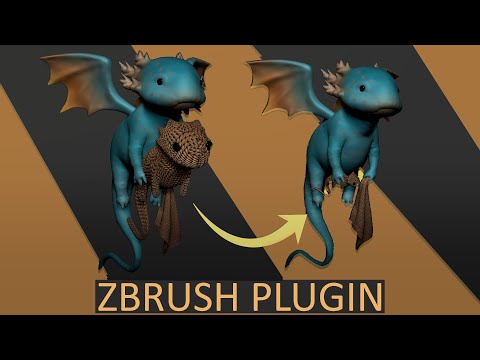 Stage Folder * Makes the new stage tools work with all subtools in a folder in one click * pose subtools without losing the ability to work with symmetry https://www.youtube.com/watch?v=ij_jj0lnFNc&t=3s&ab_channel=TriGon
 -
Re: Application.Capturescreenshot?
-
Re: xgen beginner woes
Ok, I found the solution in the end. The trick is to not have any spaces in the folder names....not just in the project, but also in al other folders leading to the hard drive. The whole path to the drive needs to be clean from spaces and illegal characters. -
Re: Googlemail as a filtered email (and file) backup
 they're called Labels, Lee. and you can set more than one for a message, so they're better than folders for us tidy people. :P It's the same functionality, just without the cute little folder icon to the side.
 -
Re: max batch material path?
 OK, I've written a better version. Click here to download it. Overview - Can replace any string (case-sensitive) in a path, filename or extension. - Works on every bitmap texture found in a scene (regardless of format). - Can convert paths to upper or lower case if necessary. - Tested on Max 8 and Max 2008. - Runs as a…
 -
Re: Help me find this portfolio!
 Jramauri - unfortunately not, I stupidly decided to switch my inspiration folder to an 'inspiration bookmarks' folder so it was all online and syncd between devices, although I should probably try a DropBox equivalent. Bryan - That's the one! Thankyou!
 -
Re: Brusherator for Photoshop CC+, a panel with brushes! and more
 Oh don't worry, The Eye is still there :D Auto-backup to which cloud? I mean if you use something like Dropbox you can simply redirect the preference folder of Brusherator to the folder you want in Dropbox

>11637 results