Search
-
Re: Baking high to low with UDIMS
 If one wants to pack UV shells from the same object across multiple UDIM tiles, then one has to apply multiple materials to that one object and assign the corresponding faces to the materials. This is thankfully quite easy in Blender: * Select all objects and enter edit mode (make sure UV sync selection is on) * Roughly…
 -
Re: Falloff Script for Max 9 - Is this possible?
 macroScript falloff_2 category:"MyScripts" toolTip:"" ( rollout falloff_mouseRollout "Untitled" width:344 height:25 ( slider sld1 "" pos:[51,1] width:300 height:25 range:[0,selection[1].Falloff*2,selection[1].Falloff] orient:#horizontal ticks:0 label edt1 "" pos:[2,3] width:44 height:16 on sld1 buttonup do ( if…
 -
Re: Unwrapping in Maya makes me want to chew glass...
 Hi Vesp! Strangely enough I find Maya's UV editor much much better than any other. I find myself using only a few tools, but being much faster than in Max no matter what plugin I used to help the process. First off I would recommend getting the Roadkill plugin. It's free! It's possible to work without it but it would be a…
 -
Re: 3dsmax Quick and Dirty Workflow Tips!
 I've been collecting these for a few years now. Many came from a similar CG Society thread. I've edited some, left some as found, and hope I'm not repeating too many. When saving a file pressing the + sign will add a number increment next to it (e.g. normal.max will be normal01.max). Press the "i" key to re-center the view…
 -
Migrating from C4D to 3DS - navingation questions
So I have finally decided that I have to migrate to 3DS, for obvious reasons. I believe 3DS is quite easy to comprehend, although there are some tools that I am seriously missing in 3DS, and I was wondering if you guys could maybe help me. In C4D there is a loop selection tool (shortcut U-L), which is fantastic and selects… -
Re: The Bi-Monthly Environment Art Challenge | January - February (100)
 @elfennani Cool update! I think the render is currently a bit too dark and low contrast. To counter that, you could try increasing the light's intensity and make sure that the values of the albedo textures are not too dark (use values of processed PBR scans as a reference?). Additionally, light could come from offscreen…
 -
Re: [MAYA 2018] Get Back UV Editor Tools Menu

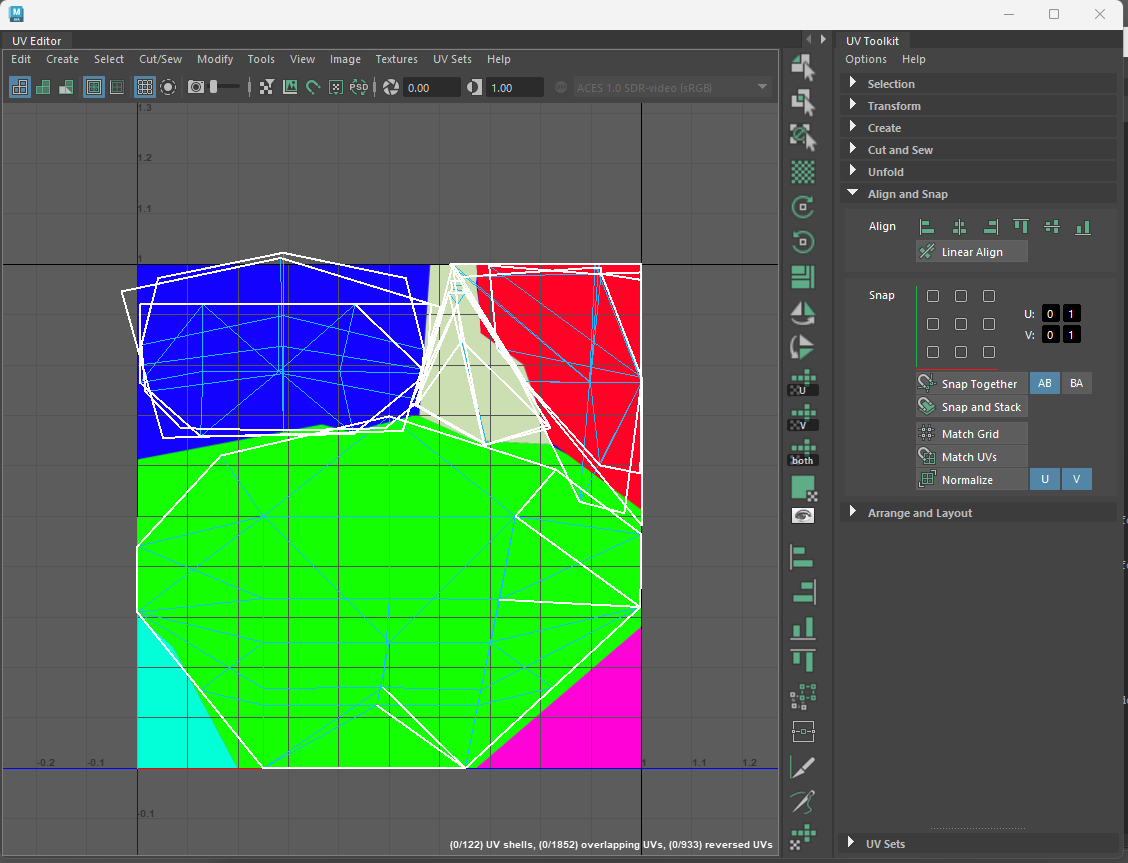 My workaround has been to open the UV editor via a shelf button that adds a custom panel next to the UV toolkit. When I want to add something I look up the MEL command for it and add an entry to the list. if (`workspaceControl -exists PixelBUV`) deleteUI PixelBUV; TextureViewWindow; global proc…
 -
Re: Maya MEL Scale UV shells locally script for anyone that wants it
 Have gone through and made some improvements basically now there is a progress bar in the main window (bottom left corner) you can cancel the script with the escape key if you use edge selection you remain in edge selection mode and so on for the other selection modes
 -
Re: Low poly baking issues (NEW)
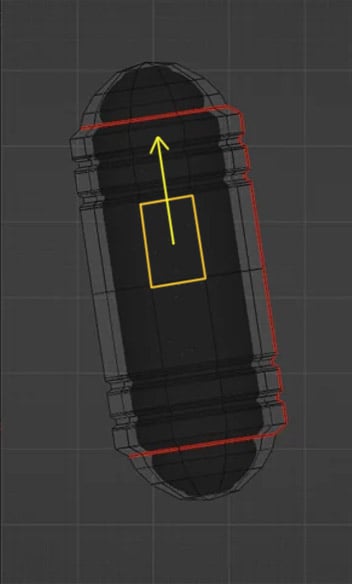 In Blender you can move edges, edge loops and vertexes along any edge direction ( with auto UV correction). So world or local coordinates , axis being tilted it's all irrelevant . You just hit G double time + Alt and hover over an edge you want as a sliding direction and get yellow track lines appearing representing…
 -
Re: UV Mapping Multiple Maps
Take this advise with a pinch of salt as it may not be 100% accurate . What I would do is take the Head faces and put a material ID on them(ID 4 for the head and 5 for the body for example),basically so you can use the select material ID fuction in the editable mesh/poly rollout modifier and it saves you having to slect…
>15384 results