Search
-
Re: max 2008 unwrap uvw
 You might be able to improve this really easily, depends how the Max 2008 unwrap ui is handled. Here's how I did it in Max 8 with Chuggnut's tools: 1. Open up 3dsmax/UI/Macroscripts/Macro_UnwrapUI.mcr 2. Look for the line where it says "macroScript OpenUnwrapUI" ... again dunno if this is just Chuggnut's tools or Max…
 -
Re: The Kriss
 It's a bug in the 3.11.0, sorry... it selects the hxGrid map renderer by default(which is a distributed renderer that requires the agent.exe running on the cluster of computers + one running the coordinator.exe). It's solved in the 3.11.1 beta 1 and in the final 3.11.1 that i'm going to release in 2/3 days. To fix it…
 -
Re: Noob 3dMax Q's, stuff I used to do in Maya
 #1 select one of the 2 faces,- hit shift + drag it to the center so that 1 edge of it is in the center of the window - check copy to element when you release the mouse button. Now select again 1 of the 2 faces you have selected in the screenshot and hit the "hinge from edge button". In that dialogue click the select…
 -
Re: Substance painter generates artefacts when baking AO map
 Try changing the UV padding in SubstancePainter's TextureSettings to UV Space Naighbor. The default is 3D Space Naighbor, but this may cause unintended UV borders to appear. I would be happy if this helps.
 -
[Blender] Sweep Toolkit

 The purpose of the Sweep Toolkit is to provide you the better way to Sweep a Profile along a Path than the default Blender Curve to Mesh. The Toolkit consist of 2 GN Modifiers Sweep and Pipe, 8 GN Tools to assign Attributes that are used by the Sweep, 50 Architectural Profiles. Features: * Even Thickness on each Point *…
 -
Re: [3DSMAX] 2024.2 Array modifier problems after scale / rotate and re-loading file.
Is it the default for the array modifier give changed results after scaling or rotation of the object and re-loading the scene? -
Re: AI Art, Good or Bad? A (hopefully) nuanced take on the subject.

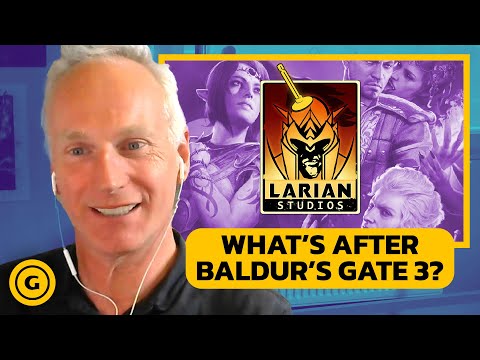 I think Larian Studios is using generative AI correctly and ethically. https://youtu.be/Gy9P2HPF9ss?t=534 1. Automation of tasks nobody wants to do (voice editing, animation retargeting, cleaning up mocap) This is an excellent usage of generative AI, and what we should absolutely be striving for. 2. Whiteboxing…
 -
Re: Texture in blender
 Hi! It's not an texture issue, but related to the scene setup. The material preview viewmode uses an environment texture for lighting and reflections by default. The render preview viewmode uses a flat color by default, which is set under "World Properties". You can set it to use an environment texture too:
 -
Re: Color profiles in PS and srgb
Photoshop doesn't know anything about normal maps. It treats them as regular images assuming the values are in srgb space by default. But it doesn't matter usually because color profiles are are for show on screen. The pixel values stay same. And if you use some blending modes they just do whatever math they designed for .… -
Re: What do you lot think of Modo?
 I do. I disliked it initially but thought I'd leave it on just to see if I got used to it. It also helps a LOT if you understand how trackball works: source Of course, there are other schools of thought... :'( I use mostly default modo keyboard shortcuts (which I think are well thought out and worth adjusting to), but with…
>10217 results