Search
-
Re: How to make my subd topology more low-poly for real-time rendering?
 Hard to say without knowing the context. How big is this piece, and how close does the player get to it? Generally, we try to optimize away any loops which are not adding to the silhouette. Only judge shading in the context of the actual game engine, and preferably in the game level where it’s lit. After a while doing…
 -
Osmosis - Node-Based Expression Editor for 3ds Max (Programming Pimp)
 I have been working on Osmosis for a little over a week, and its coming together pretty well now. Its still got a long way to go, but the basics are there. Currently I have made over 25 nodes which are all designed to be as flexible as possible. It is also very easy for an end user to make their own nodes. What is Osmosis?…
 -
Re: Metahuman - Games pipeline - What is your experience?
 not i. since that might be to small a response, how does it work if one was to do something with that application, 'work' if the person also wanted to sell the design made from it? i didn't look into it nor care to honestly, & i do not learn if the things do it for me...edit: i can see a solo dev needing this for a big…
 -
[Unpaid] Looking for Environment Artists for UE5 animated series

 Hi! 👋🖤 My name is Swapilla, I am an indie director, writer and animator. I'm a former Roblox animator and current UE5 creator. I’m currently making a massive long-term and unpaid passion project. A 10 episode animated horror series made entirely in Unreal Engine 5. The series follows Sean and Steph, estranged siblings, who…
 -
Re: Final Submissions

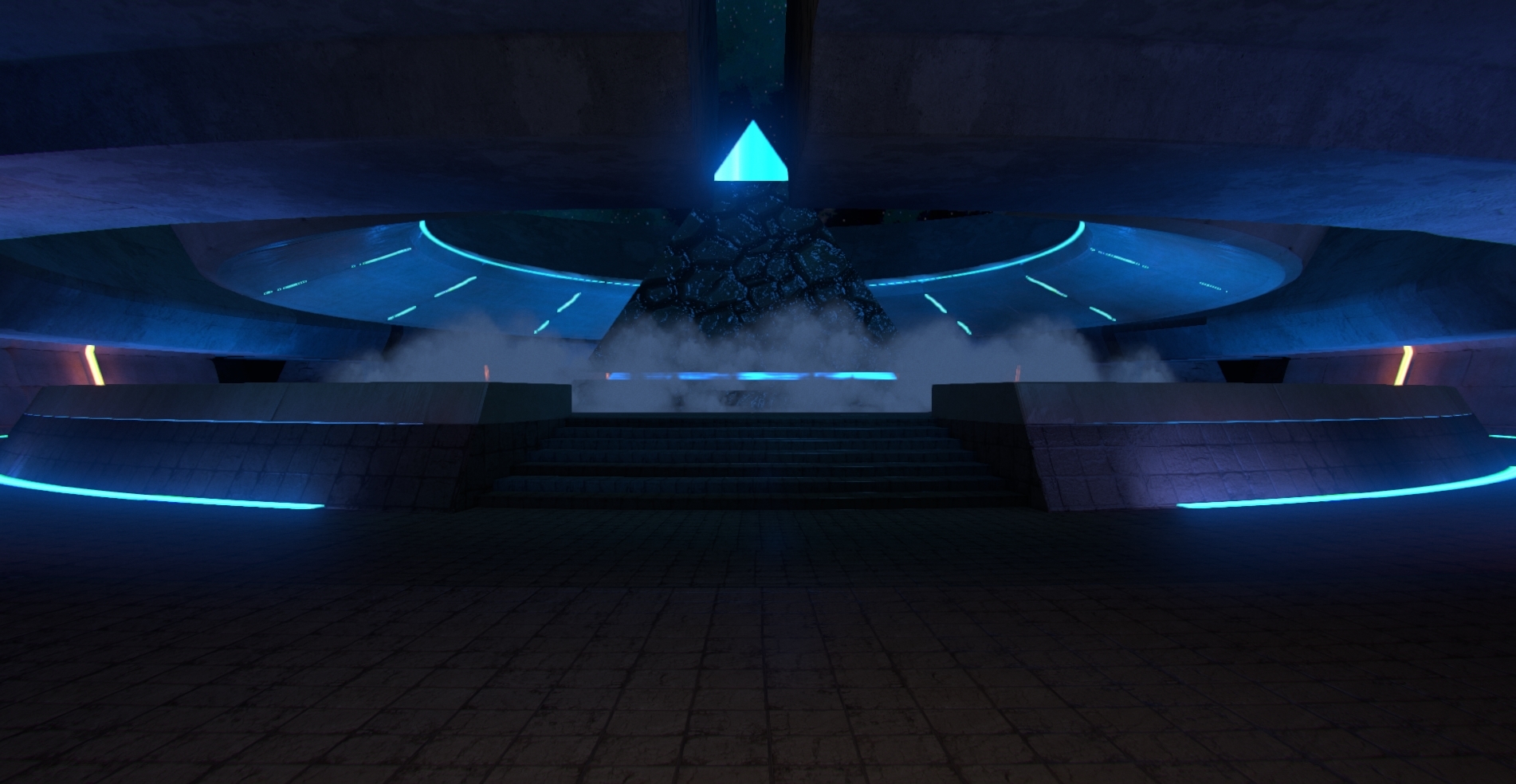 (I'm not really a story teller) "A mysterious pyramid sits in the center of the courtyard, it's origin is unknown. The pyramid emits a strange blue light, illuminating the scene." The general tone of this piece is mystery, The colour blue was used to give off a cold, non human feel to the scene, however it draws attention…
 -
Re: change colors of edges and verts in maya UV editor?
 I spent a good hour trying to find this after being annoyed at how hard it was to see my edge selections on a white UV border. The slider for this is located in the color settings window (Window > Settings/Preferences > Color Settings) under the Active tab, Objects section, "Polygon surfaces." displayColor -c -active…
 -
Re: Unreal Editor 3 Problem - *Solved*
Ok, so I've now added some more screens to better explain this issue. And again, the issue isn't detrimental, the problem is it really makes it hard to lay things out and test things to import etc. Because default lighting is messing up how it looks. EDIT: Just to let you know why you got that green colour. The RGB values… -
Steam bought Crysis Editor, paths issues
 *Edit* Think I solved it. Very strange and picky, not sure if it's because I'm using the steam download of the editor. The official documentation does not go at all where to put your objects, but they are suppose to magically appear.. not the case for me. I grabbed Crysis off Steam recently, installed the latest Crysis…
 -
Re: Need feedback on my most recent portfolio piece.

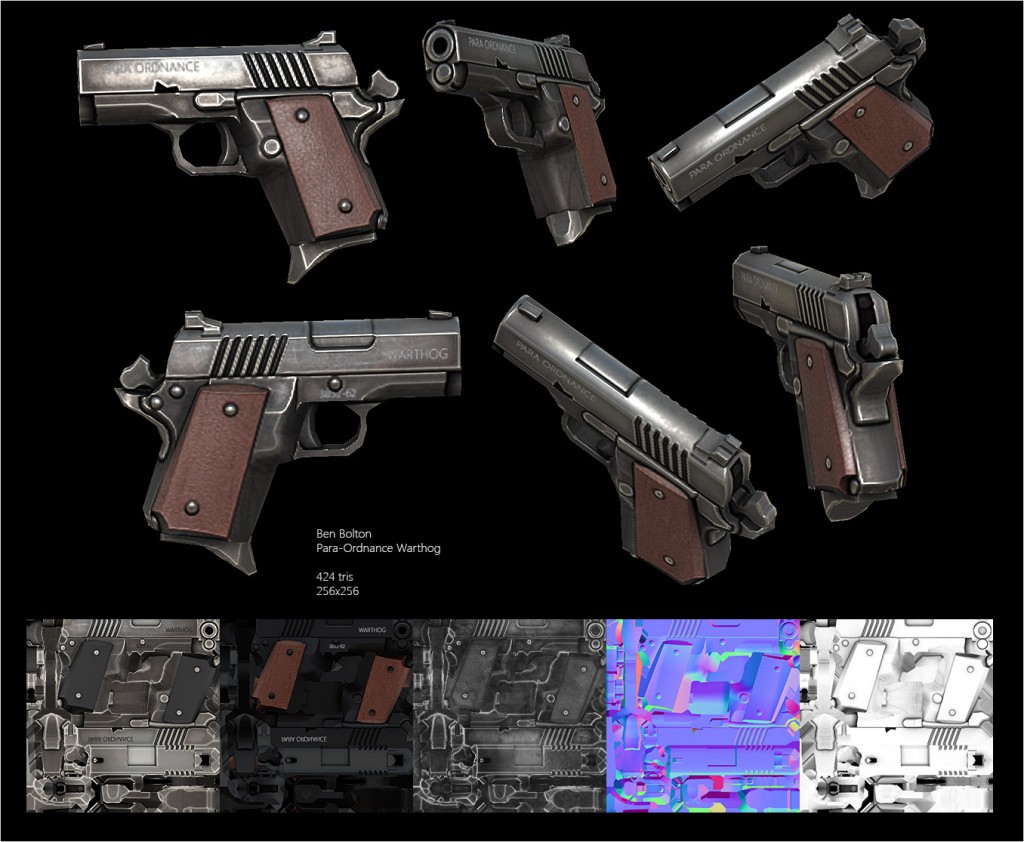 Modeled from concept art or own design? EDIT: As an aside - back in the day, had attained experience in a military context handling/operating various weapon systems so from my perspective your example, has disproportionate elements that when placed in a real world setting, would practically in terms of basic ergonomics be…
 -
Re: Distortion in Corona Renderer
Looks like a smoothing problem on the mesh. Have you tried applying a smooth modifier or clearing the smoothing groups in editable poly? Or it could also be a uvw map problem. Apply an unwrap modifier and check the seems for texture padding issue.
>35098 results