Search
-
Re: 3ds Max - Vertex snapping along axis?
 Hey Hooble - you need to enable Axis Constraints in Snaps. It's the icon with XY and a magnet underneath it. If you don't see this icon, right-click in the empty space of 3DS Max's toolbar and enable Axis Constraints. :smile: Alternately, you could just right-click on the snap button, click on Options, and click Enable…
 -
Re: Sketchbook: BootScoot
 Hey Eric, thanks for the feedback. Yeah, you're right in that it may be a tad on the dark side. The lighting and Post Processing went through a fair bit of work till I settled on this. I was trying to give the scene a bit more depth and oomph by nudging up the shadow intensity. I might have over cooked it somewhat! At this…
 -
Re: [3D Pimp] UT2004 Playermodel Lupine Male
 Hey, there. Nice project. I'm about wraping up my modest UT2004 peice, just need to work out all the bugs. I can probably help you with most of these questions in your post: QUOTE: 1.) Figuring out a Dynamics solution for the secondary animation on the loin cloth, so that there is some colision, but having to be bones…
 -
Re: Animation in video game is declining...
 time constraints. memory constraints. time constraints. Plus, people dont generally run differently every time unless they try to. they have the motion that they are use to, and they stick to that. Lots of games have jogs and runs though to add a variety for different speeds.
 -
Re: Deleting Stray Vertices
 Select>Use Constraints. This has a bunch of selection constraints, All and Next will select all of whatever component type is currently active plus whatever constraints you add to it. You could also try running Cleanup and see if that helps some.
 -
Re: Far Cry 3 Art Dump
 The ACOG is 100% me, not sure what ACOG you are referring to, but the one we use in the game is from scratch on my side, as well as all weapon attachments. If Massive made an ACOG at one point, we did not use it, I wasn't even aware of its existence. I was told to remodel and rebake the AK entirely (among other weapons…
 -
Re: NVil(1.0) Released
New Update http://www.digitalfossils.com/Download/NVil-Mar-08-13.rar Summary of changes: * Cut tool is improved. The operation can carry on between Click-Cut and Drag-Cut without disruption. * Three minor bugs are fixed. Thanks! MightyPea: The edge highlight bug is fixed. As to the file folder address problem, I can't… -
We Got Tired of “Final” Renders Breaking — So We Built a Gate Instead

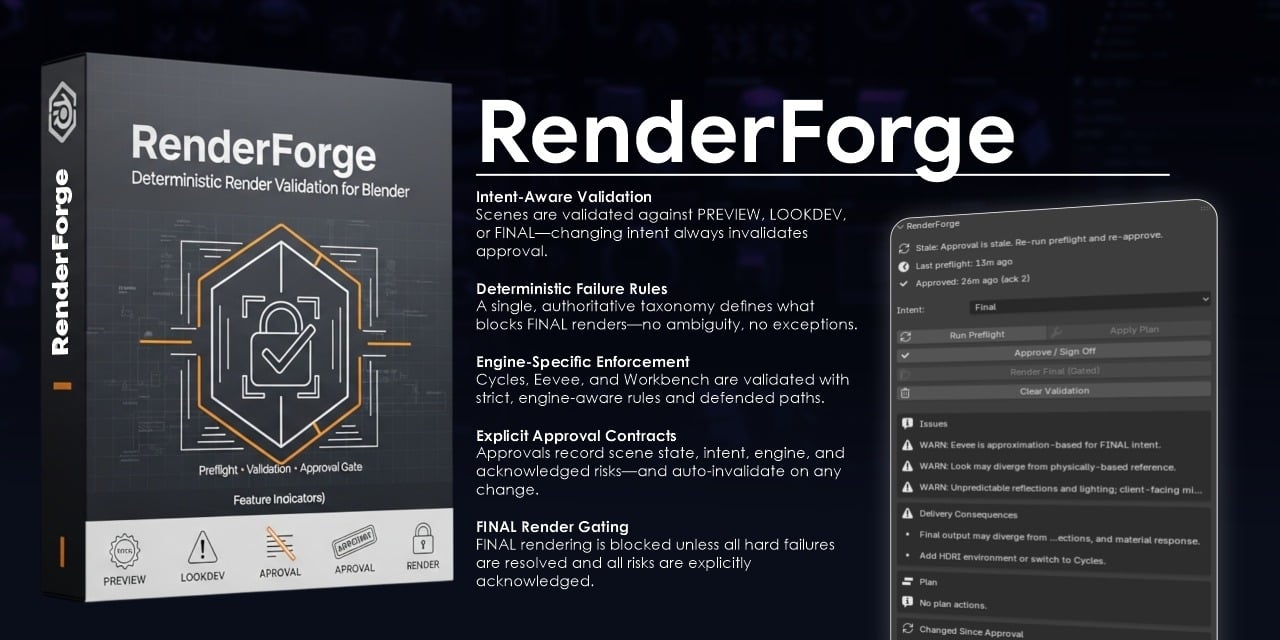 If you’ve shipped enough work, you’ve seen this moment: You approve a render. Someone changes one small thing. The final output doesn’t match what you signed off on. No one did anything “wrong.” But now you’re explaining differences to a client. That’s the problem we wanted to solve. The Real Issue Isn’t Quality — It’s…
 -
how should i rig this sort of hinge?
 one end is constrained to a stationary object, and the other end has a hydraulic pump to adjust to distance and its constrained to a moving object (which moves around) so basically i want to know how to rig the hinge thing as seen in the pic above.
 -
Re: Material definition in Zbrush and weird shadows on normal map
 For cylindrical shapes I usually just do a planar projection, cut a seam, then unfold (UV Texture Editor Window > Polygons > Unfold) with a horizontal constraint, then a vertical constraint. You can try using no constraints but it tends to cause the shell to pop diagonally for no reason.
>8075 results