Search
-
Re: Character for portfolio
 Ok quick go at the Clothes, What do you think of the proportions now guys ? (Ill do the face tomorrow promise ^^) What do you guys recon the trousers are ? leather ? I think Ive made them too baggy, kind of like soft sport trousers rather than leather. Anyways comments and critics are welcome :)
 -
Re: Ronda Rousey

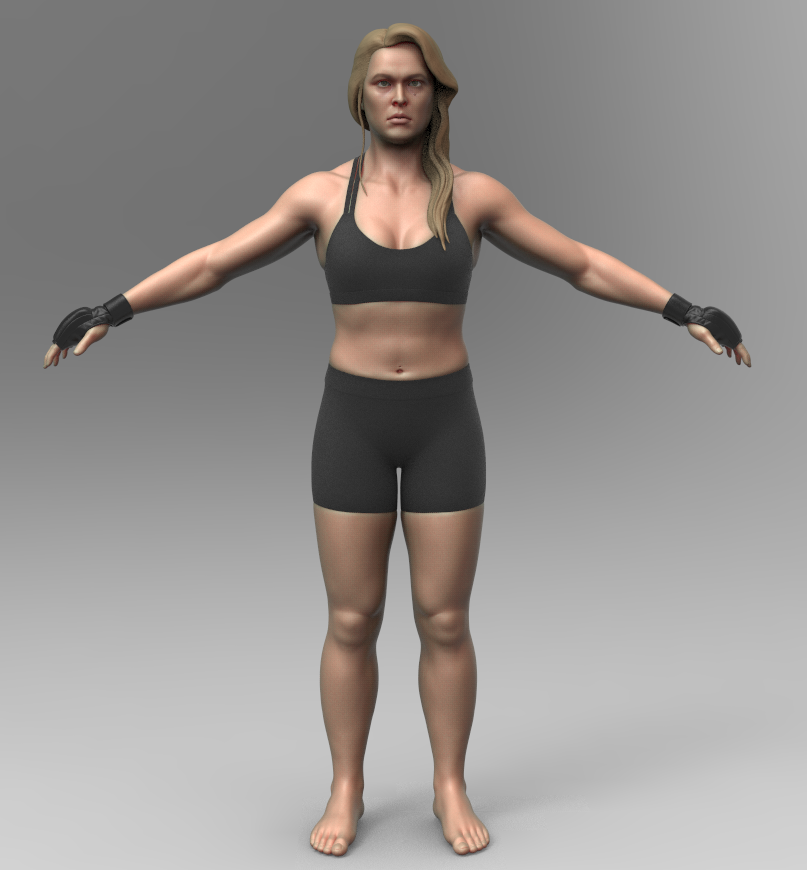 I made some proper eyes and threw down a really basic polypaint. Should of tested some skin shaders earlier, the soft shadows really changed how the jaw read. Anyway, I don't totally hate the result I'm getting in keyshot in terms of likeness, though everytime I look at it with fresh eyes that opinion changes ¯\_(ツ)_/¯
 -
Re: Octane GPU Renderer on sale 50% off
 Octane sure does show some serious promise, and at $62.05 that's a hard deal to beat. I had read that Octane was having problems importing vertex normals, so smooth groups, hard/soft edges might not work quite right without actually splitting a mesh up. Though that issue might have already been fixed.
 -
Re: A Journey Into Texturing
 so far you are getting there. you have highlights on the edges of the bevels which are looking about 65% there. as the previous person said, the surface of the stone is looking kinda flat... the information presented with the usage of the cloud filter lends it to believe that the surface may be uneven. You can accent this…
 -
Re: "Favela Revisited", a UDK scene.
If you go to view > world properties and expand the defaultpostprocessing, you'll be able to mess with DOF there, i normally use these values as a base: Bloom scale: 05 - 1.2 DoF_Blur Kernal Size: 128 DoF_Falloff Exponent: 5 Dof_Focus Inner Rad: 25000 Scene saturation set to: 0.25 Gives the sky and fore/background a nice… -
Re: Fanservice/Sexism in Anime and How Anime/Otakus Are Seen By Society
 Been watching "shokugeki no soma" aka food wars, and it's amazingly hilarious with "foodgasms", and pretty much does it equally. Also why does seeing insanely toned bodies on tv equal "feel bad" surely some get inspired? And response to prior, I have no idea. Maybe it just bleed over from perceptions of Japanese stuff.
 -
Re: Clipping Meshes After Retopology. How do I fix this?
 Moving verts with soft select was also my first intention, as long it is not a mayor change to the general shape of the mesh i guess this is okay. Maybe try ro add some "supporting" edgeloops/faces to retopo mesh near the "problem-area, so that the touching mesh can "flow and bend" better to avoid that "clipping" That is…
 -
Re: Architecture Series® - Hip-and-gable roof + glazed tiles
 With soft selection on you mean, merging tiles with the roof (right now tiles are separates elements)? That is pushing vertices all over the place on the tiles and produces real ugly results. There's got to be a way to do this properly, the guys at Crystal Dynamics did it all over the place for Tomb Raider, and in later…
 -
Re: OverDose - Shameless Self Media Pimpage [id tech 2]
 I'd be hugely thankful of any paintovers with regards to scales and things that are making these things look like doll heads so I can fix things up or at the very least sort it for the future. I'll try on the ears again for next time, I do suck at ears. And the paint, i'll try a bit more there, make the blend less soft.
 -
Re: Yet another normal-baking issue
 I basically took me working model and applied turbosmooth to a clone, with Smoothing Groups on. So the high looks pretty much the same, except the areas on the inside of the shells are much smoother. My goal in baking was to fix THAT, not to get soft edges across my smoothing groups. I'll post some more pictures when I get…
>7540 results