Search
-
Re: 3dsmax: Pelt mapping only wants to use eye for seams
 Honestly... pelt mapping isn't all it was cracked up to be since they improved the relax algorithms. I would cylindrical unwrap it and relax parts and pieces with soft select turned on. Or planar map it, select your pelt seams break the edges and relax.
 -
Re: Summer Character Workshop - The Baker

 With the blockout I made in Zbrush last time, I took it to Max for some good old retopping. I already had a strong idea of how all loops should go and why, but what Lee taught us was how to do it within record speed. I spent about 1 short day worth's time on mine, and had almost no difficulties solving problem areas.…
 -
Re: Artist habits
 Not to mention, playing games or doing anything art related at 1 in the morning, before going to bed also doesn't help. I tend to stay awake all night thinking how I can improve this and that. Next thing I know, I take a glimpse of the time, BAM! 3-4AM, I spend 2 hours thinking how I can be more awesome and wasted time not…
 -
Re: 3ds max 9 Chuggnut unwrap tools
 * Tested using Max 6.0, Max 7.0, Max 8.0 , max 9.0. * Restored the Stitch, Sketch, Pack, and Relax menus in the Quads. * Added: fit relax, relax 2, soft selection, edge loop, paint mode options from max7, expand/compact uvs.
 -
Re: 1024x512 texture stretching?
 I'm using Max8 with non-square textures all the time - it's really easy just to set the UVW Editor to "Use Custom Bitmap Size", which you'll find in the Advanced Options when you have Edit UVWs window open. That way, the UVW window will automatically size the UVW 0-1 range to match the aspect ratio of your textures, and…
 -
Re: Show your hand painted stuff, pls!

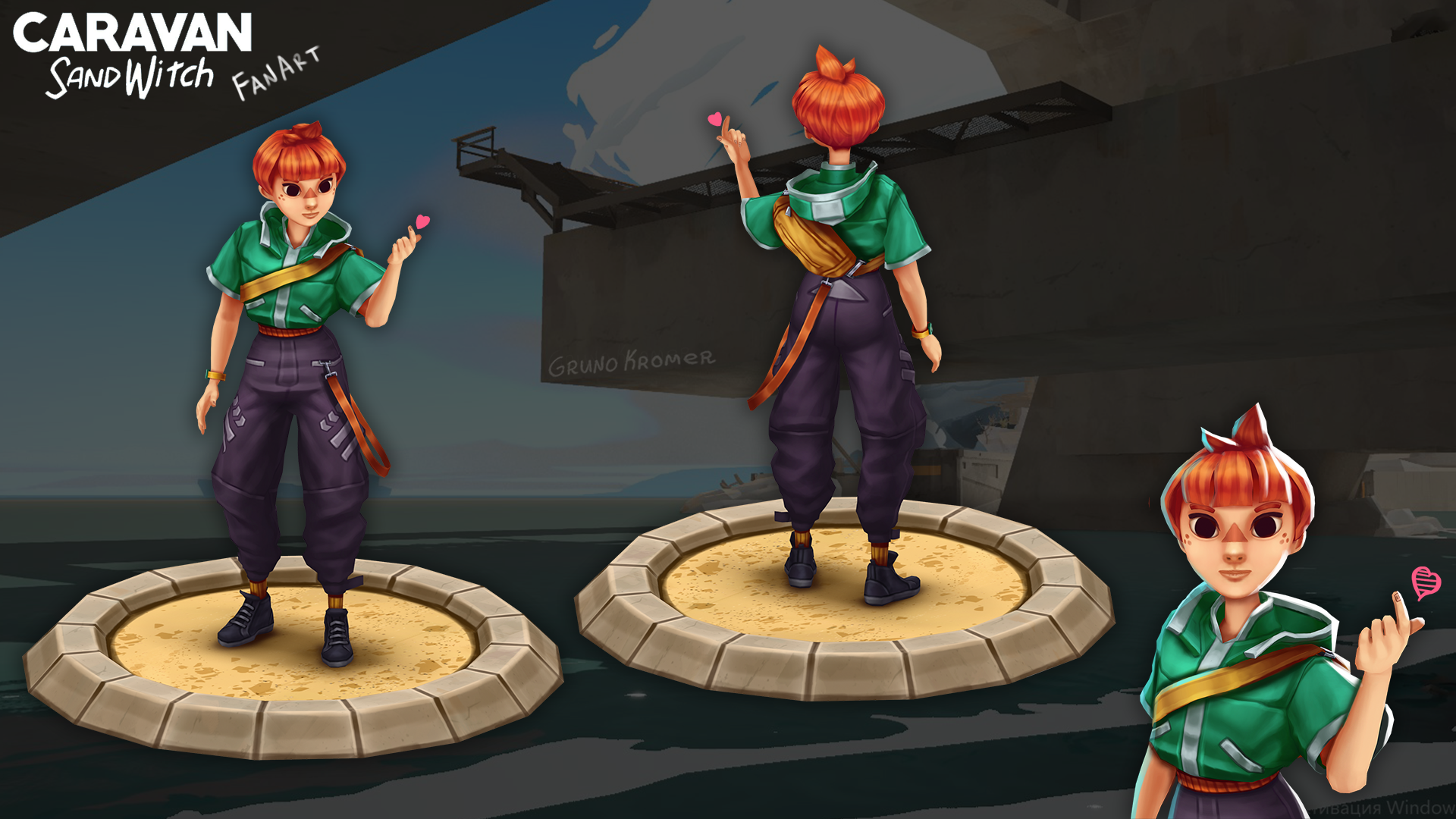 https://www.artstation.com/artwork/L40Z4R Hello everyone Caravan SandWitch was held the other day and I really liked the game both visually and musically. I advise everyone to play it. It's a relaxing Sci-Fi adventure with cool music. The only problem with the game is that all the characters don't have textures, they use…
 -
Re: UV Workflow / Max 8
I have Shift-R set to open the Relax dialog, and I always use Relax by Face Angles instead of by Edge Angles, with Iterations of 100 and Amount of 1.0 - works perfectly for nearly every possible outcome I've come across. Basically I just slap an Unwrap UVW modifier on top of my object, select any bunch of faces I want to… -
Re: going from maya to max
Snaps are better in Maya than in Max, vertex snap in Max is still ok though, just make sure that Vertex is the only thing enabled in the snaps menu, and make sure it's set to 3D snap. UV-mapping organic stuff in Max is super fast: 1. Add unwrap UVW modifier 2. Select all faces (face mode, then CTRL+A) and hit Quick Planar… -
Re: Max or Maya?
 Use unfold instead of relax in Maya. To me relax tool is only good for certain stuff like characters. Unfold to me from Maya is the equivalent of Relax in Max. Oh yeh does anyone no if theres a toggle shaded uv display equivalent in Max, where it shows which uvs are flipped and which is stacked ontop of each other.
 -
Re: Markus Persson (aka Notch) Ive never felt more isolated: The man who sold Minecr
 I can kind of relate to where he's coming from - I've obviously not had the fortune to experience it first hand, but it makes sense to me. Like most developers he had his little project and his goal was to get it out into the public eye and make a success of it. The majority of people that do this never really get there,…
>13898 results