Search
-
Re: [UNITY] How do I import lightmaps and lights?
 Thanks for the reply. I tried exporting the package a few times and it didn't work. Like I said, I only got the models and textures. I figured it out by selecting the scene file in the asset browser tab, right clicking, then selecting "select dependencies". THEN ctrl click the scene file to include it in the package(with…
 -
Re: Imported highPoly FBX from Maya comes in multiple pieces -- lower poly versions of same model do not
 Not sure what Maya supports but I either make a selection and copy the mesh and delete that selection and the invertion of it in both meshes, or I simply copy the selection. Anyway as mentioned the newer versions of Unity support 32 bit buffer for meshes so that problem would be solved. On the other hand, you can just…
 -
Re: How to detach preserving normal orientation?
If the normals were averaged and didn't have any custom normals, you can average them manually on an already split mesh, you select both objects and add a edit normal to both then manually select pairs of the border verts and average selected, Recommended to not do that and just lock the normals before doing things that… -
Re: Is there a efficient way to auto Unwrap Uvs by material ID?
assign the same unwrap UV to all of the objects, use the material ID filter dropdown (bottom of UV editor window), select all the filtered faces and pack based on your selection i think to do it as part of an auto unwrap you'd have to script it -
Re: Maya 2016 EXT 2: a pretty dam huge update.

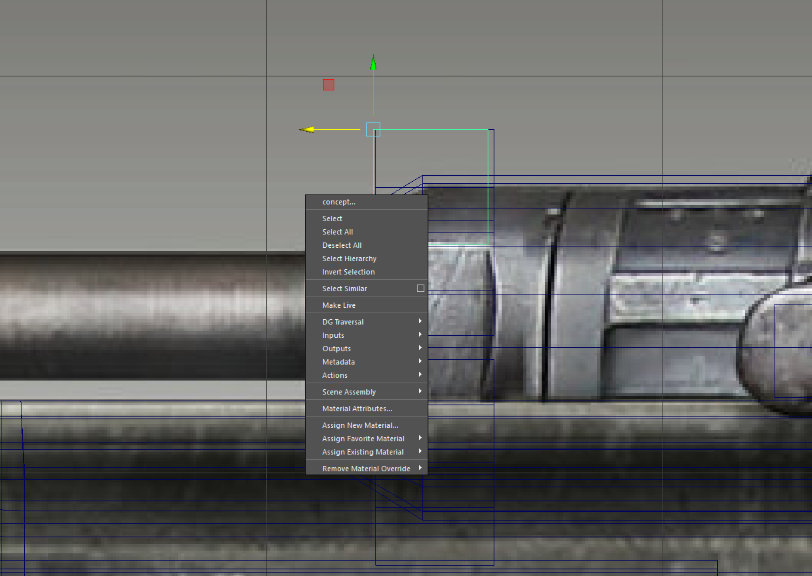 Ahh I see. That's too bad. I've been doing a lot of creasing for zbrush and being able to remove everything in 1 click was very nice. Also, it looks like they changed the rmb functionality. Before, I could select an object and right click to select face/vert/etc without actually touching the model. Now it seems to select…
 -
Re: IN PROGRESS: Preview and Applied textures completely different?
![TorQue[MoD]](https://us.v-cdn.net/5021068/uploads/userpics/978/n9Y8GE4KMHMJB.jpg) Ok so I noticed that I forgot to select the region (by default it was selecting the empty bg) cause I'm really tired but now that I selected the skin, its still not quite working. For the sake of speed I decided to load a preset (inflamed skin) and this was the end result: Better but only just. Still can't figure out why…
Ok so I noticed that I forgot to select the region (by default it was selecting the empty bg) cause I'm really tired but now that I selected the skin, its still not quite working. For the sake of speed I decided to load a preset (inflamed skin) and this was the end result: Better but only just. Still can't figure out why… -
Re: MaxScript: How to Mold a Road to a Hill
Aha, thank you but I managed to find something. My problem with it though is that it only moves one of my trees to the floor because ti requires the tree to be selected. I am importing the trees using xreferencing in a loop so it will make x number of trees. The problem is, when I tell it to select xrefTree, it will only… -
Re: 3dsMax 2017.1 DataChannel modifier samples
 Yes, but you can set the Data Channel to Add / Subtract / or Replace an edge selection. So you can have certain edges you always want to bevel pre-selected and have the data channel update the rest. But Data Channel is way more than an advanced selection modifier. Check out @gandhics video for stuff you can't reproduce…
 -
Re: Castle Storm - Character Art Dump (Diffuse only, Hand Painted)
 Yup, thats a good way to work! Thanks for the texture breakdown, looks ace. I've found a fast way to generate selections quickly is to just place your bake mesh in the high and low poly slots in Xnormal and bake a base texture, the selections are generated quickly and you can just assign base colors to them instead of…
 -
Re: [3DSMax]- KeyHydra FREE WIthout DRM for 3DSMax 2020, 2021 & 2022
Wow this is great, i didn't expect this much speed for fixing that bug. This is not a bug, but maybe would be better user experience. When i add any cutter object, Create > Geometry tab goes to Compound Objects everytime and i need to select old one again. Is it possible for you to hold current dropdown selection and…
>15388 results