Search
-
Re: portfolio
 What the F Paul, why are you holding back. I know you have a full model of the Ashima Che character, and I thought you finished that blue guy completely. Get that stuff up there. Also try using the save for web feature in photoshop to get most of your images down to smaller file sizes. And the super long images like the…
 -
Re: First complete prop
 These are the reference images I used: For the whole model except the upper case: http://www.flickr.com/photos/chacobo_flickr/133571037/ The upper case that is next to the model: http://www.vialimite.com/img/big/boca.jpg
 -
Re: First Try WIP
I do something similar to shepeiro. I just make a plain. Put the image on it, and give the plain the lenght and width of the img. You dont realy have to put any modifiers on it. -
Where can I learn how topology should look when smoothened ?
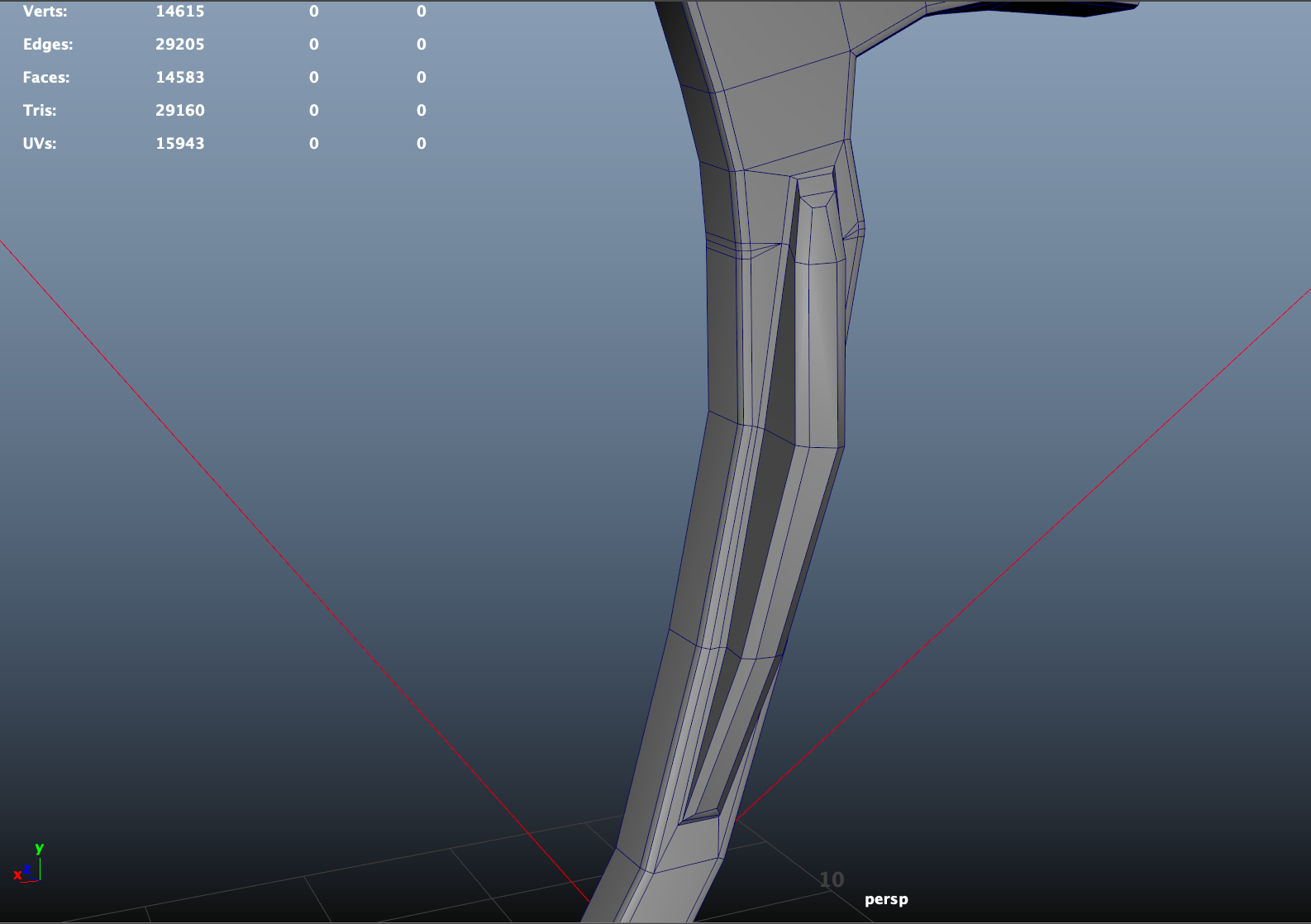 Does anyone have any resources on how edge loops should look when smoothened? I always see these kind of weird edge loops when doing SubD modeling, but I'm not sure if it's supposed to look like that, so where can I learn what topology is normal when doing SubD? edit: Here is another image of the model from the front,…
 -
Re: Level Design Blueprints
 http://images.google.com/images?svnum=10...G=Search+Images Also this shows more generic architectural maps, but good for ideas... http://images.google.com/images?hl=en&q=level+map&btnG=Search+Images&gbv=2
 -
Re: Vinrylgrave's Workshop
-
Re: The Education of Cat Banjo
All you need is the image posted somewhere, then you click Insert Image (little picture of mountain with a sun) in the forum message posting, then just copy the full url from your image and past it into the box for Insert Image. -
Re: [Portfolio] Brent Waller, Environment Artist
Hi Brent! Maybe separate the pics into rows by game or something. Yeah it'll mean having to scroll rather than having a big page of images, but it'll be a bit easier on the eye and able to quickly go through images of a particular title. I'd ditch the flash unless you can get it preloading images or something, it's a bit… -
Re: Charachter making progress : need a solution for this problem

 If you'd rather just keep working on this piece i'd highly recommend you; First, use reference images, don't be afraid to get a bunch of images to use as reference to achieve better proportions in your work. A good way to use reference in ZBrush is to overlay them onto the mesh so you can get things exact, it takes a lot…
 -
Re: [Unity 5] Old Fund
 In that bottom image, I would maybe consider adding some objects/elements to help break up the straight line where ground meets wall. Its just one line unnatural looking line. Doesnt have to be clutter, just something. What would the top image look like if the large pink/lit window was centered on the wall, and the…

>44215 results