Search
-
Re: Storage Room/Basement Scene
 And here is the final-ish vertexblend material in UDK. It interpolates b/w the painted and exposed brick as well as the painted brick and that black mold stuff you see in the concept art:
 -
Re: children's book from 80's (horror)
 This remind me my childhood. There was an extremely dark and bloody book based on Estonian folklore. An image for example: http://img3.nnm.ru/3/b/9/2/2/3b922f01860151e674d3425c00fbe019_full.jpg
 -
Re: BWhit's Concept Workshop (concept art & textures)
 A) It looks too high tech, like a circuit board blade or something like that. B) Details that small will smudge after the texture resizing and will be barely visible from the ingame view.
 -
Re: 3ds max baking problem (really anoyinng edges)
 There's a good Photoshop script I learned about that can stretch your edge selection to create padding. http://www.flamingpear.com/download.html It's in the Free Plugins - It's a Filter called Solidify B
 -
Re: A few environments that I have been working on
 Great googily-moogily. Those look pretty sweet. As a prop artist is -this- what I should be doing? Concepting whole environments and making a scene with a theme to it? -Andrew B. Chason
 -
Re: Happy birthday Polycount!
 happy b-day polycount !!! good to see sites like this one living for that long on the intarweb Edit : oh and I was doing levels for unreal I guess, or maybe for duke3d...
 -
Re: Reel Review for Jr. Animator position
 Here are some bullet point notes. If you decide you want to dig into certain pieces to refine them, I'd post a syncsketch link. The below notes will be general, so just reply here if you want to get more specific. Anyway's here we go! * First shot looks good: Timing feels pretty good here, I'd push the posing more and…
 -
Re: EA lets some Boom Blox'ers go. States "Bussiness as usual"
 I've always been a proponent on the lean and mean strategy. Hire a small dedicated staff of pro dudes pay them well, keep them happy. Outsource/Contract the rest. B
 -
Re: Zbrush UI Enhancement - Brush Selection ??
 Thanks man. That's what I end up doing. But, is there a way to set a hotkey so the palette pops up like if you press F1-F5, or like hitting 'B' or spacebar ?
 -
Re: Anne Bonny - Lady Pirate Character
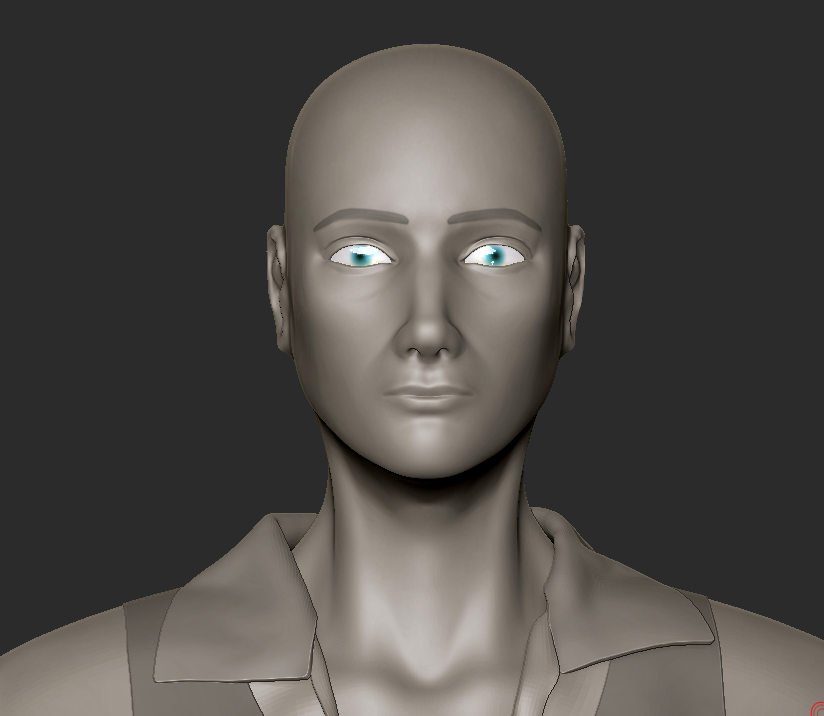 @stororokw Thank you so much for your help. I have been struggling with the face Here are the changes i've made so far (also downloaded new matcaps! B) )
>154846 results