Search
-
Re: Arabian Street WIP
 You want to enhance the visual effect of edges by highlighting it with a lighter color. Usually objects get wear on these places the most aswell While highpoly modeling gives edges with round corners which reflect light by the form already, you still want to enhance the effect with your texture to avoid a fake look. If you…
 -
Re: Block in Diablo scene
 Hey again Jordan, I was thinking a lot the same as tda however I have a problem with some of his green lines, I was about to do the redlining but then i scrolled down and saw he already handled that haha. The only green line I would get rid of would be the bottom one on the handle, i say bottom because assuming an axe was…
 -
Re: Dr Grordbort Infallible Aether Oscilator - FMOM Wave Disrupter
 @Xoliul - thanks dude glad you like it i totally want that blunder buster too haha. textures on the way soon. @PredatorGSR - thanks for the tips dude ill puts around with some of the edges a bit more to experiment with the best solution and poly count. and thanks for the help with the beveled edges issue. @tehrobster2 -…
 -
Re: problems with baking ( AKM tutorial )
 I have to say, 10/10 on your OP! It's very easy to help you because of how you laid all of this out. I can't help you with the maya stuff as I'm a Max guy myself, but: Hard edges and smoothing groups are pretty much the same thing, but each attack the situation from a different standpoint. Smoothing groups say which…
 -
Re: Getting correct bakes from Blender
I did some further research on this but this things do not look good: 1.) If you set your Lopoli smooth before you bake and have NO hard edges set you get some nice smooth corners around your edges. (The Lopoli is set to smooth after the bake as well) http://imageshack.us/content_round.p...moothedlop.png Even though this… -
Re: inset letters
 Well tried the boolean method but for the life of me I couldn't get it to work. So then I tried to do a displace map, but the polycount required to get the result I wanted was to much to bare. So I ended up taking a more direct approach and thought I would share my method for others. If someone sees a way I could simplify…
 -
Re: [MAYA] Modeling ToolSet

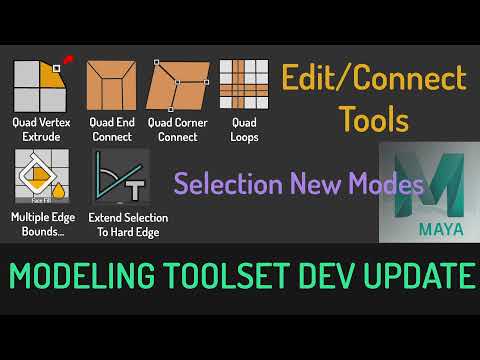 development update: In This Update, I will be demonstrating the new selection modes and Quad Connect tools. This tool is still in development, I will release it as soon as its stable enough. -----New Selection Modes ---- Multiple EdgeBounds -- it will auto select Face section inbetween 2 Edge Bounds Extend To Hard Edge --…
 -
Re: modeling hi poly weapons is painful, any tips?
 You just gotta drag me into this don't you Daz? 8-) I don't want to let this model out of the bag yet, but here is a closeup of the wires on one portion Its very important to get the microchamfers, and keep your quads for hard surface modeling. If it's for normal maps, you can afford to be messy a little, but I found it…
 -
Re: How do I go about creating this geometry with what I have now?

 It depends on the character design you're trying to model. With the concept art you draw exactly what you want and what the character should look like. But when it comes to modeling it, you need to do some engineering and think of how to best arrange your topology to represent the forms and flow that the design suggests.…
 -
Re: Knald - Master Thread

 @metalliandy Thanks for a quick response! For now, here are the meshes I've used: https://www.dropbox.com/s/zd93478qb3mhmpo/knald_test_01.fbx?dl=0 https://www.dropbox.com/s/5d0u8qbt9zz9zay/knald_test_05.fbx?dl=0 So, if I understand you correctly, "Mesh AO" mode in Knald 1.0 worked in a very similar way to the new "Baker"…
>27982 results