Search
-
Re: Finished - Desert Communication Relay – Environment Scene

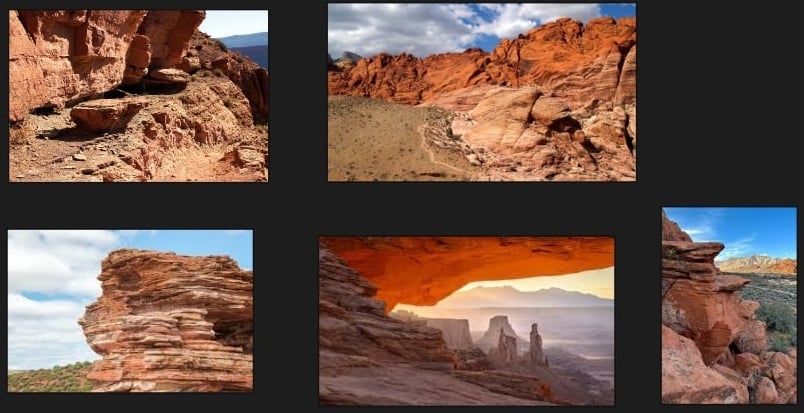 I like the variations, but the mid-level shapes are looking all a bit blobby, compared to your refs. I think you could be better served by using lower-poly meshes, with tiled textures and multi-texture blending. I'm reminded of Anthony Vaccaro's work on Uncharted 3, for example. https://www.artstation.com/artwork/rZAvJ See…
 -
Is there a "right" way and a "wrong" way to set up Alpha blends with Vertex Painting?
 1) Is there a "good" or "bad" way to set up the alpha blend for vertex painting? Is it just preference based on aesthetics? 2) I'm trying to understand why this behaves the way it does: It works fine like it is, there is a 100% blend between the two diffuse textures I'm using it with. Why does it only work correctly when…
 -
Light Bleed

 Hello all, I'm new to lighting and I'm having an issue with light bleeding through to the interior of this room. Does anyone know what causes this? I thought it might be an issue with the thickness of the walls, but I gave them some thickness and didn't see any differences. Any help would be appreciate, thanks!
 -
Blend Shape for Character Customization Performance cost
 Hi everyone! I'm thinking about having a character customization in Unity with full use of Blend shapes. The main thing I'm trying to find out is if this will cost too much in performance. I know that Blend shape animations are more demanding for memory, but I haven't seeing much in regards to customization, where you use…
 -
Blended normals in UDK?
 Hey guys. I wanted to try to get blended normals in an UDK material and I don't know how to approach this or if it's even possible? I know how blended normals work in theory and I've created this with other software, just not with udk... yet. In very few words, you need to do two diffuse calculations, one with normal map…
 -
Re: Pinching after displacement
 Hi! I think it would help if you marked the area you're are talking about. The most prominent feature I see is stepping along the edges due to the resolution and grid topology of the mesh that's being displaced. Suppose you could work against the stepping by adjusting your content to have a bit more rounded-off stones…
 -
Using the Healing Tool a a blur/blend tool
 Hey guys, I just figured out a trick in Photoshop and I thought I'd share. As we all know the blur tool's absolutely useless, and the smudge brush can be slow. I found that you can use the Healing Brush to simulate a sort of waterpaint-like blur that seems to work quite well for blending purposes. Here's a quick step by…
 -
[Photoshop] Flattening/preserving transparency of a "blend if" layer?
 Hey peeps, I use the "blend if" layer modes a lot in PS, but I've still never found a way to convert the layer to one which has true transparent pixels. Flattening or merging with empty layers destroys the blend mode. Any suggestions?
 -
Translucency blending in UDK
 Hey guys, I posted a while back on a rigging problem and it was easily solved, so I'm hoping this is also an easy problem. I'm currently trying to blend a transparent object with something that is opaque, like painted glass. However, UDK doesn't seem to like that and I was wondering if it's even possible. I have my alpha…
 -
Help with Blending two textures in Softimage by height?
I was wonder if it is possible to blend textures by height like I watched in UDK. So if one texture was a brick and the other texture is moss. You can paint with vertex to only have the moss blended in the cracks? Like this. http://eat3d.com/free/vertex_painting Any direction would be appreciated!
>11458 results