Search
-
Re: Gallic Horseman
 Nice, something bothers me about it but I think that's because you didn't have perspective turned on? You can enable perspective on the draw menu at the top of the screen, I like to use a value a bit higher than the default 70.
 -
Direct x 11 Tesellation and parallax map question
 Hi I have seen the awesome videos of tessellation enabled environments with direct x 11 , tough my question is what does it need to achieve those reliefs? A normal parallax map or there is a new entry in the subject like a tessellation map or what?
 -
Maya to RoadKill error message
 Hi Guys; Just got this message when i use the bridge between Maya to roadkill // Warning: line 181: Option "Use legacy vertex order" will only take effect when option "Multiple Objects" is enabled. Any idea ? How can i fix it ?
 -
Use of Layers prevents Retop on my landscape, any other solutions? (UE5)

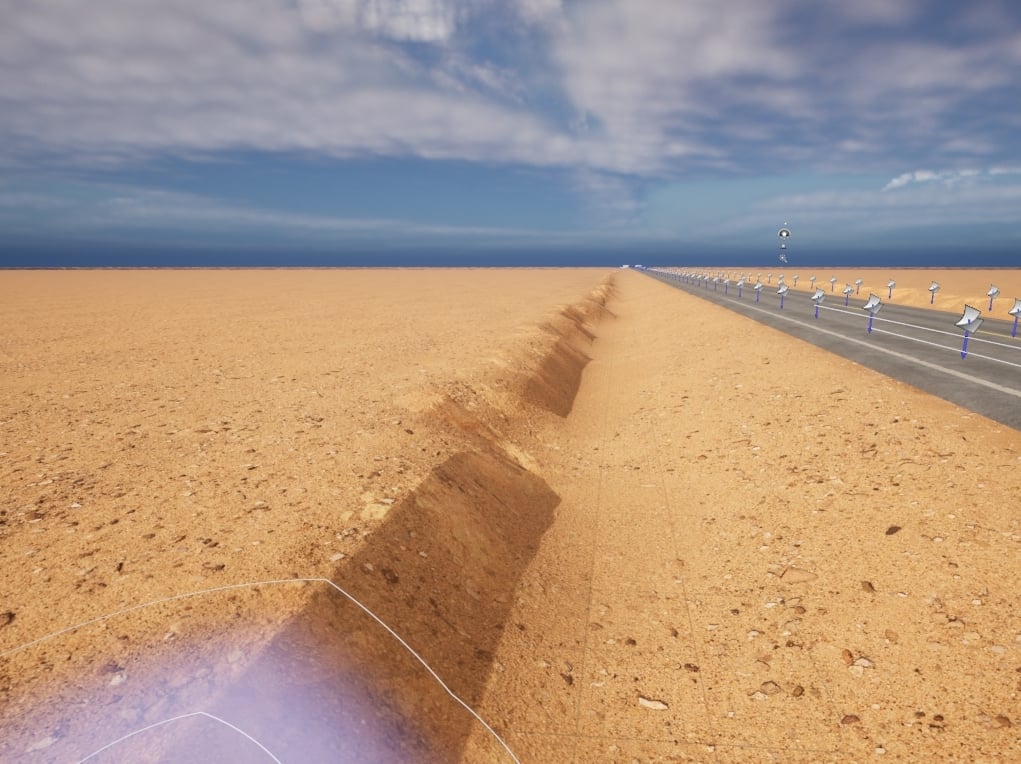 Starting a new UE5 environment of a desert road. I used layers for my landscape, however I didn't realize you cant retopologize with layers enabled. These banks on the edges of the road seem like they can benefit a lot from some more topology. Any advice?
 -
Re: Gridline guide showing in viewport in zbrush 2021...please HELP!
 Interesting, never saw this before. Do they move with the model like "textured onto the model" or are they screen-space. Maybe you have enabled some overlay / mode / tool somehow? Do you see it with a new document or reverted default settings as well?
 -
Re: Slow at loading models...?
 Thank you for the information. 2:30 for a 500mb mesh is somewhat slow but not completely unexpected. Of course, with a 2GB file the load time will be longer still. I would be curious to time these files myself but there probably isn't anything out of the ordinary happening. When a mesh file is loaded into Toolbag, there…
 -
Re: Help remind me how to set up smaller maps similar to micro detail maps
 Ahh, okay. Cool. :) I'm not sure about the spherical projection. Is there a way of finding out in Maya? As to a second UV set - nope. It looks like there's just the one. I've temporarily moved other UVs out the way and placed the torso/jacket UVs in the first UV slot and then enabled that texture. It's only covering the…
 -
Re: New To Z-Brush, Please Help
 The blocks are bits that haven't projected properly. adjust your projection distance (Dist). the small pinches is hard to say, but looks like its topological, maybe post your original mesh and your remeshed mesh with wireframe enabled.
 -
Re: A couple of questions on Zbrush
Pivot is in center 0 0 0 as I wrote , in the max viewport ... Also another question is following the small video minitutorial on noise in zbrush page portal , I enable nosie but nothing happens to my mesh why? -
Re: 3D Studio Max - Have intersecting geometry push away from each other?
 Another method in 3ds Max is to use the Volume Select modifier. It can load a mesh as the selection radius. Enable soft selection, and add a Push modifier. edit: Maybe not. Tried a test, doesn't do what the OP is after.
>6563 results