Search
-
Re: Topogun Wacom pen 'lag'.
 @2busychild Thanks! You are right, it works with windows Ink turned off in Wacom properties. You can create an application preset for Topogun to turn it off. Does anyone know if it is possible to set the 'distance tolerance' Togun? I mean how close your cursor has to be before the vertex/Edge/Polygon turns red?
 -
Re: what’s the difference with (blech) and (schlep)?
 What the hell is this? Cheese on toast? Butter? Oil? Herbs and god knows what? Fucking egg? Egg! Get sone good quality cheddar, slice it thinly onto some sliced white that’s already been toasted on the other side, add a dribble of Branston pickle or a few drops of Worcester sauce if you really want, and shove it under the…
 -
Re: Why is it recommended to make all UV seams hard?

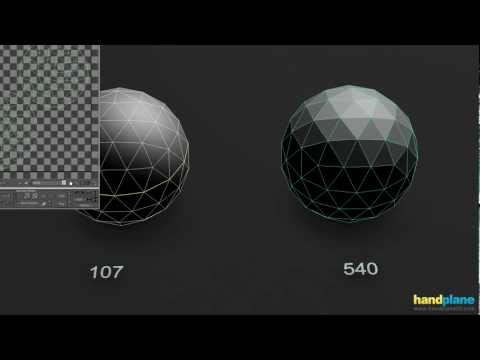 In general: hard edges require corresponding UV splits for padding but UV splits do not require hard edges. Hard edge placement is about controlling low poly smoothing behavior and baked normal gradation. UV seam placement is about optimizing usable texture space while also limiting texture distortion. Bringing the two…
 -
Re: The Bi-Monthly Environment Art Challenge | March - April (89)
 @v13r1 Hi! Congrats on finishing the crate. Some aspects I think can be improved: - It looks to me like there are some hard edges breaking up the shading in some places (prominently along the wide beveled corners and the look mechanism). I'd keep in mind that while UVs need splitting along hard edges, edges at split UVs…
 -
Re: Iron Man Helmet

 I went back and removed all the edge loops I had placed and started marking the edges I wanted as sharp, while using the edge split modifier. When that was done I set the subsurf back to catmull and put in edge loops to tighten up the edges. Everything marked as sharp while subsurf was set to catmull really curved the…
 -
Re: Normal Map issues
 Thanks i added more Geo but i figured it was my cage doing that result for some reason I have legit-ally been on this single piece for around 2 weeks now its so frustrating. I would like to get some concepts straight if anyone could chime in and answer i will be eternally grateful as I am ripping my hair out at this…
 -
Re: Vertex Normal Toolkit for 3ds max
 If you have more than single smoothing group, every next is making hard edges. And having to deal with every split normals on every border between smoothing groups sounds like a bigger task. In this case every edge where two or more colors meet I will end up with hard edge. There is a way to have smooth groups and at the…
 -
Re: Nuclear Bunker Office Environment Art (WIP)
 During the height of the cold war (1980s) served in a heavy mechanised brigade so had traipsed thru hardened command structures, as part of my duties. Abiding memories aside from grime, body odor + cigarette smoke were of cables leading every-which-way alongside paper strewn everywhere with tatty edged maps pinned centre…
 -
Re: One mesh modeling or combine mesh and attach it simply
 I would say it doesn't matter. From my little understanding of how the rendering pipeline in a graphics card works, the amount of sub-meshes doesn't matter. What matters though is points. Everytime you don't merge vertices together, and everytime you have hard edges/extra smoothing groups or different materials on two…
 -
Re: U.C.
 Here ya go buddy RENDERING WIREFRAME 1. In the Render Options choose May Vector. If you do not see it in the list, go to Window > Settings Preferences > Plugin Manager and check the box next to VectorRender.mll. You should now see it appear in the Render options window. 2. Choose the Maya Vector tab. 3. Under 'Edge…
>27984 results