Search
-
Re: 3ds max Transferring UVs Breaks uv mesh
 Hello, Like Joost said, the possible problem can be different vertex order. You can test this by using Morph modifier. Both scripts above can help. Another way to fix bad vertex order - Mudbox. But there is another possible reason: different triangulation. Example: http://i.gyazo.com/bc9ac2ab4d30c04b10165de8391dec11.gif…
 -
PowerGirl
 Current Progress Rope is fixed, I'm comparing the two versions and doing some editing of the model, before rigging begins. Older Post So I didn't get to finish PowerGirl in the last thread I made, and I wanted to finish her before continuing any other projects; thankfully I'm almost finished, but sadly I forgot to get some…
 -
Re: How to create realistic mountain ranges?

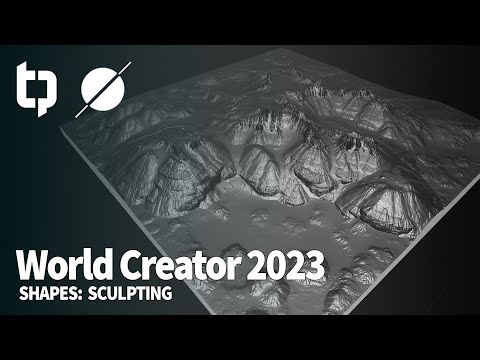 I have not used world creator for a minute, but it looks like newer version they've added some sculpting brushes: https://www.youtube.com/watch?v=FhrNne70yII&list=PL-T0P8fE0hYrulft9PLKV90UxxfH0AH-m&index=9 i think similar was there previously in versions i used, but it was more basic. But you can essentially do the same…
 -
[3ds max] How to get rollout from interface?
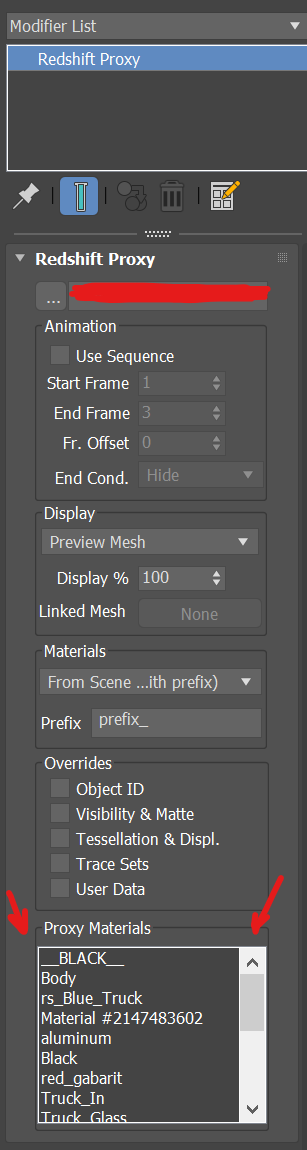 I’m trying to write a script to override the material on a Redshift proxy. I can’t access the proxy material from the proxy rollout. I’m stuck at this point — any help would be appreciated. attach script here: macroScript RS_Proxy_Overdrive category:"Hihead" toolTip:"RS_Proxy_Overdrive" ButtonText:"RS_Proxy_Overdrive" --…
 -
Re: Reccomend some Maya tools, along the lines of digitalRaster?
 if you don't mind i'll post some counter points and you can maybe tell me how i could get the most out of maya? cheers - Transfer Attributes never had a need to use anything like this in max, how useful is it in day to day environment modeling? - global soft selection definately simpler to do in maya, but not sure where i…
 -
Re: FWVN - Modeling/Topo Shading Issues
Weighting normals is... weighting them, so during calculation, normal direction is based on angle between faces AND face size. The bigger face is, the more vertex normal is pointing towards normal of this face. But will NEVER be perpendicular due to weighting. Vertex normal direction is based on proportion between size of… -
Re: Skew you buddy! Making sense of skewed normal map details.
 I know you asked Per, but I can probably fill in as a not so convincing look-a-like. 1. Here, automation refers to basic tools to push/enlarge the cage to cover the highpoly. Manual hand editing would refer to painstakingly editing verts to attempt to fix projection errors, which is time consuming, not particularly…
 -
Re: BagelHero's 2D Improvement Thread (2017~2021 Recap)
 Beep boop. Changed around some things, added the first pass of the outfit. Edit: Is it socially acceptable to update in separate posts this often? Regardless, I'll just edit this one in. Did the back version as well. Suddenly became extremely aware of this lady being a few too many heads tall, even for the graceful look I…
 -
Re: Blender help
Hiya, not sure what type of smoothing your after but all your shape editing options are in the editing panel (press F9). Here you could add a subsurf modifier or press the set smooth button. Depends what you're after. Play around with the modifiers and see what works (you can easily hide modifiers in the viewport to make… -
Re: Making sense of hard edges, uvs, normal maps and vertex counts
 I don't know if anyone could shed some light on this but I've come across a conflict in information. In regards to normals maps I've always been told that you can edit them in Photoshop fine and overlay or tweaks things that don't bake out correctly. Quoting the Wiki it also says that this is fine. Then I watched this hour…
>35071 results