Search
-
Re: Max 2012 Edu version available
 Wow.. they finally put an UV tool in for aligning to edge but it will sometimes completely mess up.
 -
Re: [MaxScript] Polygon to mesh projection

 try this (convex only though so concave would need to split into convex then recombined after being wrapped individually)... -- creates a ray point along the edge fn getEdgeRay msh edg = ( ze = edg - 1; a = (mod ze 3) + 1; b = mod a 3; fverts = getface msh (ze/3 + 1); v0 = getvert msh fverts[a]; v1 = getvert msh fverts[b +…
 -
Re: work in progress trollie
 First thing that comes to mind is that you have way too many loops in one direction and too few in other. Most obvious example is the horns. Yes, they are very rounded, but that doesn't show in the silhouette, and what does show is that they are very angular as they bend. Try to use your edges wisely, and only use a bit…
 -
Re: Low Resolution Normal Map Issues
 Don't do option 2. EQ already covered that one. Would splitting the UVs among the hard edges add significantly more verts than the extra control loops you've added? This part of the wiki might be relevant. Also, is your normal map inverted in those pics? The edges seem... extra edgy.
 -
Re: Help - Mesh is causing flipped normals across axes in substance (non overlapping UVs), nothing works

 Ok now I think I understand what you are talking about. First off let's be *very* precise. What you are specifically talking about is the look of the top and bottom edges of the embossed details. In other words, this whole thread is about this and only this (which if I am understanding you correctly comes from a 2D to…
 -
3ds max is picking on me ! :(
 I had two element's in this object, one is hidden. The one that is hidden I had booleaned before. the element shown below was not touched by the boolean. yet when i apply turbosmooth it seems to think that there are open edges or something somewhere. I have selected all the faces on the object and edges ect and moved them…
 -
Re: Sketchbook: wasabimilkshake
 Here are a few things I made about a week ago for the same project. Still way too much geometry in places. The pole is 8-sided, but it's probably unnecessary for the globe of the light to be 16-sided, even for UT3. Also, the UVs for this one were maximally unfolded using Maya's smooth UV tool, which results in more…
 -
WIP – Chemical / Paint Waste Disposal Bin (Practice Prop)

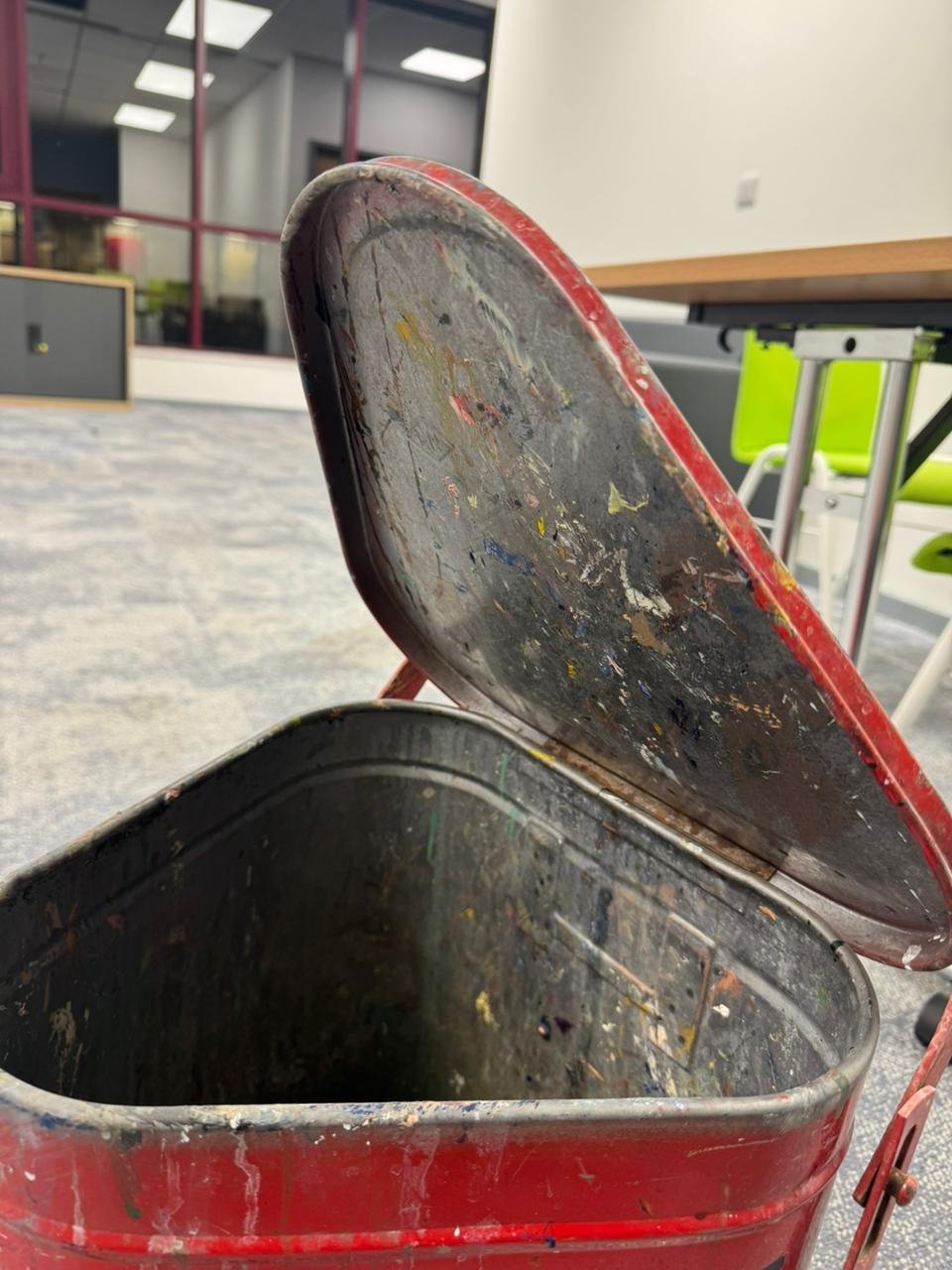 Hey everyone, I’ve started working on a new practice prop. Its a chemical/paint waste disposal bin. I found this one and thought it would be a great study piece because it has a lot of subtle form changes, surface damage, and material storytelling. My goal with this project is to: * Keep as much real-world detail as…
 -
Re: On every UV island, I have artifacts on Normal.
 if you already have uv cuts, you can use hard edges for free, but you dont have to if you add hard edges because you have too much lowpoly shading going on with sharp angles, you have to add uv cuts. yes hard egdes will add to the render vertexcount in that case
 -
Re: Massive noob question
Thanks for the replies guys! I thought I'd softened the curved edges and hardened the centred arch edges, and I had, I know I had. However, for some bizarre utterly inexplicable reason the normals were locked on it :poly105:. I tried unlocking the normals after resoftening and rehardening the egdes didn't seem to make a…
>27981 results