Search
-
Re: Extension, discussions. (Judge request)
 Counting entries: 17 (so far) Counting last update above august: 7 (active participants) 4 votes to 1 month, i say @ayakiryu yes , 1 One month extension. Makes sense also since at least over in my area the "summer" was going on and people generally do not want to be inside all day. I saw Friday the 17th of October 11:59pm…
 -
Re: careful about those modders
 Google cached: page 1 http://66.249.93.104/search?q=cache:AZWJ...t=clnk&cd=1 page2 http://66.249.93.104/search?q=cache:zbxn...t=clnk&cd=1 page3 http://66.249.93.104/search?q=cache:e1IK...t=clnk&cd=1 page4 http://66.249.93.104/search?q=cache:Z316...t=clnk&cd=1
 -
Re: Make Branches follow Surface Normals in Maya
 Try using this mel script. To use it select the branch followed by the trunk, then run the script. You'll want to have the pivot point of the branch set at its base. geometryConstraint -weight 1;normalConstraint -weight 1 -aimVector 0 1 0 -upVector 0 1 0 -worldUpType "vector" -worldUpVector 0 1 0;
 -
Re: Solved: Covering up the UV edge in DDO?
 DDO is using tileable textures - as a result, this gives you a few options to work around seams on cylindrical objects: 1) You'll need to adjust your UVs for tiling, which means the UVs need to stretch to meet 0-1 borders. This will eliminate the seam at the cost of introducing stretching. 2) You can use a color paint…
 -
Re: Favorite Hotkeys and Preferences?
 Here are some of my favorite Maya hotkeys. Most stuff is crammed around QWER so I don't have to move my hand very far, very often: * Alt + D : Delete history (on selected object only) * Shift + Q : Toggle Wireframe on Shaded * Ctrl + Q : Toggle Selection Highlighting * Alt + Q : Delete most recent construction history…
 -
Re: Substance Designer - Master Thread
 At Position = 0, Level in Low = 1 / Level in High = 1 At Position = 0.5, Level in Low = 0 / Level in High = 1 At Position = 1, Level in Low = 0 / Level in High = 0 The nice thing about the histogram scan is that you get a full black image at 0 and a full white image at 1, very usefull for blending.
 -
Re: New at shader programming
That's HLSL right? My only experience is with GLSL but I'm guessing multiplying the ambient of 1 1 1 1 with 0.1 makes 0.1 0.1 0.1 0.1 - a very low alpha value. I'm not sure how you'd do it under HLSL cleanly but set the alpha component to 1 or remove the intensity multiplier and see what happens. -
Re: Mechanoid exo suit completed
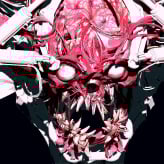 It actually runs smoothly even at 28M polys, probably due to the 1 bone = 1 mesh principle (excluding cables). I animated it straight after ZBrush, then reattached textured meshes to bones, but it could actually perform well on a USD import too — it has real-time performance in the viewport on a gaming laptop (i9-14900K,…
 -
Re: Unwrap a tall prop with cylinder shape.
 The output dimensions in RTT take priority, RTT doesn't take the dimensions info from the material. Max will bake to whatever dimensions you set in the Render To Texture window. If your UV layout is 1:2 and your output in RTT is 1:1 it will be squished. IF your UV layout is 1:1 and your output in RTT is 1:2 it will be…
 -
Re: Ninja Dojo 3D tools for Maya
 Ninja Dojo 5.8 updated for Black Belt and Grand Master. Can be found on Creative Crash and the Ninja Dojo Page. Ninja Dojo has been tested and verified in maya 2014. 5.8 updates Ninja Asset 2.3 1. fixed an error that would occur on load if you didnt have an asset bookmark file.(this would not cause ninja dojo to stop…
>36642 results