[TOOL / ADDON] VmBaker - GPU-accelerated texture baker (Maya, Blender & beyond)

polycounter lvl 8
Hello everyone,
I want to share a new tool I've been developing for some time now called VmBaker.
VmBaker is a hardware-accelerated texture baking tool powered by NVIDIA OptiX and CUDA. Instead of evaluating complex host-application shader graphs, it focuses purely on geometry-driven baking—making it incredibly fast for generating Normals, AO, and Utility Masks directly from your meshes.
The biggest focus for me was workflow consistency. VmBaker features a unified UI, meaning the interface, settings, and behavior are exactly identical whether you're working in Maya (2024+) or Blender (4.2+). You learn the pipeline once, and you use it everywhere.
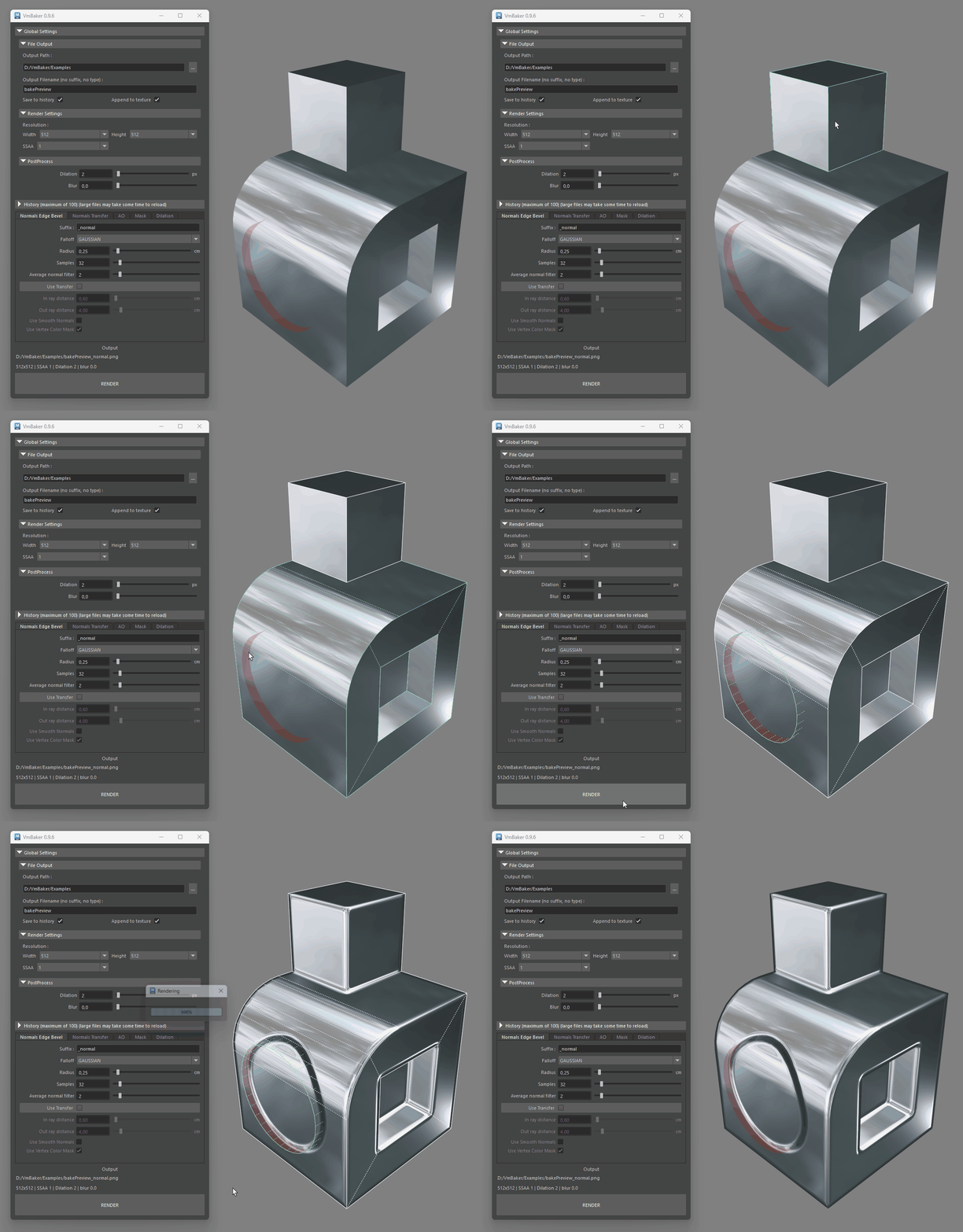
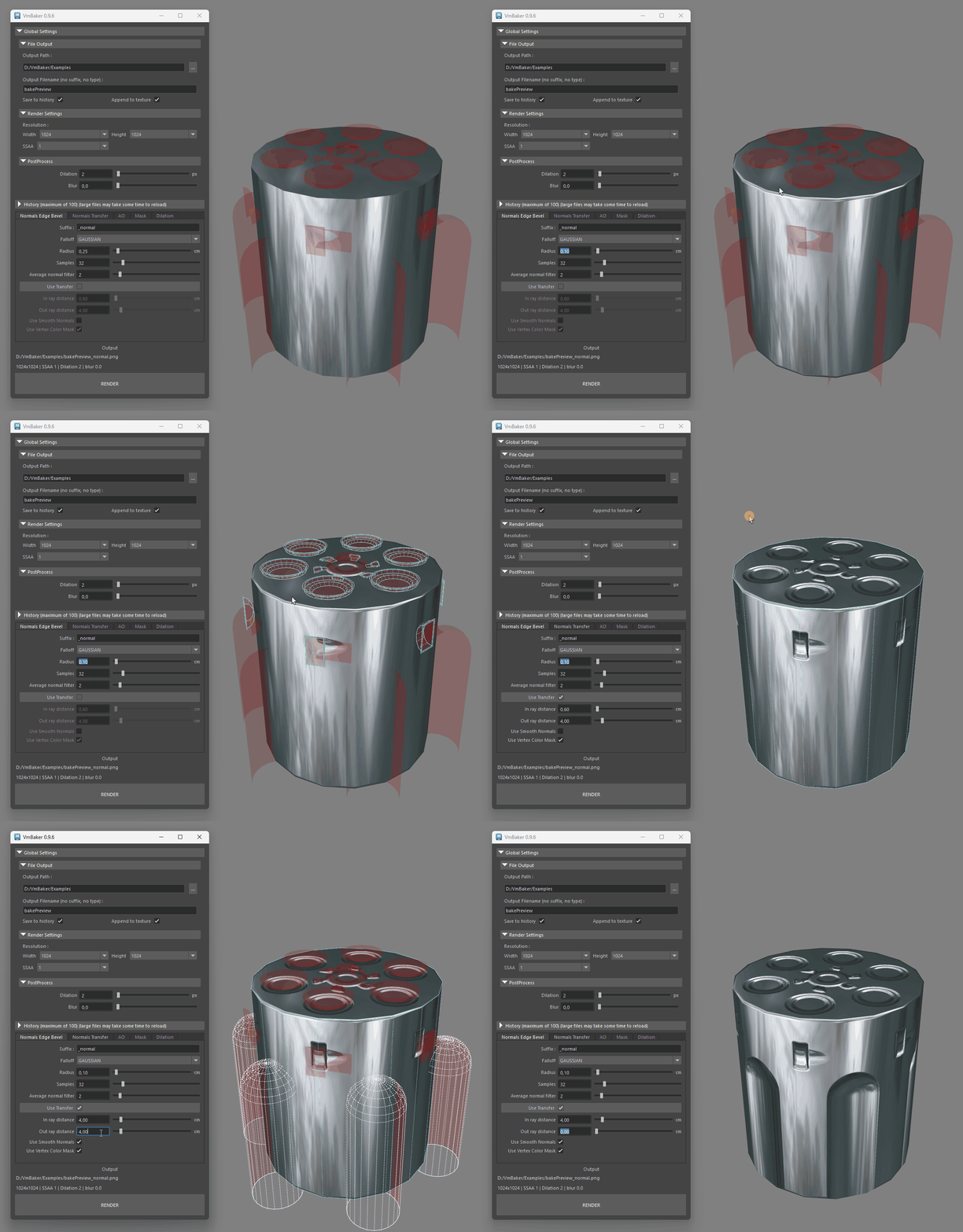
Unified UI:


Pricing & License
I hate DRM as much as anyone here, so to keep it simple, VmBaker contains no DRM, no license keys, and no online checks. It relies entirely on the honor system. If the tool saves you time in your pipeline, please consider purchasing it to support future updates!
You can check out more information, read the docs, and grab the tool here:
🛒 Gumroad: https://vaclavmazany.gumroad.com/l/VmBaker
I want to share a new tool I've been developing for some time now called VmBaker.
It is a texture baking tool mainly targeted at game developers for making low-poly models - but it's really up to you how you want to use it.
If you're tired of exporting models from Maya to Blender just to bake beveled edges, want to get rid of the inaccuracies from Blender's built-in baker, or just want to use the exact same baking pipeline regardless of whether your teammates use Blender or Maya.
Between the limitations and slow baking times of "Transfer Maps" in Maya, or having to learn completely different baking workflows when jumping between Maya and Blender, I built this specifically to solve those problems -this might be useful for you.
The biggest focus for me was workflow consistency. VmBaker features a unified UI, meaning the interface, settings, and behavior are exactly identical whether you're working in Maya (2024+) or Blender (4.2+). You learn the pipeline once, and you use it everywhere.
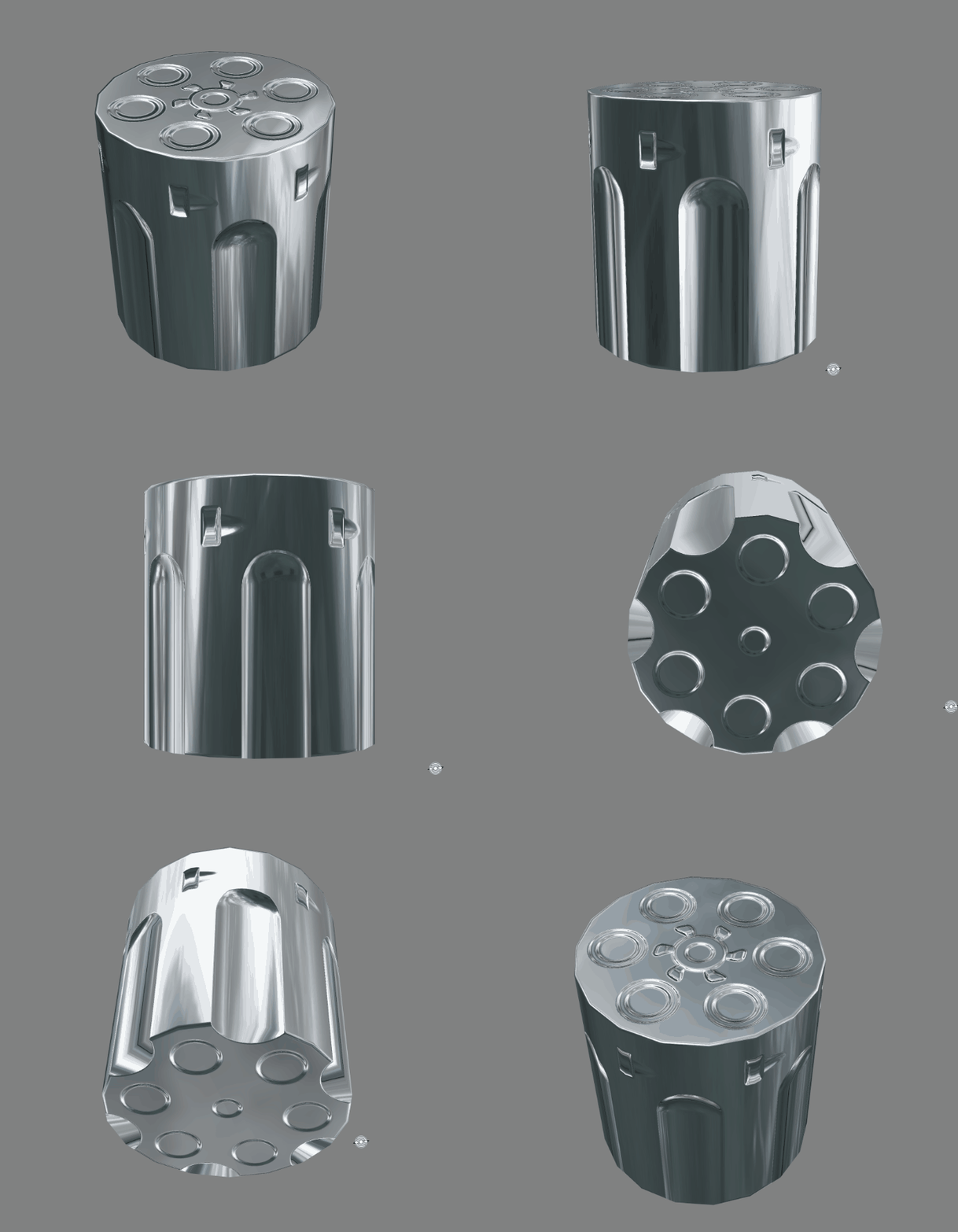
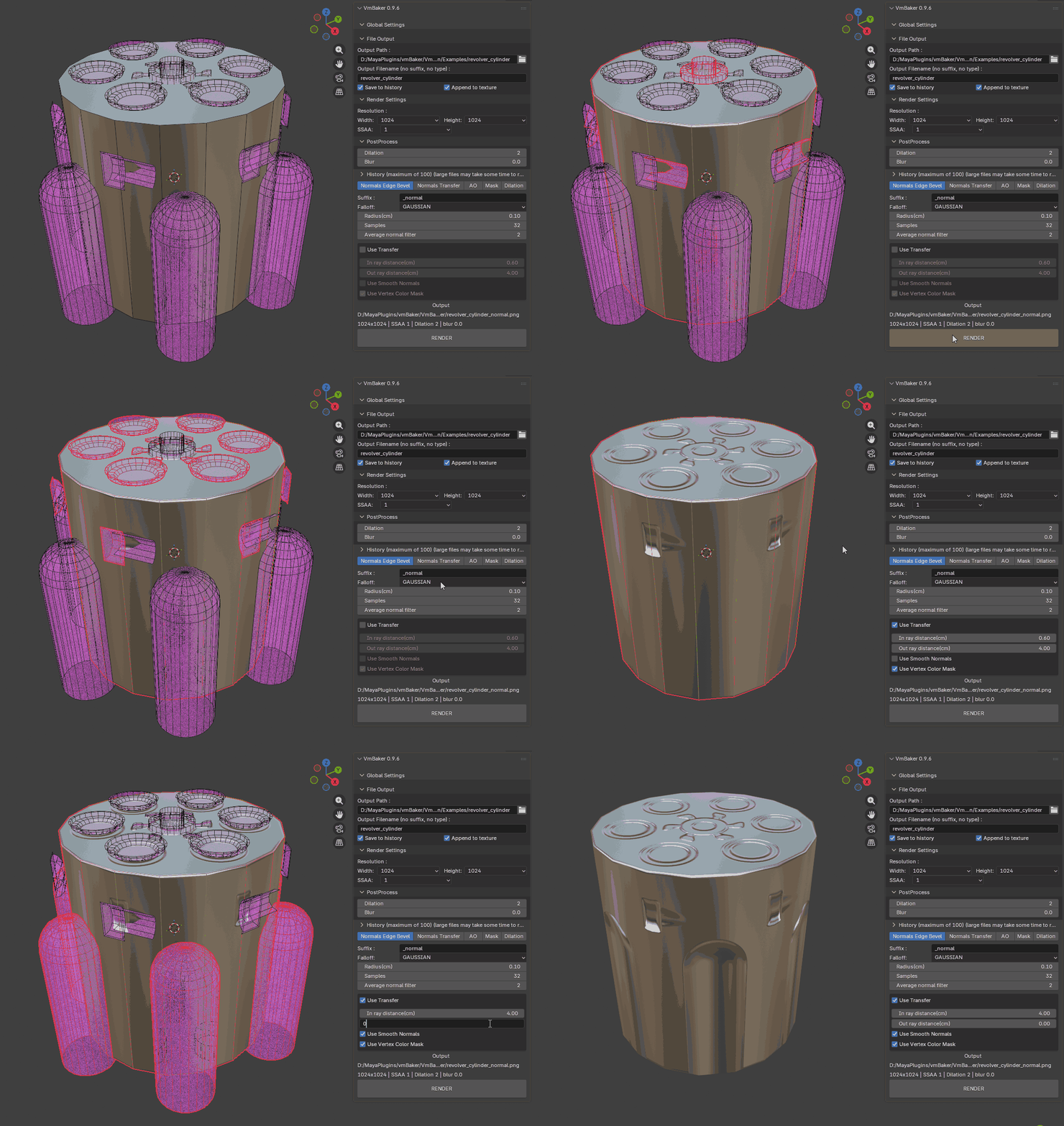
Samples (you will find more in the Documentation page) :
In Maya
In Blender
Key Features:
- Fast GPU Rendering: Uses OptiX/CUDA for hardware-accelerated baking (Requires Windows x64 & an NVIDIA RTX card).
- Multi-Software Unified UI: The exact same interface and workflow in Maya and Blender. I want to support other DCCs, but I need to start small first.
- History System and Incremental saving: A built-in history panel that lets you easily browse and view your previously baked textures. So you shouldn't lose your progress if you accidentally do a wrong bake.
- Appending: Allows you to work on individual pieces rather than baking whole models at once. Also allows layering details on top of existing bakes.
- Baking Modes: Normals Edge Bevel, Normals Transfer, Ambient Occlusion, and Utility Masks (flat color, vertex color).
⚠️ Important System Requirements: Because this tool relies entirely on hardware-accelerated OptiX/CUDA raytracing, VmBaker strictly requires Windows x64 and an NVIDIA RTX Graphics Card. Please note that currently it will not work on macOS, Linux, AMD cards, or older non-RTX Nvidia GPUs!
Pricing & License
I hate DRM as much as anyone here, so to keep it simple, VmBaker contains no DRM, no license keys, and no online checks. It relies entirely on the honor system. If the tool saves you time in your pipeline, please consider purchasing it to support future updates!
You can check out more information, read the docs, and grab the tool here:
🛒 Gumroad: https://vaclavmazany.gumroad.com/l/VmBaker
📖 Documentation & Examples: https://vmtools.gitbook.io/vmbaker
Also to encourage you try it out I'm giving here few discounts for you :
100% discount only for 2 users : https://vaclavmazany.gumroad.com/l/VmBaker/p5zzbxw Edit : already used
50% discount for 5 users : https://vaclavmazany.gumroad.com/l/VmBaker/wt4yjfc
Technical details (for anyone who cares  ):
):
):The core of the tool is built in C++ , but
doesn't rely on any particular DCC. The only part that is custom for each DCC is the Python UI and mesh data gathering. This is also its major limitation - since it is built from the ground up to be free of any native plugin API, it works only on mesh data and cannot evaluate shader graphs created inside the DCC software.
This is something I want to look into in the future by either making a simplified custom graph or perhaps simplified support for the existing ones.
But it also allows me to do whatever I wish within the baker - so if you have any ideas on how to expand the VmBaker, please reach out. I can't promise that I will add everything, but I'll try to do what I can.
A quick note on bugs: Since this is a new tool, you might run into an occasional bug or edge case. If you do, please don't rush to leave a negative review-just drop a message here in the thread or reach out directly! I am actively developing this and would love the chance to fix any issues you find as quickly as possible.
I'd love to hear your feedback, feature requests, or any questions you have about the workflow. Let me know what you think!
Replies
Since you mentioned Marmoset, I don't really want to compete with standalone tools like that because I often find them quite cumbersome for quick iterative tasks. My main issue with bakers like Marmoset, Substance, or xNormal is that you have to constantly export your meshes and work in a completely different environment. In fact, that's the exact reason why I use UVPackmaster instead of RizomUV, even though I have licenses for both. That was my initial motivation for building VmBaker: I want to keep it strictly as an integrated DCC add-on. It comes with some restrictions, but IMHO it gives you a much faster workflow since you can model, UV unwrap, and bake all in one place without the hassle of exporting.
So to answer your question, my main angle is definitely workflow improvement. My day-to-day work heavily relies on lowpoly models (mostly vehicles and technical stuff) and using edge-bevel baking instead of building highpoly source models. VmBaker streamlines this process massively for me because I can work directly in Maya and iterate piece by piece. Additionally, I found that Blender's native baker (at least when baking normal maps) is quite slow and not as precise as I need it to be, which was the other main motivation for building this.
Regarding cost - yes, I will definitely try to keep the pricing on the lower end. At the end of the day, this tool won't have as many features as those standalone apps. I want to keep it as straightforward as possible, which gets difficult if you bloat it with too many features. I know this won't make me a millionaire anyway, so I'm much happier seeing artists actually use it rather than trying to maximize profit. As for the license, I want to keep it persistent and DRM-free. I'll most likely follow a standard major-version release structure, where big updates will be a new version of the tool.
For my immediate plans: I want to add compatibility with ZenBBQ so VmBaker can read its mesh settings directly and bake them with added precision and speed, but incorporate in in my baker so that it works across all the DCCs. I also want to add more options for baking AO that take normal map textures into account (which I find surprisingly difficult to do without visual artifacts in most existing tools). Beyond that, I want to expand mask baking options (like simpler ID masking or baking from textures) and add a proper preset management system. None of this is set in stone yet, but that gives you a glimpse of what’s coming in the near future. I have quite a list of ideas, but I haven't decided on everything just yet.
Right now, though, my primary focus is just listening to user feedback, fixing any possible bugs, and optimizing the code to make it faster if possible.
Now that I see how long this reply got, I should probably stop typing
My main issue is I can't seem to find where to do the traditional High to Lowpoly baking. How/where do I mark some meshes as low, some as high? Does it do any kind of filtering or matching?
From what i can tell this was more conceived with a lowpoly bevel first idea, but it's not entirely clear to me if that's the case? If so, the radius control is really important, and probably previewing it as well, this doesn't seem to be very easy?
Texture is 1024x1024
Settings are :
* no antialiasing / no SSAA
* 8 bit normalmap PNG texture
Marmoset
* 32 baker settings samples
* 32 bevel samples
* dithering disabled (to avoid noise)
Blender
* 128 bevel samples
* 4096 maximum samples for baker
* disabled denoiser
VmBaker
* 32 samples (64 samples gives even cleaner results, but not really noticeable difference)
Just a disclaimer, number of samples can't really be compared as I have no clue how others handle samples, so don't consider to be the number of samples to behave the same in all the softwares.
* last object that you select is considered as a Target
* this way you may bake any number of source objects into the target
* the selection also takes into account all the children of the objects, so for example you can have a single group object that has all the sources and a single group object that has all the targets
* this way it you can bake multiple sources into multiple targets
* it works in a WYSIWIG manner, if the object is hidden -> it doesn't render
So for particular examples. Let's say you bake :
Single highpoly, multiply lowpoly objects:
* put all the lowpoly objects into a single hierarchy object
* select highpoly first, select the hierarchy object last - then bake using transfer
Multiple highpoly objects, single lowpoly:
* select all the highpoly objects OR put all the highpoly objects into a hierarchy and select just the hierarchy parent
* select lowpoly object as last -> then bake using transfer
Multiple highpoly and multiple lowpoly objects:
* put all the lowpoly objects into a single hierarchy
* select all the highpoly objects OR put all the highpoly objects into a hierarchy and select just the hierarchy parent
* select the lowpoly hierarchy parent last -> then bake using transfer