Home Technical Talk

[ADDON] Smart Material Painter — Procedural PBR layering for Blender, no UV unwrapping required

Hey Polycount,
Just released the latest version of Smart Material Painter, a layer-based PBR material system for Blender that builds fully procedural, geometry-aware materials without touching a texture or UV map.
What it does
You stack layers (rust, edge wear, dirt, scratches, wetness, image textures, etc.) and the addon builds a complete Cycles/EEVEE shader node tree for you. Each layer can carry its own Color, Roughness, Metallic, Normal, Anisotropy, IOR, and SSS values. Blend modes per layer: Mix, Multiply, Add, Overlay.
The key feature is the Smart Mask system, masks are generated from actual geometry data (edge curvature, cavity, height, surface normal angle) rather than painted or baked textures. So rust really settles in crevices, edge wear actually hits the convex geometry, and dirt collects in the low areas. Works on any mesh out of the box.
Layer types
Fill / Color (base with noise variation)
Rust / Patina (Voronoi cellular)
Dirt / Grunge (noise accumulation)
Edge Wear (geometry-aware, convex edges)
Scratches (wave texture, directional)
Wetness (IOR → 1.33, physically correct)
Image Texture (drops in real PBR maps: Color/Rough/Metal/Normal, with UV or triplanar coords)
Smart Mask presets
Rust in Crevices
Heavy Edge Wear
Dirt in Low Areas
Scratches on Convex
Wet Pools
20 built-in material presets across metals, stone/concrete, and organics Rusted Iron, Brushed Aluminum, Aged Copper, Dirty Concrete, Marble, Weathered Wood, Wet Asphalt, and more. Useful as starting points or for quick scene dressing.
Global controls
Global Scale — texture coordinate scale for the whole stack
Global Seed — randomizes all procedural patterns per object (great for instanced props)
Roughness Variation — micro-scale noise across the whole surface
Displacement — micro-displacement strength (Cycles + Adaptive Subdivision only)
Requirements: Blender 4.0+, Cycles or EEVEE
This is a demo video of the addon at work
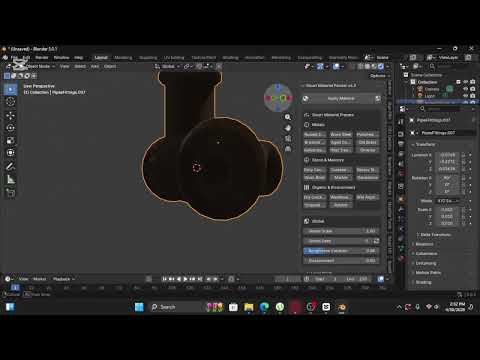
https://youtu.be/74bu0Rt2BO0?si=jodiOSiUt3cyugIx
Happy to answer questions or share more on how the geometry masking works.

Replies

  • sacboi
    Offline / Send Message
    sacboi grand marshal polycounter
    Informative and I suppose adaptive as well?
     
    I'm curious because at the moment leveraging the KitOps addon feature, specifically it's embedded procedural PBR material system too texture raw HS geometry in order to 'previs' conceptual content, primarily via shader channels so yes I'd agree can be bit of a time sink fiddling with nodal trees, which is not necessarily my forte at the best of times. 

    On a side note presumably I gather that: 

    "🤖 Smart Assistant — A built in material assistant with 200+ keyword scoring. Describe what you want, get a suggested layer setup instantly."

    ...would mean some degree of ML involved? 

    Now to be honest, for tool development if indeed being the case? then I'm neither here nor there on the matter these days hence pretty much rapidly becoming orthodoxy anyway. However personally I do think disclosure in terms of sustained commercial viability moving forward and as an example would also afford a potential user base, up front self determination as to whether this app is compatible for any number of reasons.

    Edit:
    Since this workflow has peeked an interest, decided on road testing it's functionality for what I want to do and perhaps report back with findings.     
  • meshmind
  • meshmind
    sacboi said:
    Informative and I suppose adaptive as well?
     
    I'm curious because at the moment leveraging the KitOps addon feature, specifically it's embedded procedural PBR material system too texture raw HS geometry in order to 'previs' conceptual content, primarily via shader channels so yes I'd agree can be bit of a time sink fiddling with nodal trees, which is not necessarily my forte at the best of times. 

    On a side note presumably I gather that: 

    "🤖 Smart Assistant — A built in material assistant with 200+ keyword scoring. Describe what you want, get a suggested layer setup instantly."

    ...would mean some degree of ML involved? 

    Now to be honest, for tool development if indeed being the case? then I'm neither here nor there on the matter these days hence pretty much rapidly becoming orthodoxy anyway. However personally I do think disclosure in terms of sustained commercial viability moving forward and as an example would also afford a potential user base, up front self determination as to whether this app is compatible for any number of reasons.

    Edit:
    Since this workflow has peeked an interest, decided on road testing it's functionality for what I want to do and perhaps report back with findings.     
    Really appreciate the thoughtful comment and you're raising a fair point worth addressing clearly.

    To answer directly: no, the Smart Assistant doesn't use ML or any AI model. The keyword scoring system is fully deterministic it matches your input against a weighted keyword library (200+ terms) and ranks layer setups by score. Think of it closer to a smart lookup table than inference. No training data, no model weights, no external calls.

    I completely agree with your position on disclosure though. As ML becomes more embedded in tools sometimes quietly users have every right to know what's actually running under the hood, especially for anything commercially distributed. It affects trust, compatibility, and for some workflows, data considerations too.

    In SMP's case there's nothing to disclose on that front, but I'll take the feedback on board and make the distinction clearer in the documentation so it's not ambiguous.

    Interested to hear how the road test goes especially for previs work on HS geometry, that's a use case I'd love feedback on.
Sign In or Register to comment.