Gradient texturing on modular tiles causing visible seams

Hi everyone,
I am currently building a modular kit for my game and ran into a problem with gradient texturing that I do not fully understand yet.
My kit consists of many reusable pieces like walls, windows and especially floor tiles. The floor is made out of repeating units, for example 1x1m, 2x2m or 4x4m tiles that are placed next to each other to build larger areas like rooms or streets.
I recently started experimenting with gradient based texturing because I like the look and the workflow is simple. It works quite well for walls, but I am struggling with floors.
The issue is that a gradient is usually one dimensional, for example a smooth transition from color A to color B. When I apply this to a single floor tile it looks fine on its own. But as soon as I place multiple tiles next to each other, the gradient restarts on every tile and creates visible seams. You get a repeating pattern where the color suddenly jumps back to the start of the gradient.
- I tried a few ideas to work around this:
- using a mirrored gradient like A to B to A
- using a radial gradient with a brighter center and darker edges
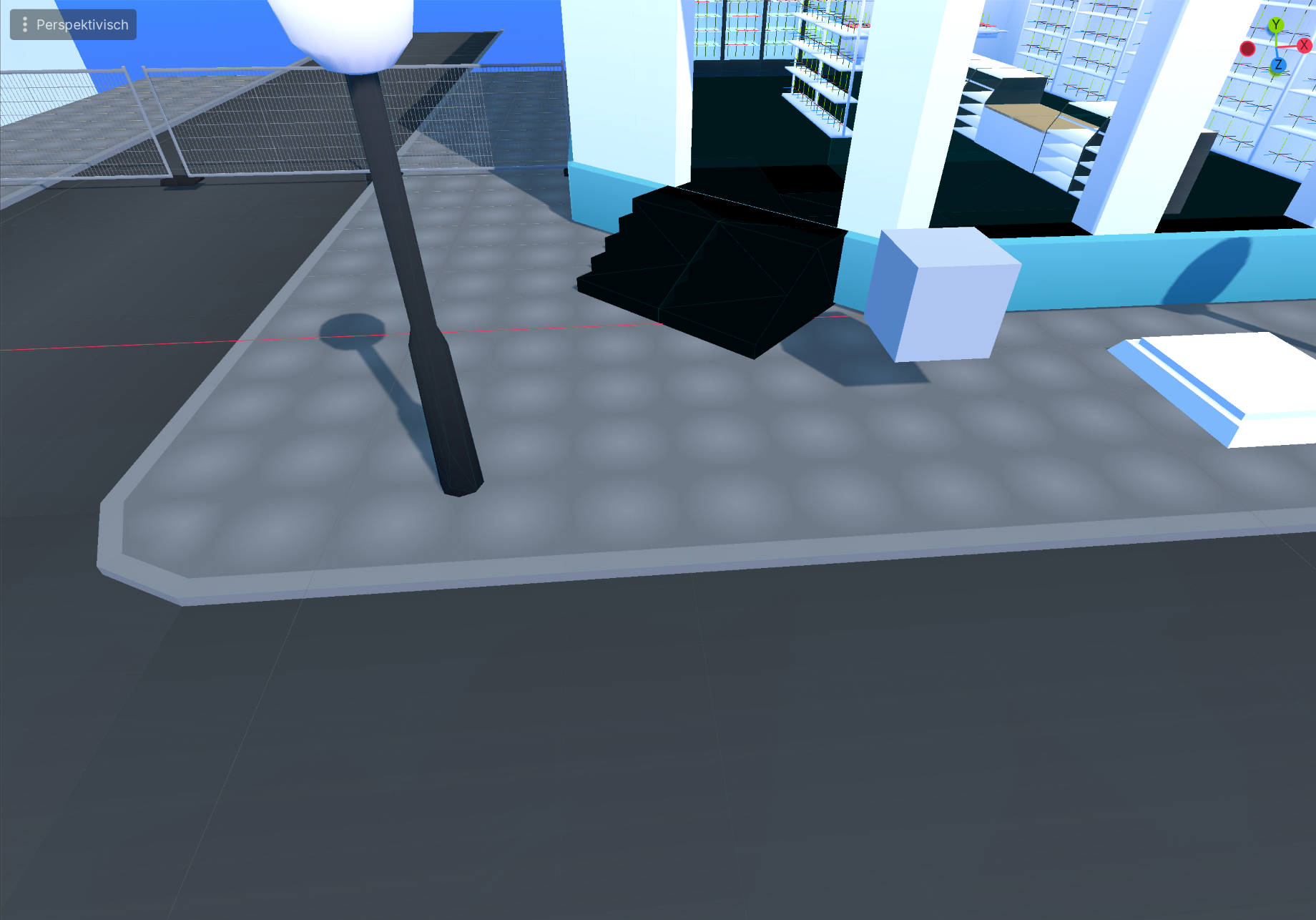
My current workflow looks like this:
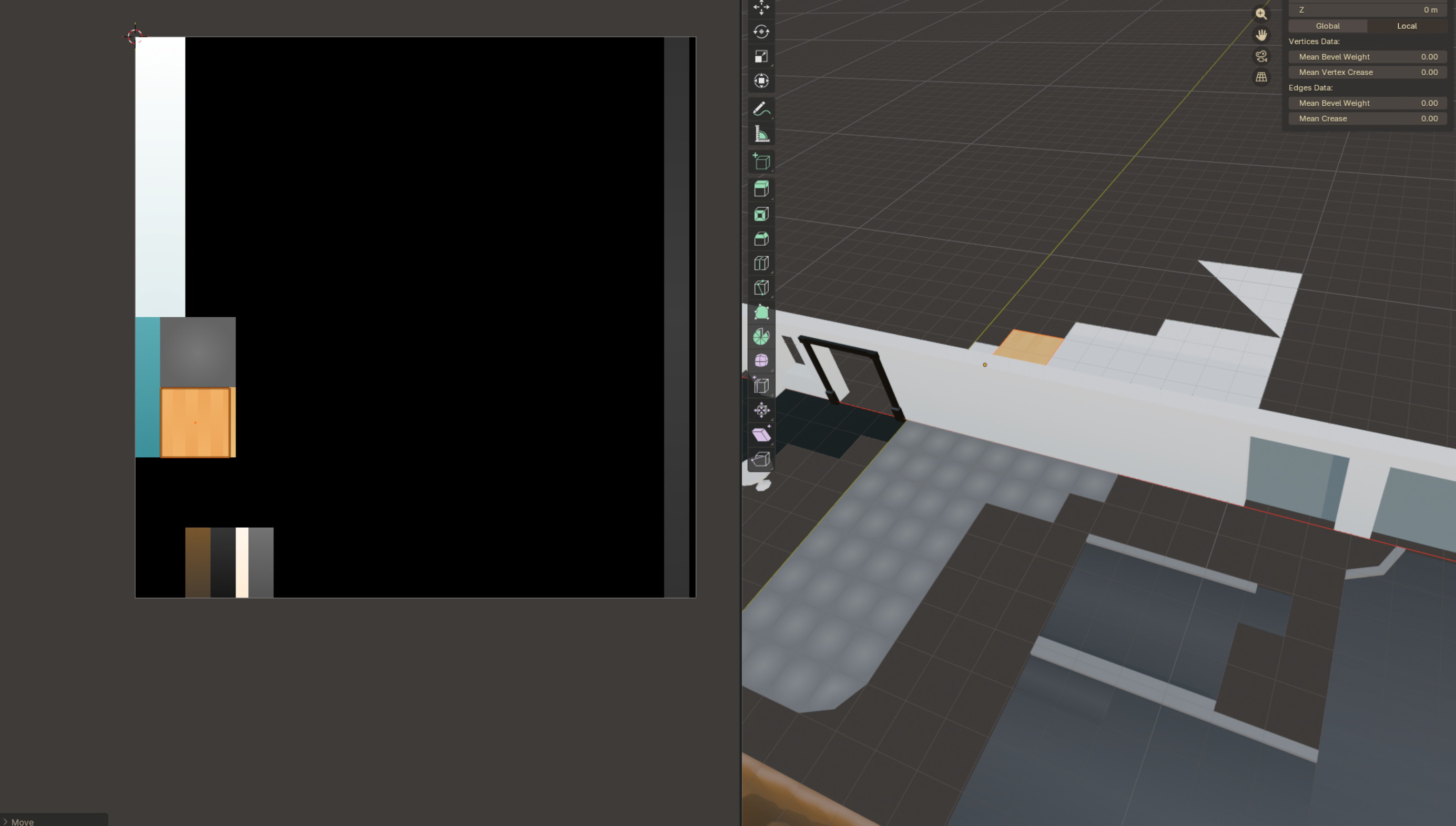
I create and edit my gradient textures in Krita. The texture you see in the Blender screenshot is still very much work in progress and mostly empty. I gradually add new gradients to it whenever I need them, so it acts more like a growing gradient sheet.
From Krita I export the texture as an EXR file. Then I import that EXR into Blender, unwrap my meshes accordingly and assign the gradients via UVs. After that I export the whole modular kit and use it in Godot.
What I am trying to achieve is a clean stylized look using gradients, but without visible seams between tiles.
- So my questions are:
- what is the usual approach for gradients on modular, tileable surfaces
- are gradients even the right tool for floors in this case
- do people handle this in the shader instead of the texture
- or is there a different workflow that is more common in production
I will attach a couple of images to show what I mean.
I am still fairly new to game art, so I might be missing something obvious. Any advice or pointers would be really helpful.
Thanks a lot
Replies
if you want it to look like a bunch of floor tiles it sort of already does - using a box shaped gradient would make it look more tiley
if you want it to not look like a load of floor tiles then I'd suggest a flat color
If you want a gradient at the edges, make some edge pieces and apply a linear gradient to them
As for the other questions - the answer is that it depends.
And, cos you're new...
I'd advise strongly against sticking to a technique/workflow "on principle" and instead just make your stuff look the way you want.
It's been a large part of my job for a very long time to invent specialised workflows and the process followed is roughly this..
- have some artists make a few example things
- look at them
- figure out the specialised workflow
- tell everyone to do it.
i.e. you don't start with the workflow, you start with the result and work from there.
There are certain texture patterns particularly gradients that are not possible to be seamless thats where in between parts come in to hide those seams.
Blue orange and black will also bleed on UVs of your floor due to mipping unless you have given manual padding to your floor uvs.