Persistent triangulation artifacts on surface bake. Need help.


Hello everyone,
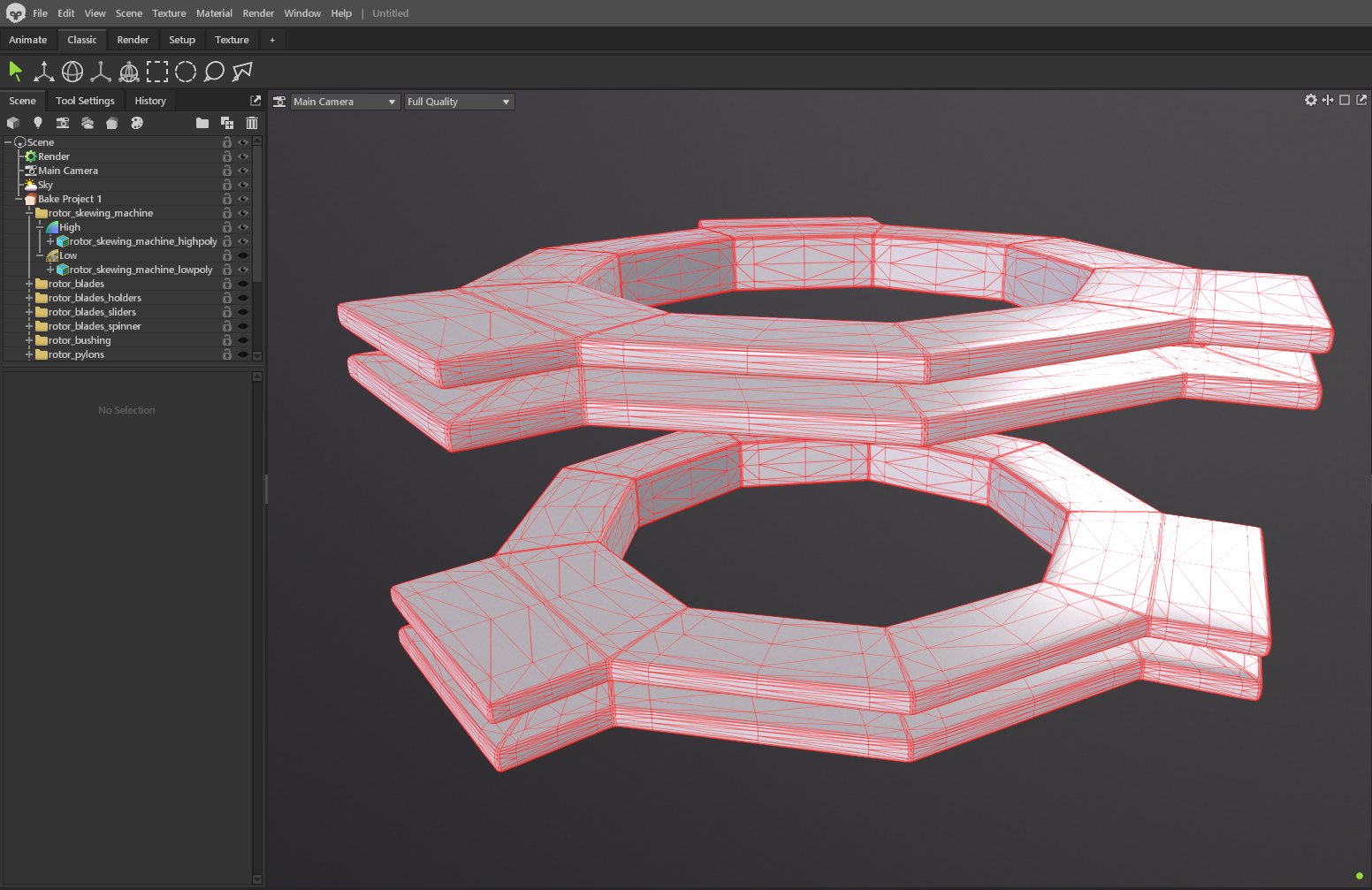
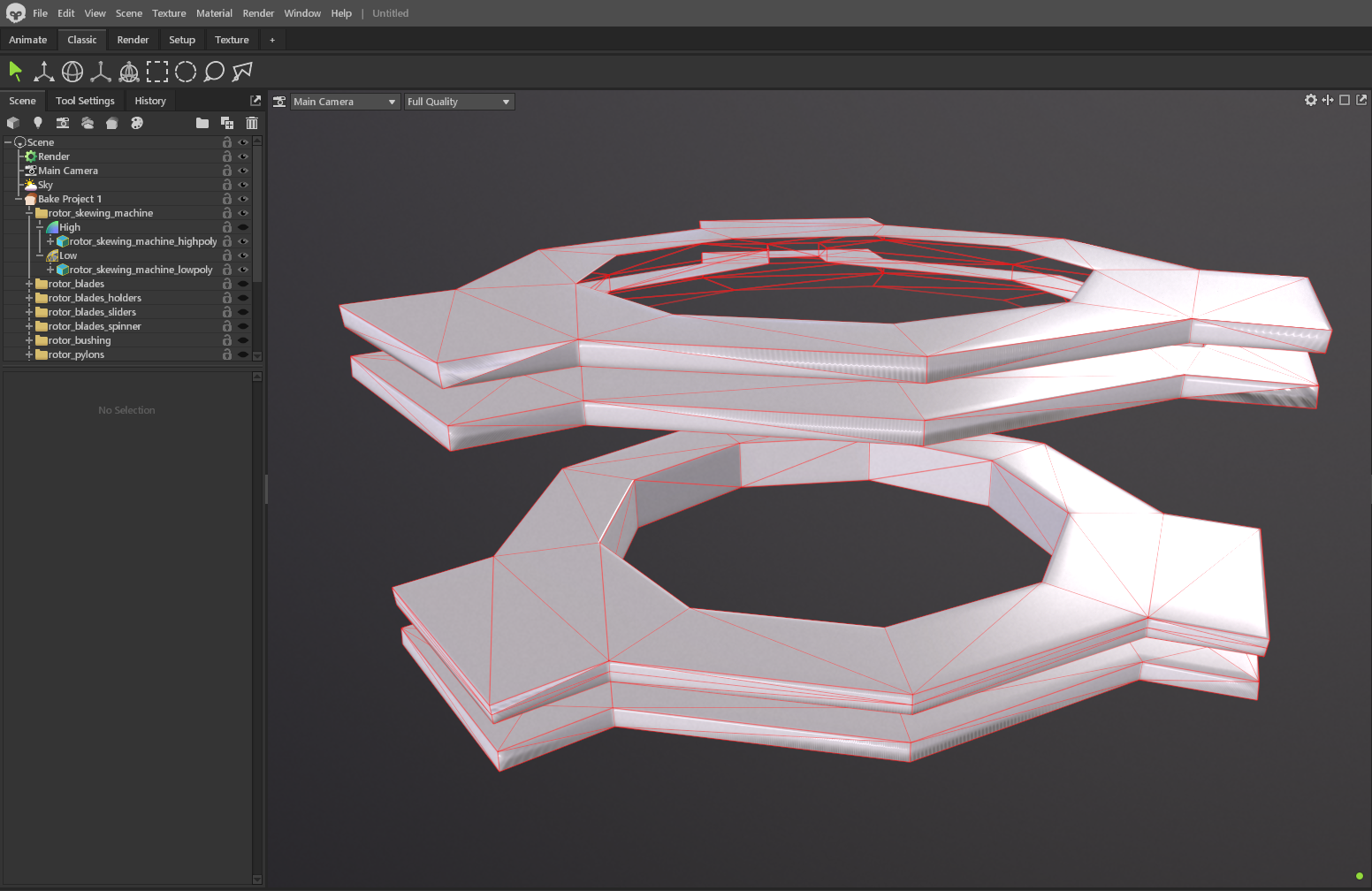
When baking in Marmoset Toolbag, diagonal shading artifacts appear on the surface. It seems to be a triangulation issue, but I can't fix it.
I made the model in Maya and baked it in Marmoset.
What I've already tried:
Triangulating the mesh before export.
Checking Smoothing Groups / Hard Edges (soft edges on the cylinder, hard edges on UV seams).
Using “Paint Skew” in Marmoset to correct the beam direction.
Adjusting the cage (minimum/maximum offset).
Nothing helps. The artifact follows the quadrogram triangulation line.
Replies
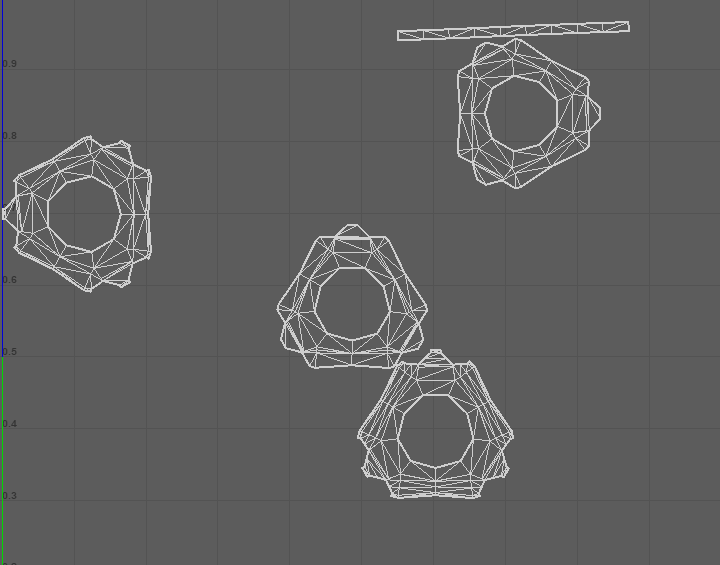
Looking at the UVs, are the sides stacked on top of each other? If so, I would expect issues from that. To test if that's so, you could bake just one element/ part or try not stacking those.
I hope this helps.
Checking the file, this issue comes from the UVs. Those edges are unwrapped very unevenly, not occupying any UV space in some areas.
I would try something like a cylindrical unwrap (caps, sides) and make the edges at UV borders hard, since they're 90 degrees, to reduce mesh shading gradients. Then I would straighten the UVs to minimize aliasing along seams, even though it means UVs will have some distortion. Test in Painter:
Attached you find the lowpoly being used (perhaps scale is off due to my fbx export setting).
I would note the highpoly has some shading gradients which will show in the baked normal maps.